

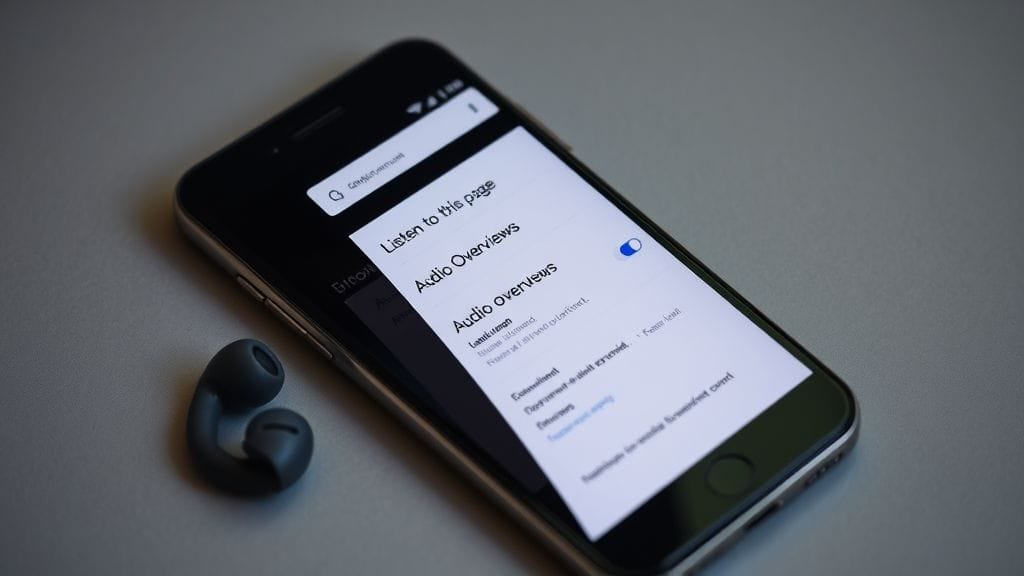
Our world moves fast, and consequently, the ways we access information are constantly evolving. We now consume information through videos, podcasts, and short-form content, moving beyond traditional text. Google, a leader in information dissemination, is innovating once more. For example, it has launched Google Chrome Audio Overviews for Chrome on Android. This revolutionary new tool transforms complex webpages into engaging, podcast-style summaries. Powered by cutting-edge AI, Google Chrome Audio Overviews redefines how we interact with digital content.
Imagine grasping long articles during your commute, or listening while cooking or exercising. Crucially, you won’t need to watch your screen. This is precisely what Google Chrome Audio Overviews delivers. It enhances Chrome’s “Listen to this page” feature, offering a much richer audio experience. Indeed, it seamlessly integrates into our busy, multitasking lives. Thus, it does more than simply read text aloud; instead, it intelligently interprets and shares information. This makes complex facts clear and engaging, truly simplifying intricate details.
The Dawn of Conversational Content Consumption: What Are Google Chrome Audio Overviews?
Google Chrome Audio Overviews represent a significant leap in how users interact with online content. At its core, it is an AI-driven feature for Chrome on Android that condenses and narrates webpages into concise, podcast-like audio summaries. Unlike standard text-to-speech, which typically offers a verbatim, often robotic reading of an article, Google Chrome Audio Overviews leverages advanced artificial intelligence to understand, summarize, and articulate the main points in a more natural, conversational style.
This feature simulates a dialogue, employing two distinct AI voices. These voices engage in a “podcast-style” discussion about webpage content. Indeed, Google Chrome Audio Overviews aims to present information in an engaging and digestible manner. It makes the content feel less like a machine reading and more like a curated broadcast. Moreover, this approach significantly reduces the effort required to process long articles, especially when visual attention is limited. Consequently, Google boosts content accessibility, with Google Chrome Audio Overviews leading this effort on mobile platforms.
Beyond Simple Read Aloud: A New Paradigm
A key difference distinguishes Google Chrome Audio Overviews from the standard “Listen to this page” tool. The latter merely reads an article word-for-word, which can often feel monotonous. Conversely, Audio Overviews acts as an intelligent summarizer and narrator. This feature condenses and shares information, rather than simply vocalizing it. Google’s advanced Gemini models power this AI: first, the AI analyzes the text to find important information; next, it combines this content into a clear, smooth narrative; and finally, Google Chrome Audio Overviews delivers this story.
This shift offers a new way to consume content, moving from verbatim reading to intelligent summarization. After all, not everyone needs to read every word; many users instead prefer to quickly grasp main points. They want core arguments and key takeaways, and Google Chrome Audio Overviews excels here, providing these insights in a clear audio format. Google thus meets the needs of a broad user base, including those requiring rapid information and individuals with specific accessibility requirements. Therefore, Google Chrome Audio Overviews emerges as a flexible and inclusive tool.

How to Unlock and Utilize Google Chrome Audio Overviews on Chrome for Android
Accessing and using Google Chrome Audio Overviews is intuitive, integrating seamlessly into Chrome for Android. Google has rolled out this feature gradually, ensuring a stable and refined user experience before broad availability. Generally, for most users, Google Chrome Audio Overviews will appear as an option. You’ll find it within the familiar “Listen to this page” interface, signaling its evolution rather than a complete replacement of prior functionality.
Step-by-Step Activation
To begin transforming your webpages into podcast-style summaries using Google Chrome Audio Overviews, follow these simple steps on your Android device:
- Update Chrome: Ensure your Chrome for Android browser is updated to the stable build 140.0.7339.124 or newer. Google frequently updates its applications, so keeping Chrome current is generally good practice for accessing the latest features and security enhancements.
- Navigate to a Webpage: Open any webpage within your Chrome browser that you wish to have summarized. While Google is continually improving compatibility, some highly dynamic or script-heavy pages might present limitations for Google Chrome Audio Overviews.
- Access the Three-Dot Menu: Tap the three-dot menu icon located in the top-right corner of your Chrome browser screen. This menu houses a variety of settings and options.
- Select “Listen to this page”: From the dropdown menu, choose the “Listen to this page” option. This action typically opens a dedicated Reading Mode overlay or a playback control interface at the bottom of your screen.
- Toggle Google Chrome Audio Overviews: Within this new interface, you should now see a distinct button or toggle specifically for “Google Chrome Audio Overviews.” Tap this to activate the AI-powered summarization. If you do not see it, the feature might not yet be available in your region or for that specific webpage.
Once activated, the AI begins processing the webpage, and soon, you will hear the podcast-style summary commence. Notably, the process uses cloud-based AI; thus, an active internet connection is required. This applies to both initial summary generation and ongoing playback for Google Chrome Audio Overviews. Google clarifies that it retains no personal data, further ensuring user privacy.

Navigating the Playback Experience
The user interface for Google Chrome Audio Overviews is designed for convenience and control, offering a rich listening experience:
- Playback Controls: Standard controls like play, pause, and skip forward/backward (typically 10-15 seconds) are readily available within the Reading Mode overlay or the persistent playback bar, allowing you to manage your listening session with ease.
- Speed Adjustment: You can customize the narration speed to match your preference, with options typically ranging from 0.5x (half speed) to 4x (quadruple speed). This flexibility is invaluable for users who prefer a slower pace for comprehension or a faster pace for quick consumption with Google Chrome Audio Overviews.
- Voice Selection: Google provides a selection of around ten distinct AI voice options. These voices are designed to be natural-sounding and conversational, moving beyond the monochromatic tones of earlier text-to-speech engines. Users can choose the voice that is most pleasant and engaging to them.
- Multilingual Support: The feature supports multiple languages, allowing users to consume content in their preferred tongue, provided the original webpage content is in that language and the AI models support it.
- Background Playback: A significant convenience factor of Google Chrome Audio Overviews is the ability for the audio to continue playing in the background. Whether you switch to another application, lock your phone screen, or simply navigate away from Chrome, the audio will persist. Playback controls are seamlessly integrated into your device’s notification panel, enabling quick adjustments without needing to reopen Chrome.
This robust set of controls ensures users have a highly customizable and convenient listening experience, making Google Chrome Audio Overviews a truly versatile tool for consuming web content on the go.
The Power of AI in Your Pocket: Why Google Chrome Audio Overviews Matter
Google Chrome Audio Overviews is more than a novelty; rather, it addresses several fundamental user needs. These needs have arisen in the digital age, and this feature transforms text into engaging audio, consequently unlocking new content consumption possibilities. It enhances accessibility, convenience, engagement, and efficiency for a wide user base. Therefore, these core arguments underpin the utility and potential impact of Google Chrome Audio Overviews.
Enhancing Accessibility and Inclusion
Google Chrome Audio Overviews offers profound benefits, with its capacity to bolster accessibility being key. For example, traditional web browsing challenges visually impaired individuals, who often rely on screen readers that, while functional, can be cumbersome and less engaging. Google Chrome Audio Overviews provides a natural, conversational alternative, presenting information in an easier format to process. This assists those who struggle with visual text, and ultimately, enhanced content accessibility is a cornerstone of what Google Chrome Audio Overviews aims to achieve.
This feature greatly assists people with reading challenges, for example, those with dyslexia or other processing disorders. By listening to clear content summaries, these users can overcome common problems, no longer struggling to read or grasp written text. Therefore, this change empowers many individuals to easily access and understand online information. This action, moreover, promotes wider digital inclusion for all, aligning perfectly with Google’s mission to organize all data and make it universally accessible. Thus, tools like Google Chrome Audio Overviews help achieve this goal.

Mastering Multitasking: Information on the Go
In our fast-paced lives, multitasking is highly valued, and Google Chrome Audio Overviews excels here. It offers an unparalleled solution, allowing you to consume long, text-heavy articles while engaged in other activities. For instance, you might be commuting, doing chores, exercising, or simply preferring to rest your eyes. This feature transforms your Chrome browser into a personal podcast player for any webpage, thanks to Google Chrome Audio Overviews.
This “hands-free” and “eyes-free” method caters to modern users who are constantly on the move. Users no longer need to bookmark articles or feel guilty about missing news. Instead, they can seamlessly integrate information intake into their daily routines. Consequently, content shifts from a “sit-down-and-read” activity to a fluid, ambient experience. This makes productive use of otherwise lost moments, and such convenience clearly drives adoption in our mobile-first world. Thus, Google Chrome Audio Overviews becomes an indispensable tool.
Boosting Engagement with Dynamic Narration
The conversational style, specifically employing two AI hosts, significantly increases user engagement with Google Chrome Audio Overviews. A monotone, single-voice reading is informative; however, it can quickly become tedious. Conversely, the dynamic dialogue of Google Chrome Audio Overviews injects life into the content, mimicking a real podcast’s engaging flow. Therefore, this makes information consumption more interactive and less passive.
Google suggests enhanced engagement could decrease bounce rates for long-form content. Captivating users with a lively presentation helps them stay more engaged. This applies even when consumed via audio, consequently benefiting both the user and content creators. Publishers, for instance, seek to maximize time spent on content, regardless of the consumption medium when using Google Chrome Audio Overviews. The human brain naturally enjoys conversation, and AI now mimics this to hold attention.
Time-Saving Summaries for the Information Age
In an era of information overload, efficiency is paramount, and Google Chrome Audio Overviews directly addresses this. It offers concise summaries of webpages, which is invaluable for users who often need to grasp main points quickly. They can identify key arguments or decide if content merits a deeper read. Therefore, these AI-generated overviews, provided by Google Chrome Audio Overviews, are invaluable, consequently saving significant time. Otherwise, users would skim or laboriously read extensive text.
This feature greatly assists with research, professional growth, and staying informed. Users gain a quick, high-level audio understanding; for instance, they can grasp an academic paper or a detailed news analysis this way. This efficiency therefore empowers users to process more data in less time. Consequently, this makes them more productive and better informed without sacrificing precious hours. Ultimately, it promotes smart consumption, allowing users to get more from digital interactions using Google Chrome Audio Overviews.
Differentiating Google Chrome Audio Overviews from “Listen to This Page”
Chrome’s “Listen to this page” has been useful, providing basic text-to-speech functionality. However, Google Chrome Audio Overviews represents a qualitative leap forward, and understanding their fundamental differences is crucial. This helps appreciate the innovation behind the new AI-powered summaries, especially as Google Chrome Audio Overviews serves distinct purposes, caters to different user needs, and employs varied technological approaches.
Summary vs. Verbatim: A Core Distinction
Their most significant difference lies in their core function: “Listen to this page” reads content verbatim. It vocalizes text exactly as it appears, much like a traditional screen reader. While useful for accessibility, it offers no interpretation or condensation. If a webpage is long and dense, “Listen to this page” reads all of it, including potentially irrelevant remarks.
Google Chrome Audio Overviews, conversely, operates as an intelligent summarizer. Powered by Gemini AI, it processes the webpage’s content, identifies the main arguments, key facts, and essential takeaways, and then reconstructs this information into a concise summary. It doesn’t read every word; instead, it provides an intelligent distillation. This means that a ten-minute article might be summarized into a two-minute audio overview, focusing solely on the most critical information, thereby saving the user considerable time and cognitive effort through Google Chrome Audio Overviews.
Single Voice vs. Dynamic Dialogue
Historically, “Listen to this page” used a single, synthesized voice, though these voices have become more natural over time. However, they generally lack human speech qualities, missing inflection, rhythm, and dynamic quality. Listening to a lengthy article this way can cause fatigue and reduce engagement.
Google Chrome Audio Overviews breaks this mold by often employing multiple AI voices (typically two) that engage in a conversational style. This dynamic dialogue mimics the familiar format of a podcast, where hosts discuss and elaborate on a topic. The interplay between different voices, coupled with varied intonation and pacing, makes the audio much more engaging and easier to follow—a hallmark of Google Chrome Audio Overviews. This stylistic choice is central to the feature’s goal of creating a “podcast-like” experience, transforming passive listening into a more active and enjoyable information-gathering process. The use of multiple voices helps delineate different points or perspectives, making the summary clearer and more compelling.
The Technological Backbone: Gemini AI and NotebookLM’s Influence on Google Chrome Audio Overviews
The sophistication of Google Chrome Audio Overviews is advanced, resulting from cutting-edge AI. At its heart, Google’s formidable Gemini AI models drive this feature, representing today’s most advanced generative AI capabilities. Indeed, they are crucial for tools like Google Chrome Audio Overviews. Furthermore, its conceptual framework draws direct inspiration from another innovative Google product: NotebookLM.
The Intelligence Behind the Narration
Google’s Gemini AI models are multimodal, meaning they can understand and operate across different types of information—including text, code, audio, image, and video. For Google Chrome Audio Overviews, Gemini’s advanced natural language processing (NLP) capabilities are crucial. When a user requests an audio overview, the AI performs several complex tasks in rapid succession:
- Content Analysis: Gemini meticulously scans the entire webpage, parsing its structure and identifying semantic relationships between different sections and sentences. It looks beyond keywords to understand the context and overall meaning.
- Key Information Extraction: The AI then identifies the most critical points, arguments, data, and conclusions within the text. This involves sifting through extraneous details to pinpoint the core message.
- Summarization: Based on the extracted information, Gemini generates a concise, coherent summary. This isn’t just a collection of sentences; it is a new, synthesized piece of text that captures the essence of the original.
- Natural Language Generation (NLG): The summarized text is then transformed into spoken language using advanced text-to-speech (TTS) technology, enhanced by Gemini’s understanding of prosody, intonation, and emotional nuance. This allows for the natural-sounding, conversational voices that characterize the feature.
This intricate process, all happening behind the scenes, is what differentiates Google Chrome Audio Overviews from simpler text-to-speech systems. It is truly an intelligent interpretation, not just a verbal rendering.

Learning from Conversational AI
Google’s NotebookLM app partly inspires the conversational summaries; specifically, NotebookLM is a research and notetaking assistant. It pioneered conversational summaries for dense information, allowing users, for instance, to upload documents. These include research papers, articles, or notes, then chat with an AI about the content, receiving summaries and answers, and even generating new ideas.
NotebookLM simplifies complex information; for example, its chat design created a clear model. This design then shaped Google Chrome Audio Overviews with a simple main goal: to offer intelligent summaries in your web browser. Presenting content as a conversation truly helps, leveraging our natural inclination for stories. Therefore, learning feels less like a chore and more like an enjoyable experience. This remains a key aim for Google Chrome Audio Overviews, and moreover, this intelligent method uses proven AI. Ultimately, it demonstrates Google’s commitment to making content easy to access and enjoy.
Navigating the Nuances: Concerns and Criticisms of Google Chrome Audio Overviews
While Google Chrome Audio Overviews offers exciting possibilities, no groundbreaking technology arrives without its share of considerations and criticisms. As with any AI-powered system, concerns around accuracy, technical limitations, and the broader impact on content ecosystems require careful examination. These nuances highlight the ongoing challenges and responsibilities that accompany the deployment of advanced artificial intelligence.
The Double-Edged Sword of Accuracy and Bias
AI-generated summaries raise significant concerns, with accuracy and potential for bias being chief among them. An AI’s ability to interpret content is not infallible, especially for complex or nuanced topics. There is a risk the AI might misinterpret information, or moreover, omit critical context. It might also inadvertently introduce biases from its training data or the original article. Consequently, users might gain a superficial understanding, as the AI could overlook key details or dissenting opinions.
Many critics caution against relying solely on AI summaries, arguing this leads to a shallow understanding of content. Nevertheless, deep reading provides much better insight; for example, Google Chrome Audio Overviews could miss a writer’s true message. Key points or subtle details might easily disappear, leading users to misunderstand important information. This risk, furthermore, grows with academic, legal, or technical documents; therefore, users should always stay alert. They should always check the original source for crucial details, as deep reading remains vital, even as Google improves its AI. Ultimately, human language is too complex for AI to fully grasp.
Technical Hurdles and Data Implications
Google Chrome Audio Overviews is not without its technical limitations. Compatibility issues persist with some webpages; for instance, highly interactive sites may not be fully supported. Pages with extensive multimedia or paywalls also pose challenges. Furthermore, the cloud-based AI processing requires an active internet connection. This raises concerns about data usage, particularly for users with limited plans, who might face issues. This applies if they frequently use the feature on the go. While audio files are relatively small, processing entire webpages consumes bandwidth.
Google explicitly states it retains no personal data, which is crucial for user privacy. However, as an internet connection is required and external servers handle processing, users in areas with poor connectivity might face barriers, and those conscious of data consumption could also struggle. These factors limit consistent use, and the gradual rollout means some users lack immediate access. This leads to a staggered user experience for Google Chrome Audio Overviews.

The Publisher’s Predicament: Revenue and Engagement
Content creators and publishers have a contentious concern surrounding Google Chrome Audio Overviews. A significant fear is decreased click-through rates and reduced on-page engagement. Ultimately, this negatively impacts ad revenue, as users might consume an article’s summarized essence via audio. They may never visit the original webpage or might spend less time on it. Publishers then could see a decline in “actual human eyeballs,” which drive their business models.
This new feature changes key relationships, specifically impacting creators and their audience. Publishers, for instance, invest heavily in quality content; however, if AI summaries reduce direct user engagement, their earnings may fall. Consequently, many online publications could face financial hardship. Therefore, publishers must rethink their content strategies. They should use clear headings and strong introductions, and highlighting key points can also encourage deeper reading, even with Google Chrome Audio Overviews. Ultimately, Google must balance easy user access with a thriving content ecosystem.
Evolving AI Voice Quality: From Stilted to Seamless
Recent reports praise the natural, conversational AI voices in Google Chrome Audio Overviews. Earlier AI narration, however, often drew criticism for its “stilted and unnatural” language. Still, progress has been significant, driven by advancements in neural networks. Deep learning consequently allows AI to generate more human-like speech, including rhythm, inflection, and emotional resonance.
The journey towards perfectly natural AI voices continues; for example, subtle linguistic nuances remain. Accurately conveying irony or sarcasm is also challenging, and seamlessly handling complex sentence structures further needs development. While Google Chrome Audio Overviews has made strides, occasional awkward phrasing and unnatural pauses might still occur. User perception of voice quality, however, is highly subjective; therefore, continuous refinement will be key. This ensures widespread acceptance and long-term satisfaction.
The Road Ahead: What Google Chrome Audio Overviews Mean for the Future of Web Browsing
Google Chrome Audio Overviews is more than just a new feature; it is a significant indicator of the direction web browsing and content consumption are headed. This development undoubtedly redefines how we interact with digital content, instigating shifts in how content is created and monetized. It signals a future where AI acts not merely as a search tool, but as an active mediator and interpreter of information, adapting content to suit diverse user preferences and contexts.
A Shift in Content Consumption Habits
The immediate impact of Google Chrome Audio Overviews will likely be a noticeable shift in content consumption habits, particularly for mobile users. As the feature becomes more widely adopted and refined, we can expect:
- Increased Audio-First Consumption: More users will opt for audio summaries for initial content triage, saving visual reading for deeply interesting or critical articles. This could make multitasking a more integrated part of daily information intake, thanks to Google Chrome Audio Overviews.
- Reduced Friction for Long-Form Content: The barrier to entry for consuming lengthy articles will decrease. What once required focused visual attention can now be absorbed peripherally, democratizing access to in-depth knowledge—a primary goal of Google Chrome Audio Overviews.
- Personalized Information Bubbles: As AI summarization becomes more sophisticated, it could potentially be personalized to a user’s interests, prior knowledge, or preferred level of detail, creating highly tailored information streams.
- Changing Expectations: Users may come to expect an audio summary option as a standard feature for all web content, pushing developers and content platforms to integrate similar functionalities.
This shift does not replace reading; instead, it augments it. It thus offers an additional, convenient pathway to information, catering to a diverse global audience with Google Chrome Audio Overviews.

Potential for Further AI Integration
Google Chrome Audio Overviews is likely just the beginning of deeper AI integration into our browsing experience. We can anticipate several potential future developments:
- Interactive Summaries: Imagine being able to ask follow-up questions to the AI narrator about specific points in the summary, or even asking for a deeper dive into a particular section of the original article, all within the audio interface.
- Cross-Platform Expansion: While currently on Android, similar features could eventually migrate to desktop Chrome, smart displays, or even integrate with voice assistants like Google Assistant, creating a unified AI-powered content experience across devices, building on the success of Google Chrome Audio Overviews.
- Content Generation and Curation: AI’s role could expand beyond summarization to actively curate content based on user context, suggesting relevant articles or providing dynamic updates based on evolving news.
- Enhanced Publisher Tools: Google might offer publishers new tools to work with AI summarization, allowing them to define specific key points for the AI to prioritize or to create complementary audio summaries themselves, mitigating revenue concerns.
- Ethical AI Development: As these features become more prevalent, the focus on ethical AI development, particularly regarding bias, transparency, and accountability, will intensify. Google will need to ensure that AI interpretations are fair, accurate, and represent diverse perspectives.
The evolution of Google Chrome Audio Overviews signifies Google’s vision for an AI-powered browser. This browser not only finds information but also helps users understand and interact with it. Furthermore, it helps integrate information more effectively into their lives. The journey has just begun, and its implications for how we learn, work, and connect are vast and exciting.
Frequently Asked Questions
What are Google Chrome Audio Overviews?
Google Chrome Audio Overviews is an AI-powered feature for Chrome on Android that converts webpages into concise, podcast-style audio summaries. It uses Google’s Gemini AI models to analyze, summarize, and narrate key points in a conversational, often two-voice format, offering a dynamic alternative to traditional text-to-speech.
How is Google Chrome Audio Overviews different from “Listen to this page”?
“Listen to this page” reads webpages verbatim, word-for-word, usually with a single, often robotic voice. Google Chrome Audio Overviews, by contrast, summarizes the content into key points using conversational, multi-voice narration, similar to a podcast, focusing on efficiency and engagement rather than a full reading.
What are the main benefits of using Google Chrome Audio Overviews?
Key benefits include enhanced accessibility for visually impaired users or those with reading challenges, enabling multitasking for on-the-go content consumption, boosting engagement through dynamic narration, and saving time by providing quick summaries of long articles provided by Google Chrome Audio Overviews.
Do I need an internet connection to use Google Chrome Audio Overviews?
Yes, an active internet connection is required. The AI processing that generates the audio summaries for Google Chrome Audio Overviews is cloud-based and requires connectivity to Google’s Gemini AI models.
Is Google Chrome Audio Overviews available on all devices and webpages?
Currently, Google Chrome Audio Overviews is rolling out gradually to Chrome for Android (stable build 140.0.7339.124 or newer). Compatibility with all webpages may vary, with highly interactive or multimedia-heavy pages potentially facing limitations. It is not yet available on desktop Chrome or iOS.







