Windows Vista launched in January 2007, marking an important time for computers. This period is often misunderstood. The “Vista era” lasted until Windows 7‘s release in October 2009. This Windows Vista retrospective therefore examines its journey. Windows XP had been hugely successful, and Microsoft consequently aimed to transform personal computing. Many remember Vista as a frustrating system; however, it was also a brave step forward. It introduced new ideas and features that greatly shaped future operating systems. Ultimately, this article explores Vista’s ambitious goals, its main challenges, and its lasting effect on computing.
The Grand Vision of Windows Vista: An Early Windows Vista Retrospective
Windows XP was a global hit. Following this success, Microsoft embarked on a major update: Windows Vista. Its initial codename was “Longhorn,” and this Windows Vista retrospective highlights its ambitious origins. Vista was planned in 2001, aiming to be beautiful, highly secure, and more stable. Furthermore, it also sought to handle rich media and emerging online threats. Clearly, the goal was immense. Microsoft intended to build a truly new OS from scratch.
However, this grand vision led to feature bloat. Consequently, in 2004, the project underwent a significant restart. Microsoft scaled back some of its boldest plans. The team then focused on delivering a functional, yet innovative, OS. This decision significantly delayed Vista’s launch. Nevertheless, it allowed the team to focus on crucial changes. Many of these changes were revolutionary for their time. Moreover, they paved the way for later Windows versions, like Windows 7, which benefited from the Windows Vista retrospective.
Windows Vista’s Visual Spectacle: The Birth of Aero
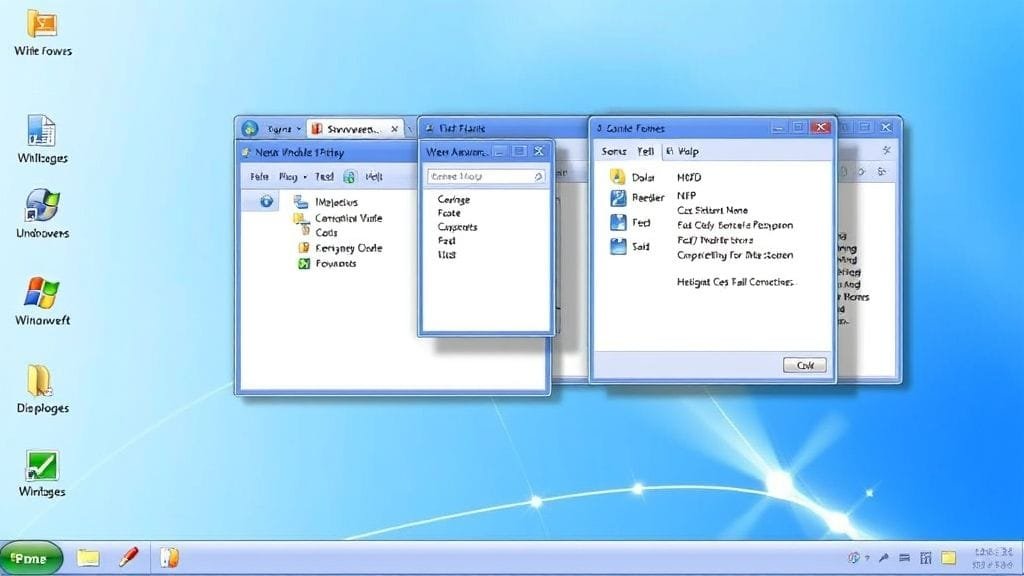
Windows Aero represented a clear and important change in Vista; specifically, it was the graphical user interface. This visual overhaul introduced translucent “glass” windows. Additionally, it featured dynamic elements, like live thumbnails. These provided live previews of open applications. Furthermore, Flip 3D allowed users to navigate through windows in a 3D stack. These features aimed to enhance aesthetics, simplify usability, and aid multitasking. Ultimately, they set a new standard, a key point in any Windows Vista retrospective.

Aero’s aesthetic appeal masked significant technological improvements. Indeed, the Windows Display Driver Model (WDDM) was a pivotal component. This new driver design fundamentally altered how the OS interacted with graphics hardware. For example, it led to improved memory management, more efficient GPU utilization, and shared graphics card access for multiple applications. Moreover, the desktop composition engine consistently rendered the entire desktop as a single image. Consequently, this enabled effects like transparency and animations. Applications no longer had to handle these independently. Aero was not merely cosmetic; rather, it represented a significant leap for Windows’ graphics. This is a vital point in any Windows Vista retrospective.
Security First in Windows Vista: UAC and Trustworthy Computing Reviewed
With Vista, Microsoft firmly committed to enhanced security. In essence, it clearly demonstrated its “Trustworthy Computing” initiative. The goal was to build an OS that was inherently safer and more resilient against malware. Consequently, this resulted in several key security features. User Account Control (UAC) was the most prominent. This section, therefore, reviews these security measures for Windows Vista.
User Account Control: A Double-Edged Sword in the Windows Vista Retrospective
User Account Control (UAC) aimed to mitigate unwanted system changes. Specifically, it prompted for administrative rights for significant alterations, even from administrator accounts. If an application or process attempted a critical action, UAC would dim the screen. Then, it would prompt the user for approval. This was a pivotal security implementation for Windows Vista.
While UAC was an effective security tool, it generated considerable debate. Users found the frequent prompts for common tasks intrusive and time-consuming. Consequently, this led many to perceive Vista as overly protective. Many users disliked UAC; indeed, they often disabled it, despite the associated security risks. This aspect is frequently highlighted in any Windows Vista retrospective.
Deeper Security Layers: A Windows Vista Retrospective
Beyond UAC, Vista enhanced the OS with numerous robust security features. For instance, BitLocker Drive Encryption provided full disk encryption for business users. In addition, Windows Defender, a built-in anti-malware tool, offered basic spyware protection. Vista also incorporated Address Space Layout Randomization (ASLR). Consequently, this made it more difficult to exploit memory vulnerabilities against the system. Furthermore, the firewall was significantly enhanced with more granular settings. Wireless security and parental controls also received substantial updates. Overall, these represented a significant leap in making Windows more secure. This dedicated focus on security is a central aspect of the Windows Vista retrospective.
Windows Vista Under the Hood: Architectural Shifts and Performance
Windows Vista introduced significant architectural changes. Primarily, these aimed to make it more stable, faster, and more responsive. Microsoft updated key components. Evidently, this reflected a necessity to modernize Windows XP’s fundamental design. Indeed, it needed to support future technology. These architectural shifts are pivotal for any Windows Vista retrospective.
One major change involved a complete redesign of the audio, display (WDDM), and network subsystems. Specifically, this included full, native IPv6 support. Importantly, Vista moved much driver code out of the kernel. In older Windows versions, a faulty driver could crash the entire system. However, Vista separated driver code, consequently making the OS inherently more stable. That is to say, it confined a driver crash to a single device. This innovation is a central part of the Windows Vista retrospective.
To enhance performance, Vista introduced ReadyBoost. This feature allowed flash memory (like a USB drive) to assist in caching data for quicker access. Thus, this improved responsiveness on computers with limited RAM. In addition, Performance Center provided a centralized location to monitor system health. It also offered tools to optimize performance. These features appeared promising; however, their effectiveness often depended on the computer’s hardware specifications. This is a common observation in a Windows Vista retrospective.
The Storm Gathers: Criticisms and Frustration in the Windows Vista Retrospective
Vista had ambitious goals and introduced significant changes. Nevertheless, it garnered considerable criticism. Indeed, this hindered its adoption and left a lasting negative impression. These issues, in turn, stemmed from its numerous transformations. They created a challenging situation that overshadowed Vista’s innovations. This period is a central focus of any Windows Vista retrospective.

Hardware Demands and Performance Woes in Windows Vista
Perhaps the most significant complaint was Vista’s demanding hardware requirements. Aero graphics and new features necessitated more powerful computers than Windows XP. Many users ran Vista on older PCs, or alternatively, on “Vista Capable” machines that barely met the minimum requirements. Consequently, these users experienced sluggish performance. Moreover, they also encountered lengthy startup times and frequent delays. Ultimately, it highlighted a disconnect between Microsoft’s vision for future hardware and the reality of most users’ existing machines. This is a common point in the Windows Vista retrospective.
Driver and Software Compatibility Nightmares for Windows Vista
Compatibility proved a major hurdle for Windows Vista. Significant design changes, like WDDM and stricter security, meant many older hardware devices lacked Vista drivers. Hardware manufacturers found it challenging to develop new drivers swiftly, since Vista’s lengthy development cycle presented a moving target. Older software also frequently ceased to function. Specifically, these programs often required direct system access or relied on outdated security protocols. Therefore, users were compelled to update or abandon their favored applications. This compatibility issue is a key part of the Windows Vista retrospective.
The UAC Backlash in the Windows Vista Retrospective
As previously noted, UAC’s frequent pop-ups were highly intrusive. Each significant system change caused the screen to dim and paused ongoing work. While this clearly prioritized security, many felt it was excessive. The public reaction was so strong that Microsoft significantly refined UAC in Windows 7. Indeed, this stands as a key lesson from the Windows Vista retrospective.
Windows Vista: Development Delays and Perception of Immaturity
Vista had an exceptionally long development cycle (over five years from “Longhorn”), marked by feature creep and a significant “reset.” When it launched in 2007, expectations for this Windows Vista retrospective subject were high. However, the prolonged wait also fostered a perception that the OS was not fully mature. Windows XP had, by contrast, become a very stable, lightweight OS with two service packs. In contrast, Vista felt heavier and less polished to many users. Consequently, this exacerbated early problems, contributing to its difficulties.
The Windows Vista Retrospective: Sales, Satisfaction, and Market Share
Even amidst negative press, Vista’s performance metrics reveal a more complex truth. This Windows Vista retrospective explores these nuances.
[TABLE_1: Windows Vista Market Share Comparison]
| Date | Windows Vista Market Share | Windows XP Market Share |
|---|---|---|
| September 2007 | 7.91% | (Not available) |
| March 2009 | 18.00% | 62.00% |
| June 2013 | 4.62% | (Not available) |
| 2025 (Projected) | 1.12% | (Not available) |
Initial Sales Successes: A Windows Vista Retrospective
Despite negative press, Vista initially sold well. Microsoft reported 40 million copies sold within its first 100 days. Indeed, this pace surpassed Windows XP’s initial sales. Within six months, sales reached over 60 million licenses. Clearly, this demonstrated strong early interest. By 2009, Microsoft estimated there were 330 million users. This figure exceeded their pre-launch projections. Therefore, millions did adopt Vista. This fact is often overlooked in the Windows Vista retrospective.
User Satisfaction Takes a Hit with Windows Vista
However, initial sales did not translate into sustained user satisfaction. For example, an August 2007 survey indicated that 34% of Vista users were unhappy. This number quickly rose. Furthermore, Microsoft’s American Customer Satisfaction Index (ACSI) score declined by 4% to 70 in early 2007. It remained at that level for three years. This clearly indicated widespread user dissatisfaction. This data is crucial for any honest Windows Vista retrospective.
Market Share Struggles: A Windows Vista Retrospective
Vista struggled to gain significant market share against Windows XP. Two years after launch, Vista commanded less than 24% of the market. In contrast, Windows XP, despite being ten years old, maintained a strong 62%. By September 2007, Vista’s share was merely 7.91%. It peaked at just over 18% by March 2009. This slow adoption rate was unprecedented. Many businesses and users opted to remain with XP, perceiving it as more stable. Consequently, this caused Vista’s market share to continue dropping. It fell to 4.62% by June 2013, and is projected to hold a mere 1.12% in 2025. This struggle is a key part of the Windows Vista retrospective.
Diverse Voices: Perspectives in the Windows Vista Retrospective
Not everyone viewed Vista in the same light. It elicited strong opinions from all sides, a fact clearly evident in this Windows Vista retrospective.
The Critics’ Chorus: A Windows Vista Retrospective
Tech writers and early adopters frequently labeled Vista “bloated,” “slow,” and a “joke.” They highlighted its high system requirements, compatibility issues, and incessant UAC pop-ups. In fact, some companies even offered XP “downgrades.” This is a significant detail in the Windows Vista retrospective. Many felt Vista was released prematurely. Indeed, they perceived it as unfinished and unpolished, despite its prolonged development. This group significantly shaped public opinion.
Microsoft’s Defense and Proponents’ Arguments for Windows Vista
Microsoft maintained that Vista had ambitious goals and was forward-looking. It was designed to revolutionize user interaction and enhance security. Moreover, it prepared the groundwork for future computing. Supporters argued that many problems were not due to OS bugs. Rather, they stemmed from underpowered hardware and slow driver updates from third-party manufacturers. Therefore, they contended that Vista was simply ahead of its time. Indeed, it pushed the boundaries of hardware capabilities. Many also agreed its innovations paved the way for Windows 7. This perspective is crucial for a fair Windows Vista retrospective.
The Everyday User’s Dilemma with Windows Vista
For the average user, the experience with Vista had both positive and negative aspects. Individuals with powerful computers might have appreciated Aero and the new features. However, many users with older or mid-range “Vista Capable” PCs experienced significant dissatisfaction. They encountered issues with performance and compatibility. Furthermore, Windows XP had become a stable, familiar, and lighter alternative. Therefore, many users perceived no compelling reason to upgrade. This dilemma is a key part of the Windows Vista retrospective.
Windows Vista’s Enduring Legacy: Paving the Way for Windows 7
Vista was largely unpopular. Nonetheless, its enduring impact is significant. It served as a pivotal, albeit rough, step. Many core features and design changes, initially met with disapproval, were subsequently refined. They then became instrumental to the highly successful Windows 7. Vista functioned as a crucial testbed. Specifically, it allowed Microsoft to experiment with new ideas. The OS also imparted invaluable lessons. These profoundly shaped the design of future operating systems, influencing this Windows Vista retrospective.
Windows Vista: The Unsung Hero for Future Versions
Windows Vista introduced features that were revolutionary for their time. Indeed, many were subsequently refined for Windows 7. UAC, though initially intrusive, became a fundamental component of modern Windows security. Similarly, the Aero interface and its desktop display were well-received and enhanced in Windows 7. Other security enhancements, like BitLocker and ASLR, became standard. Collectively, this underscores Vista’s foundational role in the Windows Vista retrospective.
Architectural changes were pivotal. For instance, these included WDDM and the separation of driver code from the kernel. They significantly improved stability and enabled superior graphics. Windows 7, widely praised for its stability and speed, largely built upon these robust foundations. Vista confronted the most arduous early challenges. Ultimately, this then allowed its successor to flourish. These incremental improvements are key to understanding the Windows Vista retrospective.
Key Lessons Learned from the Windows Vista Experience
The Vista era gave Microsoft important lessons, shaping this Windows Vista retrospective:
- Hardware Compatibility: The Windows Vista retrospective highlighted the critical importance of ensuring seamless compatibility with a wide range of hardware, not just the latest technology.
- Security vs. Usability: Evidently, the UAC backlash in Windows Vista underscored the delicate balance required. Overzealous security measures can alienate users.
- This Windows Vista retrospective also offers lessons on managing expectations and fostering clear communication with partners and users. This is crucial. The perception of Vista as “slow” or “bloated” significantly impacted its adoption.

Was Windows Vista Ahead of Its Time? A Concluding Windows Vista Retrospective
Many branded Vista a failure. However, a closer examination suggests it was an OS released ahead of its time. Its advanced features and complex design pushed the limits of contemporary hardware. Consequently, had it launched a year or two later, with more powerful and affordable hardware, it might have been received much more favorably. Therefore, this Windows Vista retrospective redefines Vista from merely a “failure” into an innovative, yet misunderstood, project.
It suffered from widespread unpopularity due to a confluence of issues. These included inflated expectations stemming from its prolonged development, and demanding hardware requirements that frustrated users. Moreover, there were numerous compatibility challenges and intrusive UAC pop-ups. Nevertheless, beneath these difficulties lay a technologically sophisticated and forward-thinking OS. Furthermore, it served as a critical bridge between Windows XP and the modern computing era. It addressed major challenges like security and display technology, even if its initial implementation was rough. This is a key insight in our Windows Vista retrospective.

In conclusion, the Windows Vista era represented a costly but invaluable lesson for Microsoft. It underscored the crucial need to balance innovation with practicality. Furthermore, it demonstrated the imperative to balance security with ease of use. This Windows Vista retrospective highlights its profound impact. It directly shaped Windows 7. Indeed, Windows 7 emerged as “Vista 2.0” – a more refined, faster, and widely adopted version. Vista catalyzed change within the PC industry. Essentially, it spurred both hardware and software developers to innovate. Without it, the Windows we experience today would be vastly different.