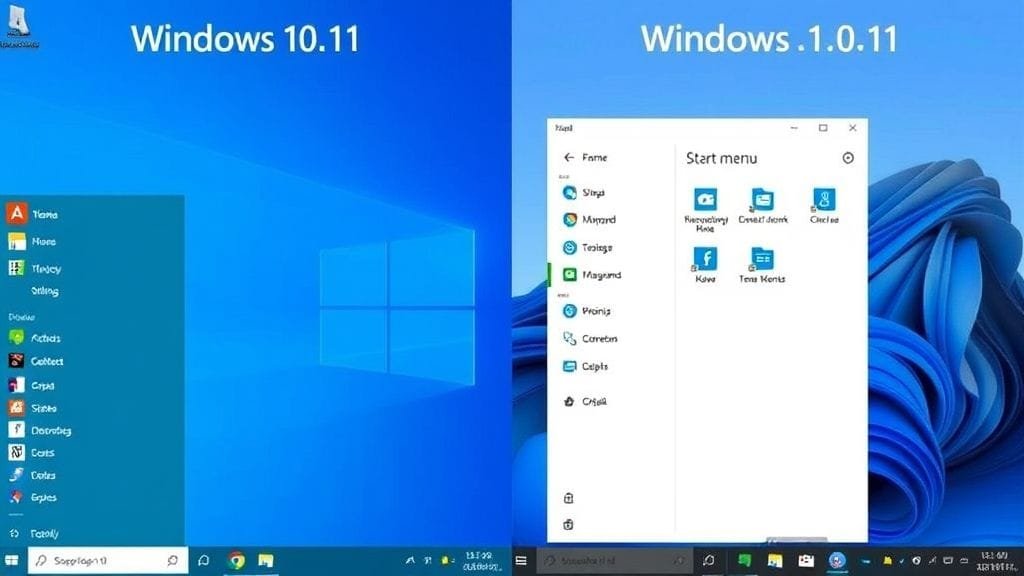
The digital landscape constantly evolves. Indeed, few changes impact daily computing more than a new operating system. Are you navigating personal computing? If so, a crucial question likely looms: Windows 10 vs Windows 11? Windows 11 released in October 2021. Moreover, it presented itself as the future, with a sleek new design and modern features. Yet, Windows 10 remains a stable, familiar, and widely used platform.
Choosing isn’t just about the newer version. Instead, it’s about fitting your hardware, workflow, and priorities. For example, Windows 10 offers reliable performance and broad compatibility. Conversely, Windows 11 promises enhanced security. Furthermore, it also offers improved multitasking and a refreshed user experience. This is especially true on newer machines. Ultimately, this guide offers insights. Therefore, make an informed decision. Consequently, ensure your computing experience is efficient and enjoyable.

The Evolution of Windows: A Quick Overview
Microsoft’s operating systems have always shaped how we interact with technology. Windows 10 launched in 2015. Subsequently, Windows 10 revolutionized user experience. Specifically, the operating system reintroduced the Start Menu. Moreover, it also unified the platform. Consequently, this version quickly became the most adopted, revered for its stability and broad hardware support.
Its successor, Windows 11, arrived in October 2021. Furthermore, it signaled a major shift in design and architecture. Essentially, this newer OS was built for modern hardware. Thus, it pushed security and efficiency boundaries. Meanwhile, Windows 10 still receives critical updates and security patches. However, its end-of-support date is October 14, 2025. Indeed, this deadline looms large. Therefore, this impending deadline naturally drives many users to consider the upgrade.
Windows 11 recently surpassed Windows 10 in market share. Clearly, this testifies to its growing adoption. In fact, many new PC buyers choose it. Moreover, existing users are also upgrading. Consequently, this shift signifies Windows 11’s maturation. Specifically, it moved from an experimental newcomer. Instead, it is now the dominant force in Windows. Want more on Windows history? Consult [Wikipedia’s page on Microsoft Windows](https://en.wikipedia.org/wiki/Microsoft_Windows).
Visual Overhaul: Windows 11’s New Look vs. Windows 10’s Familiarity
The first thing you notice when comparing Windows 10 vs Windows 11 is the visual transformation. Indeed, Windows 11 represents a bold step towards a more refined, contemporary aesthetic. Furthermore, this isn’t just a skin-deep change. Instead, it’s a fundamental reimagining of user interaction.
User Interface and Design: A Fresh Perspective
Windows 11 boasts a modern, streamlined aesthetic that many describe as calming and elegant. Specifically, gone are the sharp corners and busy interface elements. Instead, you’ll find rounded window corners. Moreover, subtle animations add fluidity. Overall, the OS feels cohesive. Essentially, this fresh coat of paint aims for a focused, pleasing workspace. Furthermore, it minimizes distractions. Ultimately, it enhances user comfort.
Centered Start Menu and Modern Aesthetics
The most striking change is the Start Menu. Specifically, its Taskbar moved to the screen’s center. Notably, this departs from the left-aligned tradition. In fact, it takes inspiration from macOS and mobile interfaces. Consequently, the new design creates a symmetrical interaction point. Initially, this was jarring for some. However, many users appreciate its intuitive accessibility. Moreover, it draws attention to the display’s middle.
The Taskbar itself features simplified icons and a cleaner look, reducing visual clutter. Additionally, Widgets, Chat, and virtual desktops are quickly accessible. Notably, Chat is powered by Microsoft Teams. Indeed, all are available from this central hub. Ultimately, this design philosophy emphasizes simplicity and quick access to essential tools.
The End of Live Tiles: A Design Shift
Windows 11 is minimalist. In contrast, Windows 10 features a traditional, left-aligned Start Menu. Furthermore, it is complete with Live Tiles. Specifically, these dynamic, resizable tiles displayed real-time app information. For instance, this included news, weather, or email notifications. While some users found them useful for quick glances at information, others considered them distracting and cluttered.
Windows 11 removes Live Tiles. Instead, it uses a grid-based layout for pinned applications. Moreover, a “Recommended” section shows frequent files and apps. Consequently, this shift means a cleaner, less intense Start Menu. Thus, it focuses more on launching applications. Therefore, live information display is reduced.
The choice between the two user interfaces often comes down to personal preference. For example, do you crave a fresh, modern, minimalist design? Or do you prefer Windows 10’s familiar layout and customization? Both have their merits, however, Windows 11 undeniably offers a significant aesthetic leap forward.
Hardware Hurdles: Is Your PC Ready for Windows 11?
One of the most significant factors when considering Windows 10 vs Windows 11 is hardware compatibility. Specifically, Microsoft introduced stricter Windows 11 requirements. Consequently, not all older Windows 10 PCs can simply upgrade. Indeed, this can be a major roadblock. Therefore, many users must stick with Windows 10. Alternatively, they must invest in new hardware.
TPM 2.0 and Secure Boot: The New Gatekeepers
Windows 11 mandates key hardware features. Specifically, these include a TPM 2.0 chip and UEFI firmware. Moreover, Secure Boot must also be enabled. Indeed, these aren’t just arbitrary requirements; they are fundamental to Windows 11’s enhanced security posture. For instance, TPM 2.0 provides a secure enclave for sensitive data. Thus, it makes malware compromise much harder. Ultimately, cryptographic keys are protected. Similarly, Secure Boot prevents malicious software from loading during startup.
Older machines often lack a TPM 2.0 chip. Consequently, this is the primary reason they cannot upgrade. However, some older motherboards have inactive TPMs. In those cases, these can be enabled in the BIOS. Nevertheless, many still lack the hardware. Therefore, upgrading without a new PC is impossible. Clearly, this is a critical distinction when evaluating Windows 10 vs Windows 11 compatibility.
Windows 10’s Lenient Approach
On the other hand, Windows 10 is far less demanding on hardware. Specifically, it requires a 64-bit processor, 1 GHz clock speed, 2GB RAM, and 20GB storage. Ultimately, these specifications mean many computers can run Windows 10. For example, this includes PCs purchased 8-10 years ago. Clearly, Windows 10’s flexible requirements made it accessible to many devices. Indeed, this contributed to its widespread adoption.
If your current PC meets the Windows 11 requirements, the upgrade path is generally smooth. However, if your machine is incompatible, you have two choices. First, remain on Windows 10 until support ends. Alternatively, or buy a new PC supporting Windows 11. Therefore, always check your PC’s compatibility. Specifically, use Microsoft’s PC Health Check app. Furthermore, do this before attempting any upgrade.
Under the Hood: Performance and Efficiency
Beyond aesthetics and hardware, performance is a critical battleground in the Windows 10 vs Windows 11 debate. Both OSes offer a robust user experience. However, Windows 11 optimizes for efficiency and responsiveness. Furthermore, this applies especially to modern hardware.

Memory Management and Faster Updates in Windows 11
Windows 11 boasts improvements in memory management, particularly for background processes. Specifically, it prioritizes foreground applications. Consequently, they get more CPU and RAM. Ultimately, this ensures a snappier experience for active tasks. Indeed, the subtle optimization significantly contributes to responsiveness. This is especially true when multitasking heavily.
Furthermore, Windows 11 updates are designed to be more efficient. Specifically, they are approximately 40% smaller than Windows 10 updates and install faster, leading to less downtime. Consequently, this streamlined update process is faster. Thus, you get back to work or play quicker. Moreover, it enhances overall productivity.
Gaming Performance: Auto HDR and DirectStorage
For gamers, the comparison of Windows 10 vs Windows 11 often boils down to dedicated features. Indeed, Windows 11 introduces advanced gaming technologies like Auto HDR and DirectStorage. For example, Auto HDR enhances supported game colors and contrast. This is automatic. Furthermore, it works even if games weren’t designed for HDR. Consequently, this creates more vibrant visuals. Meanwhile, DirectStorage loads game assets directly to the GPU. Thus, it bypasses the CPU. Ultimately, this significantly reduces loading times. Specifically, it helps especially on NVMe SSDs.
Initial benchmarks showed little performance difference. In fact, Windows 10 was sometimes marginally faster. However, recent tests suggest Windows 11 offers advantages. This is true especially with newer updates (like 24H2). Moreover, it helps modern games leveraging new APIs. Nevertheless, this isn’t a universal truth. For example, some older games might perform better on Windows 10. Similarly, specific hardware configurations might favor it. Furthermore, it could also show more consistent frame delivery.
The VBS Factor and Resource Usage
A point of contention in the Windows 10 vs Windows 11 performance debate is Virtualization-Based Security (VBS). Specifically, VBS enhances security by isolating critical processes. However, it can introduce slight performance overhead. Furthermore, Windows 11 often enables VBS by default, whereas Windows 10 typically does not. Consequently, gamers seeking max performance might disable VBS in Windows 11. This offers a slight boost. However, it sacrifices some security benefits.
Windows 11 uses slightly more RAM overall. Specifically, this is true when juggling many applications. However, on modern systems with ample RAM, this difference is often negligible for most users. Ultimately, both operating systems offer excellent performance, but Windows 11’s optimizations and gaming features make it a strong contender for those with compatible, newer hardware.
Fortifying Your Digital Life: Security Enhancements
In an era of ever-increasing cyber threats, security is paramount. Indeed, the Windows 10 vs Windows 11 comparison reveals a focus on security. Specifically, the newer OS emphasizes protecting your data and privacy. Furthermore, this is largely due to stringent hardware requirements.
Hardware-Backed Security: TPM 2.0 and Secure Boot
As discussed, Windows 11 mandates the presence of a TPM 2.0 chip and Secure Boot. Moreover, these aren’t merely technical specifications; they are foundational pillars for enhanced security. For instance, TPM 2.0 provides a secure enclave for sensitive data. Thus, it makes malware compromise much harder. Specifically, cryptographic keys are protected. Similarly, Secure Boot ensures only trusted software loads during startup. Furthermore, it prevents rootkits and malicious boot-level attacks.
This hardware-backed security creates a robust defense. Specifically, it protects against sophisticated cyber threats. Moreover, it is superior to software-only solutions. Indeed, from power-on, Windows 11 is resilient to attacks. Consequently, it offers peace of mind. However, Windows 10 cannot match this without these hardware foundations.
Virtualization-Based Security (VBS) and Windows Hello
Windows 11 bolsters defenses with VBS. Specifically, VBS creates isolated memory regions. Ultimately, this protects sensitive OS processes and data. Furthermore, it prevents malware tampering. VBS is available in Windows 10. However, Windows 11 enables it by default. Moreover, it is more deeply integrated into Windows 11’s architecture. Consequently, this proactive protection significantly reduces the attack surface for advanced persistent threats.
Moreover, Windows 11 enhances Windows Hello, offering more secure and convenient biometric authentication. Specifically, Windows Hello Enhanced Sign-in Security uses specialized hardware. This, in turn, makes facial recognition more resilient to spoofing. Furthermore, fingerprint scanning is also improved. Windows 10 offers solid security features. For example, these include Windows Defender and BitLocker. However, Windows 11 deeply integrates hardware-backed protocols. Consequently, this provides a significant security upgrade. Ultimately, both offer strong protection for average users. Nevertheless, Windows 11 closes more vulnerability gaps. Specifically, it does this at a fundamental level. Learn more about Microsoft’s security approach. Consult their [official security documentation](https://learn.microsoft.com/en-us/windows/security/).
Boosting Your Productivity: Multitasking and New Features
Productivity is key for any OS. Indeed, the Windows 10 vs Windows 11 comparison shows advancements. Specifically, the newer OS helps manage your workflow better. Furthermore, Windows 11 introduces new features. Ultimately, these make multitasking intuitive and efficient. Moreover, they streamline your digital workspace.
Snap Layouts, Snap Groups, and Virtual Desktops
One of the most praised productivity enhancements in Windows 11 is the improved Snap Layouts and Snap Groups. For example, hover over a window’s maximize button. Then, you’ll see pre-defined layouts. Thus, arrange multiple windows instantly. Moreover, Snap Groups remember these layouts. Consequently, instantly recall applications. Specifically, they are arranged as you left them. Indeed, this works even after minimizing. Ultimately, this feature is a game-changer. Furthermore, it helps those juggling multiple applications. Organizing and switching tasks is easier. In contrast, Windows 10 had more basic window snapping.
Enhanced virtual desktops in Windows 11 also offer more customization and easier management. For instance, create separate desktops for different tasks. (Work, personal, gaming.) Moreover, assign unique wallpapers to each. Consequently, this helps you switch contexts easily. Furthermore, switching between these desktops is also smoother and more intuitive.
Android Apps and the Revamped Microsoft Store
Windows 11 further expands its utility by introducing support for Android apps, accessible through the redesigned Microsoft Store. Essentially, this integration bridges desktop and mobile ecosystems. Consequently, users can run Android apps natively on their Windows PC. Thus, this significantly broadens available software. Moreover, Windows users gain new convenience. Although emulators previously offered this.
The Microsoft Store received a complete overhaul. Indeed, it is faster and more appealing. Moreover, navigation is also easier. Furthermore, a broader range of applications is offered. Specifically, these include Win32, PWA, and Android apps. Ultimately, it is a comprehensive one-stop shop for software. Additionally, integrated widgets provide quick access. For instance, they show news, weather, and calendar events. Thus, stay informed without interrupting your workflow. Consequently, these features give Windows 11 an edge. Specifically, it offers a modern, integrated productivity experience.
The Shifting Tides: Windows 11’s Growing Dominance
For a long time, Windows 10 held an unshakeable lead in market share. However, the landscape has shifted, proving a significant point in the Windows 10 vs Windows 11 story. Specifically, as of July 2025, Windows 11 surpassed its predecessor. Indeed, it now runs on over 50% of all Windows PCs globally. Clearly, this milestone, nearly four years after its initial release, speaks volumes about its increasing adoption.
This transition isn’t just organic; it’s fueled by several key factors. For instance, the most prominent is the natural cycle of hardware upgrades. Consequently, almost all new PCs ship with Windows 11 pre-installed. Thus, new sales automatically boost Windows 11’s market share. Moreover, consumers buying new machines automatically join the Windows 11 user base.
Microsoft actively encouraged the upgrade. Specifically, it displayed full-screen ads to Windows 10 users. These, in turn, reminded them of the end-of-support date. Furthermore, this proactive push combined with refinements. Consequently, Windows 11’s features and stability improved. Ultimately, this made the transition more appealing. Indeed, the market is moving towards Windows 11. Therefore, it is the de facto standard for current Windows users.

Deciding Your Upgrade Path: Windows 10 vs Windows 11
The ultimate question remains: which operating system is right for you? Ultimately, the Windows 10 vs Windows 11 choice depends on you. Therefore, consider your hardware. Also, think about computing habits and preferences.
Why Upgrade to Windows 11?
Windows 11 presents a compelling upgrade case for many users. Indeed, this is true especially with compatible hardware.
- Modern Interface: Experience a visually appealing, intuitive UI. Specifically, it has a centered Start Menu and sleek design. Ultimately, it offers a fresh, contemporary feel. Consequently, everyday computing becomes more enjoyable.
- Enhanced Security: TPM 2.0 and Secure Boot are mandatory. Moreover, VBS also enhances security. Thus, Windows 11 offers superior protection. Specifically, it fights modern cyber threats. Ultimately, it builds a secure digital foundation.
- Improved Productivity: Snap Layouts and Snap Groups streamline multitasking. Furthermore, enhanced virtual desktops also help. Consequently, organizing your workspace is easier. Moreover, switching tasks efficiently is simple.
- Gaming Advancements: Auto HDR and DirectStorage are here. Together, they offer a more immersive gaming experience. Furthermore, gaming is faster. Specifically, this helps newer titles leveraging these technologies.
- Longer Support & AI Integration: Windows 11 is the newer OS. Consequently, it gets updates, security patches, and new features longer. Moreover, this includes built-in AI (Copilot). Additionally, included applications are also improved. Thus, you are always on the cutting edge.
Why Stick with Windows 10 (For Now)?
Windows 11 has advantages. Nevertheless, some users prefer Windows 10. Specifically, they will use it until its end-of-life.
- Hardware Requirements: Requirements are stringent, especially TPM 2.0. Consequently, many older, functional PCs are ineligible. Thus, sticking with Windows 10 avoids costly hardware purchases.
- Familiarity and Stability: Windows 10 has years of refinement. Indeed, it is a polished, stable OS. Therefore, many users prefer its traditional interface. Specifically, they like the comfort of a known environment.
- User Interface Preferences: Some dislike Windows 11’s UI changes. For example, they find the centered Start Menu inefficient. Moreover, removal of Live Tiles is unappealing. In contrast, Windows 10 offered more robust customization.
- Performance Concerns (Specific Scenarios): Performance is generally improved. Yet some specific benchmarks show Windows 10 faster. For instance, heavy multitasking with VBS enabled saw this. At that time, Windows 10 was more resource-efficient then. Consequently, for lower-end compatible hardware, Windows 10 might feel snappier.
- Compatibility Issues: These are rare. However, some older peripherals or software might have issues. Consequently, Windows 11 might require driver updates. Moreover, workarounds could be needed.
Ultimately, if your PC is compatible, Windows 11 is recommended. Specifically, you get a modern, secure, feature-rich experience. Furthermore, it also offers long-term support. However, if your hardware is incompatible, consider Windows 10. Alternatively, or if you prioritize familiarity and stability. Indeed, Windows 10 remains viable until October 2025. This means that is its end of support. Therefore, its end-of-life approaches. Thus, plan your transition to Windows 11 now. Moreover, an alternative OS is also an option. Ultimately, this is crucial for the near future.
Conclusion
The journey through the Windows 10 vs Windows 11 comparison reveals a clear path forward. Indeed, Windows 11 has a modern interface. Moreover, it has enhanced security protocols. Furthermore, productivity-boosting features are also included. Consequently, it represents the future of Microsoft’s OS. Its market share is rising. Additionally, it continuously evolves. Ultimately, this underscores its position as preferred choice. Specifically, it’s for new hardware and users seeking innovation. Finally, the gaming enhancements, from Auto HDR to DirectStorage, also cement its appeal for enthusiasts.
Windows 10 served us admirably for years. Specifically, it offered stability and broad compatibility. However, its end-of-life is October 2025. Therefore, now is the time to consider transitioning. For instance, compatible systems should upgrade to Windows 11. Consequently, it unlocks a more secure experience. Moreover, it is also efficient and visually appealing. In contrast, users with older, incompatible hardware face a complex choice. They can enjoy Windows 10 until its final days. Alternatively, plan for a new PC. This new PC would embrace Windows 11’s full potential.
What aspects of Windows 11 appeal most to you, or what keeps you holding onto Windows 10? Indeed, share your thoughts and experiences in the comments below!