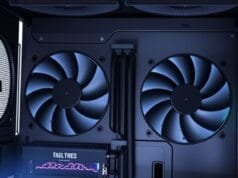
Imagine a computing experience where the only sound is the subtle click of your keyboard, the soft rustle of your clothes, or the ambient music you choose to play. No distracting hum, no whirring fans, just profound silence. Indeed, this isn’t a fantasy; it’s the promise of a silent PC build. However, for too long, the symphony of computer fans and hard drives has been an accepted byproduct of power. But for those who crave focus, deep immersion, or simply a calmer environment, building a whisper-quiet PC has become an increasingly popular and achievable goal.

Therefore, this guide will demystify the process, transforming your understanding of PC components and cooling. Specifically, we’ll dive deep into the strategies and specific parts that turn a noisy machine into a silent powerhouse, thereby delivering actionable insights for your own tranquil build.
Why Pursue a Silent PC Build? The Unseen Advantages
The most obvious benefit of a silent PC build is the absence of noise. However, the advantages extend far beyond mere quietude, consequently impacting your daily life in surprising and significant ways. Indeed, a calm computing environment can be a true game-changer.
Boost Your Focus and Productivity
Indeed, in an increasingly noisy world, finding pockets of calm is invaluable. Specifically, a traditional PC, with its constant background drone, acts as a subtle but persistent distraction. Furthermore, studies show that even low-level, continuous noise can impair cognitive performance and reduce concentration.
Thus, by eliminating this auditory clutter, a silent PC build creates an environment conducive to deep work. Consequently, whether you’re coding, writing, designing, or engaging in complex problem-solving, you’ll find it easier to enter and sustain a state of flow. This enhanced focus directly translates into greater productivity and higher-quality output. Ultimately, it’s an investment in your mental peace and efficiency.
Elevate Your Entertainment Experience
Moreover, for many, a PC is also a hub for entertainment. Gaming, streaming movies, or enjoying high-fidelity audio can be profoundly impacted by system noise. In other words, a loud PC pulls you out of the virtual world, breaks immersion during a cinematic moment, or competes with the subtle nuances of a musical piece.
By contrast, a whisper-quiet machine allows you to fully immerse yourself in your digital adventures. Imagine playing a horror game without the CPU cooler drowning out the suspenseful soundtrack, or watching a dramatic film where every whisper from the actors is crystal clear. Therefore, the absence of mechanical noise transforms your entertainment, making every experience more impactful and enjoyable. Additionally, for detailed tips on optimizing your gaming setup, you should check out our guide on [gaming PC optimization](/blog/gaming-pc-optimization/).
Unexpected Cooling Benefits: A Quieter Path to Longevity
Indeed, it might seem counterintuitive, but a well-designed silent PC build often incorporates superior cooling. To achieve quiet operation, builders therefore prioritize larger heatsinks and more efficient fans that can move significant air at lower RPMs. Consequently, this design philosophy leads to several benefits.
These systems tend to run cooler overall, which in turn can extend the lifespan of your components by reducing thermal stress. Moreover, lower temperatures also mean greater stability, especially during demanding tasks. Furthermore, sophisticated fan control mechanisms ensure that fans only spin up when absolutely necessary, minimizing wear and tear. Ultimately, a quieter system often means a more thoughtfully engineered and robust system.
The Blueprint for a Silent PC Build: Where to Begin
Embarking on a silent PC build requires a holistic perspective. Indeed, you can’t just quiet one component and expect overall silence; instead, every potential noise source must be addressed. This therefore means making deliberate choices across all categories, from your cooling strategy to your case and even how you manage cables.
Essentially, think of it as an ecosystem where each part contributes to the overall tranquility. Therefore, we’ll explore the major contributors to PC noise and how to neutralize them, thereby creating a harmonious and quiet computing experience.

An infographic illustrating the main noise sources in a PC (fans, HDD, PSU, GPU) and how component choice impacts noise levels.
Cooling Systems: The Heartbeat of Your Silent PC Build
Cooling components are often the primary culprits behind a noisy PC. Fans, in particular, are notorious for their hum and whir. Thus, masterfully managing your cooling systems is paramount for a truly silent PC build. It’s about more than just keeping temperatures low; crucially, it’s about doing it quietly.
Mastering Fan Selection and Control
Fans are arguably the biggest challenge in a silent PC build. Crucially, the key lies in choosing the right fans and controlling them intelligently.
- Size Matters: Generally, larger fans (120mm or 140mm) can move more air at lower RPMs compared to smaller fans, resulting in significantly less noise. In turn, they achieve efficient airflow without needing to spin at high, audible speeds.
- Quality Construction: Moreover, invest in premium fans with high-quality bearings (e.g., fluid dynamic bearings, magnetic levitation). These bearings, in fact, reduce friction, prolong fan life, and, most importantly, minimize mechanical noise. Consequently, brands like Noctua, be quiet!, and Arctic are renowned for their silent fan offerings.
- Smart Control: Finally, fan controllers, whether integrated into your motherboard’s BIOS or managed via software like FanControl, are indispensable. They allow you to create custom fan curves, ensuring fans only ramp up when temperatures demand it, thereby remaining silent during light loads.
CPU Coolers: Air vs. Liquid for Your Silent PC Build
The CPU cooler is another critical area. A powerful processor generates a lot of heat, and dissipating it silently, therefore, requires careful consideration.
- High-End Air Coolers: Indeed, large tower-style air coolers, such as the Noctua NH-D15 or be quiet! Dark Rock Pro series, excel at passive heat dissipation. Their massive heatsinks, consequently, allow their large fans to spin at very low RPMs, often making them inaudible under normal loads. Indeed, they are often a top choice for a silent PC build due to their reliability and performance.
- Liquid Cooling (AIO & Custom Loops): By contrast, All-in-One (AIO) liquid coolers and custom liquid cooling loops can offer excellent thermal performance, especially for high-performance CPUs and overclocking. They effectively move heat away from the CPU to a radiator, where fans then cool the liquid. Consequently, this allows for lower fan speeds on the radiator itself. However, liquid cooling introduces a new noise source: the pump. Therefore, carefully research pump noise levels before committing to a liquid solution. Furthermore, for more on advanced cooling, consider exploring resources like [Wikipedia on PC cooling](https://en.wikipedia.org/wiki/Computer_cooling/).
Embracing Fanless Cooling: The Ultimate Silence (with caveats)
For the ultimate in silence, fanless cooling solutions eliminate moving parts entirely. This approach, furthermore, is ideal for truly silent PC builds where minimal noise is the absolute priority.
- Passive CPU Coolers: For instance, hefty, finned heatsinks like the Noctua NH-P1 or components in cases like the Akasa Euler can passively cool CPUs without any fans.
- Fanless PSUs: Moreover, specialized power supply units also operate without a fan.
- Limitations: While perfectly silent, fanless systems typically have performance limitations. They are generally suited for lower-TDP CPUs and integrated graphics, making them less ideal for high-end gaming or demanding creative workloads. Therefore, you must balance absolute silence with your performance needs.
Choosing Quiet Components for Your Silent PC Build
Beyond cooling, nearly every other component in your PC has the potential to generate noise. Thus, making informed choices during component selection is fundamental to achieving a successful silent PC build. Indeed, prioritizing quiet operation from the start saves you headaches later.
Power Supply Units (PSUs): Silent Energy Delivery
The power supply unit is an often-overlooked noise source. Typically, its internal fan runs to cool the power-converting components.
- Semi-Passive Modes: Significantly, many high-quality PSUs now feature “semi-passive” or “zero-RPM” modes. Specifically, in these modes, the fan remains completely off under low to moderate loads, only spinning up when the power draw and internal temperature necessitate it.
- Fanless PSUs: For extreme silence, fanless PSUs are available, though they come with performance and price considerations.
- Reputable Brands: Reputable brands like Seasonic, Corsair (especially their RMx series), and be quiet! consistently offer excellent quiet PSU options. Furthermore, look for high efficiency ratings (e.g., 80 Plus Gold or Platinum), as more efficient PSUs generate less waste heat, requiring less aggressive cooling.
Storage Drives: SSDs Reign Supreme
Indeed, this is perhaps the easiest win in your silent PC build journey.
- Solid-State Drives (SSDs): SSDs, specifically, have no moving parts. They are inherently silent, offering lightning-fast performance without a peep. Modern NVMe SSDs are even more compact and faster, by the way.
- Hard Disk Drives (HDDs): By contrast, traditional HDDs, with their spinning platters and moving read/write heads, generate audible noise. Therefore, if you still require the vast, cost-effective storage of an HDD, choose lower RPM drives (e.g., 5400 RPM) and mount them using anti-vibration grommets or in dedicated silent HDD enclosures to minimize vibration transfer to the case.
Graphics Cards (GPUs): The Gaming Whisper
For gamers and content creators, the GPU is often the loudest component under load. Modern graphics cards, however, have made significant strides in quiet operation.
- Zero-RPM Modes: Similar to PSUs, many contemporary GPUs feature zero-RPM fan modes, keeping fans off during desktop use, web browsing, and light gaming.
- Robust Cooling Designs: Consequently, look for GPUs with oversized heatsinks and larger, high-quality fans. Premium custom designs from manufacturers often prioritize cooling efficiency and acoustics. Moreover, consider choosing a GPU that isn’t constantly maxed out in your typical use case, as this naturally reduces its thermal load and fan speeds. Ultimately, this careful selection is crucial for a truly quiet silent PC build.
Processors (CPUs): Cooler Cores, Quieter Systems
While the CPU itself doesn’t generate noise, its heat output directly dictates the cooling requirements.
- Lower TDP CPUs: Specifically, choosing a CPU with a lower Thermal Design Power (TDP) rating means it generates less heat. Consequently, less heat translates to less demand on your cooling system, allowing fans to run slower and quieter.
- Strategic Undervolting: For advanced users, moreover, undervolting your CPU can reduce its power consumption and heat output without significantly impacting performance, leading to even quieter operation.
Case Design and Acoustic Optimization for a Silent PC Build
The PC case isn’t just a shell; rather, it’s a crucial component in your silent PC build. Its design, materials, and features play a significant role in containing and dampening noise. Essentially, think of it as the final layer of soundproofing.
Silent Cases: Your PC’s Soundproof Sanctuary
Many case manufacturers now design enclosures specifically for noise reduction.
- Sound-Dampening Materials: These cases often feature thick steel panels lined with acoustic foam or bitumen mats on the side, front, and top panels. These materials, crucially, absorb sound waves, preventing them from escaping the case.
- Optimized Airflow: While sound dampening is key, these cases also manage airflow intelligently. Good airflow, therefore, allows fans to run at lower speeds, contributing to overall quietness.
- Vibration Isolation: Furthermore, rubberized mounts for hard drives, power supplies, and even case fans prevent vibrations from components transferring to the case chassis, which can amplify noise. Brands like Fractal Design (Define series), be quiet! (Silent Base/Dark Base series), and Cooler Master (Silencio series) are highly regarded for their quiet case offerings.
The Airflow vs. Sound Dampening Debate
Indeed, there’s an ongoing discussion in the silent PC community: is it better to have a case with high airflow (to run fans slower) or one with heavy sound dampening (to block noise)?
- High Airflow Cases: Specifically, these cases prioritize open designs, mesh panels, and minimal obstructions. The idea is that efficient airflow allows all fans in the system to run at very low RPMs because heat is quickly exhausted.
- Sound Dampened Cases: By contrast, these cases focus on acoustic absorption and isolation. They might have more restricted airflow, potentially requiring slightly higher fan speeds, but the dampening material catches and muffles the sound before it escapes.
- Finding the Balance: Often, however, the best solution combines elements of both. A case with good inherent airflow and strategically placed sound-dampening materials therefore offers an optimal balance. Ultimately, it’s about managing heat effectively while preventing noise transmission.

Vibration Dampening and Cable Management
Minute details can have a surprisingly large impact on the overall noise level of a silent PC build.
- Rubber Grommets and Anti-Vibration Pads: You should utilize these for mounting fans, hard drives, and even in some PSU bays. They effectively prevent mechanical vibrations from transferring from the component directly to the case, thereby eliminating rattles and hums.
- Secure Mounting: Furthermore, ensure all components are securely fastened. Loose screws or wobbly parts can, moreover, introduce unwanted vibrations.
- Cable Management: While not directly reducing component noise, good cable management significantly improves airflow within the case. Consequently, better airflow means lower internal temperatures, allowing fans to run slower and quieter. Tidy cables also prevent them from rattling against fan blades or other components.
Navigating the Trade-Offs of a Silent PC Build
While the allure of a whisper-quiet computing environment is strong, it’s important to approach a silent PC build with a clear understanding of the potential trade-offs. Achieving true tranquility, therefore, often involves a delicate balance and some conscious decisions.
Cost Considerations: Investing in Tranquility
Specialized quiet components often come with a premium price tag. High-quality, low-RPM fans with advanced bearings, massive CPU heatsinks, fanless PSUs, and acoustically optimized cases are generally more expensive than their standard counterparts.
Thus, building a truly silent PC can be a significant investment. However, many see it as a worthwhile expenditure for the enhanced focus, immersion, and overall quality of life it provides. Therefore, consider your budget carefully and decide which areas of silence are most critical for your use case.
Performance vs. Silence: Overclocking and Fanless Limits
There’s an inherent tension between raw performance (especially overclocking) and absolute silence.
- Overclocking Limitations: Indeed, pushing components beyond their stock speeds generates more heat, which, consequently, necessitates more aggressive cooling. Consequently, this often means higher fan RPMs, directly compromising your silent PC build goals. If extreme overclocking is a priority, you might, therefore, need to accept a slightly less quiet system or invest in very high-end, efficient liquid cooling.
- Fanless Performance Compromises: As mentioned, entirely fanless systems offer unparalleled silence but typically limit performance. They are generally suited for lower-TDP CPUs and integrated graphics, making them less ideal for high-end gaming or demanding creative workloads.
- Finding Your Sweet Spot: Crucially, the key is to find your personal “sweet spot” – a balance between the performance you need and the level of quietness you desire. Ultimately, most users can achieve an incredibly quiet system without sacrificing significant performance by carefully selecting components.

The Quiet Revolution: Your Path to a Tranquil PC
A silent PC build is more than just a technical project; instead, it’s a commitment to a more serene and productive digital life. By meticulously selecting components, optimizing cooling, and acoustically treating your case, you can, therefore, transform a noisy distraction into a quiet, powerful companion. From the silent whirl of premium fans to the absolute stillness of SSDs and fanless PSUs, every choice, consequently, brings you closer to computing tranquility.
This journey demands patience and attention to detail, but the rewards are profound: enhanced focus, deeper immersion in entertainment, and a generally calmer environment. Ultimately, it’s an investment in your personal well-being as much as it is in your hardware.
What aspect of a silent PC build excites you the most, and what challenges do you anticipate in your own quest for computing tranquility?