Building a personal computer is often seen as a rite of passage for tech enthusiasts, offering unparalleled customization and performance. However, what if you could harness that same desktop-grade power in a package small enough to fit almost anywhere? Welcome, then, to the world of Small Form Factor (SFF) PCs. Consequently, this comprehensive SFF PC build guide will walk you through everything you need to know about these “tiny but mighty” machines, from their surging popularity to the nuanced challenges and triumphs of creating your own compact powerhouse.
Indeed, gone are the days when powerful PCs meant monstrous towers dominating your desk. Today, a new era of computing is dawning, driven by the desire for minimalist aesthetics and maximum efficiency. In fact, Small Form Factor PCs offer just that: robust performance for gaming, content creation, and productivity, all packed into incredibly sleek and space-saving designs. Therefore, if you’ve been contemplating a shift towards a more compact setup, or simply curious about the next frontier in custom computing, you’ve come to the right place.
Why Go Small? The Allure of Small Form Factor PCs
Indeed, the appeal of Small Form Factor PC builds isn’t just a fleeting trend; instead, it’s a significant movement in the custom computing landscape. Consequently, these systems offer compelling advantages that resonate with a wide range of users, from hardcore gamers to creative professionals.
The Rise of Compact Computing
The market for SFF PC cases is booming, projected to hit half a billion dollars by 2025 and continue its impressive growth trajectory. However, this surge isn’t accidental. Rather, it’s fueled by several key factors:
- Minimalist Home Offices: For instance, as remote work becomes standard, many desire clutter-free, efficient workspaces; therefore, an SFF PC blends seamlessly into any modern aesthetic.
- Proliferation of Mini-ITX Motherboards: Moreover, the availability of feature-rich Mini-ITX boards means you no longer sacrifice capabilities for size.
- Growing Interest in PC Gaming and Content Creation: Furthermore, users want high performance for demanding tasks without the footprint of a traditional tower.
Consequently, many enthusiasts now view SFF PCs not just as an alternative, but as the very future of desktop computing, blending power with unparalleled design.
Performance Without Compromise
Indeed, perhaps the most surprising aspect for newcomers is the sheer power an SFF PC build can pack. Despite their diminutive size, modern SFF systems achieve top-tier performance comparable to, or even exceeding, much larger traditional desktop towers. For example, you can absolutely build a gaming PC with a cutting-edge GPU like the RTX 4080 Super within a case under 25 liters, delivering incredible 4K performance. Even liquid cooling solutions for the CPU are often feasible, ensuring your powerful components stay frosty.
Space-Saving & Portability
First and foremost, the most obvious, and often primary, draw of an SFF PC build is its compact footprint. For example, imagine having a full-fledged gaming rig that takes up less desk space than a shoebox, or one you can easily tuck into a backpack for a LAN party. Furthermore, SFF cases come in a vast range of sizes, from under 25 liters (still quite small) down to incredibly tiny 4.4-liter enclosures. Consequently, this versatility makes them perfect for limited desk space, integration into living room entertainment centers, or effortless transport.
Navigating the SFF Build Journey: Challenges to Expect
While the allure of an SFF PC build is undeniable, it’s crucial to enter this world with eyes wide open. Indeed, these compact systems come with a unique set of challenges that can test even experienced builders. Therefore, this section of our SFF PC build guide prepares you for what’s ahead.
The Intricacies of SFF Building
First, an SFF PC build is generally not recommended for your very first PC assembly. Specifically, why? In fact, the limited internal volume transforms what might be simple tasks in a larger case into meticulous, patience-testing puzzles.
- Component Compatibility: For instance, every millimeter counts; thus, you must meticulously plan and cross-reference component dimensions with your chosen case.
- Cable Management: Moreover, this becomes an art form; consequently, tight spaces mean every cable needs to be precisely routed to avoid obstructing airflow or components.
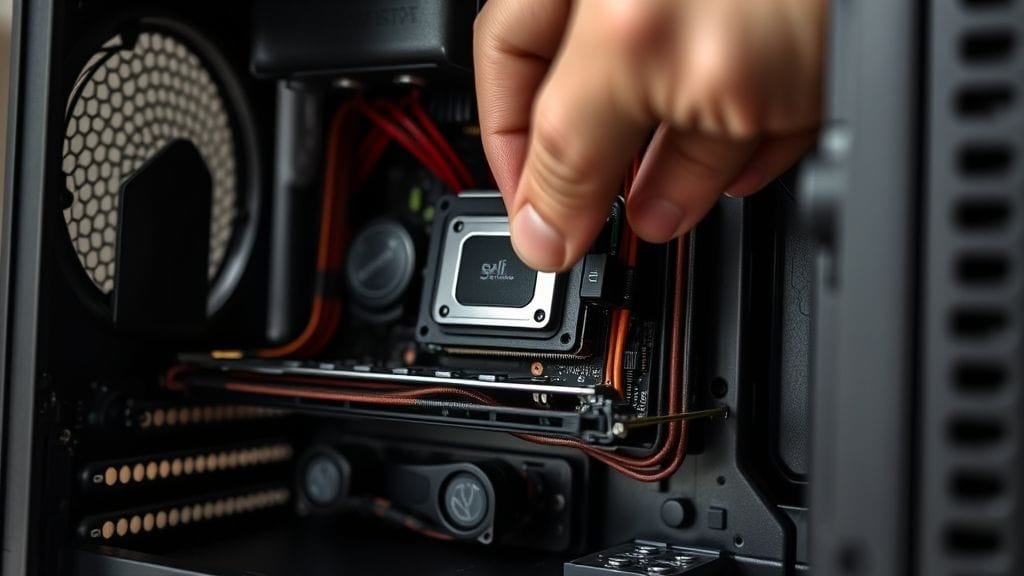
- Installation Difficulty: Furthermore, larger hands can find navigating cramped interiors a genuine struggle; therefore, some experienced builders wisely suggest installing the CPU, RAM, and cooler onto the motherboard before placing it into the case.

Thermal Tightrope Walk
Indeed, physics is a stern mistress in the world of SFF. Consequently, high-performance components generate substantial heat, and a tiny case offers less internal volume for effective airflow and heat dissipation. Specifically, this means:
- Cooler Limitations: For example, you’ll often be restricted to low-profile CPU air coolers or specific All-In-One (AIO) liquid coolers designed for SFF cases.
- Airflow is King: Furthermore, proper fan placement and case ventilation are absolutely critical; thus, builders often experiment with fan orientations, sometimes finding negative pressure setups (more exhaust than intake) more effective in extremely compact spaces.
- Noise vs. Performance: Also, balancing optimal cooling with acceptable fan noise levels is a key consideration.
The SFF Tax: Cost and Availability
Moreover, SFF PC build components can sometimes carry a premium due to their specialized nature. Specifically, this “SFF tax” often applies to several key areas:
- SFX/SFX-L Power Supplies: For instance, these compact power units are generally pricier than their standard ATX counterparts, despite offering similar wattage.
- Boutique Cases: Similarly, high-quality SFF cases from specialized manufacturers, while beautifully engineered, often command a higher price tag.
- Mini-ITX Motherboards: Furthermore, these smaller boards can sometimes cost more than larger ATX or mATX versions with similar features, as manufacturers must pack complex circuitry into a reduced surface area.
Compatibility Conundrums and Upgradability Limits
In addition, the very nature of SFF inherently limits space for expansion and restricts component choices. For example:
- Fewer Slots: Specifically, Mini-ITX motherboards typically feature only two RAM slots, one PCIe slot, and fewer M.2 or SATA drive bays.
- Component Dimensions: Moreover, graphics card length, height, and thickness, as well as CPU cooler height, are critical factors; thus, you must measure meticulously.
- NVIDIA’s SFF-Ready Guidelines: Consequently, to simplify component selection, NVIDIA has even introduced “SFF-Ready” guidelines for their RTX 40 and 50 series graphics cards, specifying maximum dimensions for compatibility with various cases.
Essential Components for Your SFF PC Build
Therefore, embarking on an SFF PC build requires careful selection of every part, as each component must fit perfectly within the chosen enclosure. Subsequently, this section delves into the specialized parts that form the backbone of a high-performance compact system.
Choosing the Right Case: Your Foundation
Indeed, the case is arguably the most crucial component in any SFF PC build, as it dictates the entire internal volume and component compatibility.
- Volume Matters: For instance, SFF cases range dramatically in size; consequently, smaller volumes (e.g., <10L) offer ultimate portability but often impose stricter limits on CPU cooling and GPU length, whereas larger SFF cases (e.g., 15-25L) offer more flexibility.
- Popular Choices: Moreover, cases like the Fractal Design Terra, Lian Li A4-H2O, Cooler Master NR200P Max, NZXT H1 V2, and Sliger SM580 are highly regarded, each offering different balances of volume, cooling support, and aesthetic design.
- Integrated Solutions: Furthermore, some SFF cases, like the NZXT H1 V2 or Cooler Master NR200P Max, even come with pre-installed AIO coolers and SFX PSUs, simplifying the build process significantly for first-time SFF builders.

%20and%20their%20typical%20component%20compatibility%20for%20GPUs%2C%20CPU%20coolers%2C%20and%20PSUs%2C%20illustrating%20the%20trade-offs.?width=1280&height=720&seed=15452&nologo=true&referrer=testwebapp.com)
Mini-ITX Motherboards: The Heart of the SFF System
Crucially, Mini-ITX motherboards are the cornerstone of nearly all SFF builds. Despite their compact 170x170mm size, many offer a full suite of features necessary for high-end gaming, streaming, and creative tasks. For example, you’ll find boards supporting the latest Intel and AMD processors, often including Wi-Fi, multiple M.2 slots, and robust VRMs (Voltage Regulator Modules) for overclocking. While they can be pricier, the engineering marvel of fitting so much into such a small space is impressive.
Powering Your Compact Rig: SFX and SFX-L PSUs
Due to their compact size, SFF PC builds almost exclusively require SFX or SFX-L (a slightly longer SFX) power supplies.
- Compact Dimensions: Indeed, these PSUs are much smaller than standard ATX power supplies, making them essential for fitting into constrained SFF cases.
- Modularity is Key: Furthermore, opt for fully modular PSUs; this, in turn, allows you to connect only the cables you need, drastically improving cable management and airflow in the cramped confines of an SFF case.
- Wattage: Moreover, ensure the wattage is sufficient for your chosen CPU and GPU combination, with a little headroom for future upgrades.
CPU Cooling Solutions for SFF PCs
Crucially, effective CPU cooling is paramount in an SFF system. Specifically, your options are generally limited to two main types:
- Low-Profile Air Coolers: For example, brands like Noctua (e.g., NH-L9i, NH-L12S), Thermalright (e.g., AXP-90, AXP-120-X67), and Scythe (e.g., Big Shuriken 3) offer excellent compact air coolers; consequently, measuring your case’s maximum cooler height is absolutely essential.
- All-in-One (AIO) Liquid Coolers: Alternatively, many SFF cases support AIOs with 120mm or 240mm radiators; these, however, can offer superior cooling performance but require careful planning for tube routing and radiator placement.
- TDP Matching: Also, always select a cooler with a Thermal Design Power (TDP) rating appropriate for your chosen CPU to manage heat effectively.
Graphics Cards: SFF-Ready GPUs
Indeed, the graphics card is often the largest component in any SFF PC build, making its size a critical factor.
- NVIDIA SFF-Ready: To illustrate, NVIDIA has defined “SFF-Ready” guidelines for their RTX 40 and upcoming 50 series cards; these, specifically, specify maximum dimensions (151mm height, 304mm length, 50mm or 2.5 slots depth) for enthusiast-class GPUs (RTX 70-class or higher) to fit compatible SFF cases, thereby simplifying selection significantly.
- Compact Designs: Moreover, many manufacturers also offer shorter, two-fan, or even single-fan versions of GPUs specifically for SFF builds.
- Ultra-Compact Options: For extremely small builds or less demanding tasks, however, low-profile or half-length GPUs are available, though these usually offer less raw power.

RAM and Storage: Maximizing Capacity in Minimal Space
While limited, Mini-ITX platforms still offer sufficient capacity for most users.
- RAM: For example, with typically two RAM slots, you’ll need to opt for higher-capacity modules if you require more than 32GB (e.g., two 32GB sticks for 64GB total).
- Storage: Furthermore, M.2 NVMe SSDs are the go-to choice for SFF builds due to their blazing speed and compact size; consequently, many Mini-ITX boards feature at least two M.2 slots, often negating the need for bulky traditional 2.5-inch or 3.5-inch drives.
Expert Tips for a Smooth SFF PC Build Experience
Indeed, undertaking an SFF PC build is a rewarding challenge. Therefore, to minimize frustration and maximize success, here are some “hard-won wisdom” tips from experienced builders.
Plan Meticulously: The SFF Builder’s Mantra
In fact, “Measure twice, cut once” is an understatement in SFF. Before you buy a single component:
- Research, Research, Research: First, watch SFF build videos for your chosen case, read forum threads, and check specific component compatibility lists.
- Use Compatibility Checkers: Moreover, tools like PCPartPicker are indispensable, but always double-check manufacturer specifications for exact dimensions.
- Create a Virtual Build: Then, create a virtual build; sketch out your build or use online tools to visualize how components will fit together.
Pre-Assembly Wisdom: Building Outside the Box
A critical piece of advice for any SFF PC build is to pre-assemble components before placing them in the case.
- Motherboard First: Specifically, mount your CPU, CPU cooler (if air-cooled), and RAM onto the motherboard outside the case.
- Initial Cable Routing: Furthermore, attach any necessary cables (e.g., CPU power, fan headers) to the motherboard before installation, as access later can be nearly impossible; ultimately, this strategy saves immense frustration.
Cable Management: The Art of Taming Wires
In an SFF case, cable management isn’t just for aesthetics; instead, it’s vital for airflow and component longevity.
- Modular PSUs: As mentioned, these are non-negotiable. Only use the cables you need.
- Custom Cables: Moreover, for truly optimized builds, consider custom-length cables; these, therefore, can significantly reduce bulk and improve airflow.
- Strategize Routing: Then, plan cable routes meticulously; specifically, utilize any available channels, zip ties, or Velcro straps to keep wires tidy and out of the way of fans or critical components.

Thermal Optimization: Keeping Your SFF PC Cool
Indeed, maintaining optimal temperatures is key to a stable and quiet SFF PC build.
- Fan Orientation: Specifically, experiment with fan intake and exhaust configurations; for example, negative pressure (more air leaving the case than entering) can sometimes be beneficial in very small cases.
- Thermal Paste Application: Also, apply high-quality thermal paste carefully and ensure even spread for maximum heat transfer.
- Benchmarking and Monitoring: After assembly, run benchmarks and continuously monitor CPU and GPU temperatures under load. Adjust fan curves in your motherboard BIOS or through software to find the optimal balance between cooling and noise.
Patience and Perseverance: Your Best Tools
Ultimately, an SFF build will test your patience. For instance, you might encounter tight clearances, stubborn cables, or components that don’t quite fit on the first try.
- Take Breaks: Therefore, if you’re getting frustrated, step away; indeed, a fresh perspective can often help you solve a problem.
- Don’t Force It: Moreover, components should generally slide into place without excessive force; if something isn’t fitting, then re-check compatibility and instructions.
- Troubleshooting: Finally, be prepared to troubleshoot; consequently, a build that doesn’t POST (Power-On Self-Test) might require re-seating RAM, checking power connections, or even temporarily removing components.
Beyond Mini-ITX: Exploring Other Small Form Factor Options
While Mini-ITX dominates the SFF PC build landscape, it’s worth noting that “small form factor” can encompass a broader range of compact systems.
Micro-ATX: The Flexible Middle Ground
For those who crave compactness but want a bit more wiggle room than Mini-ITX, Micro-ATX (mATX) offers a compelling middle ground.
- More Expansion: Specifically, mATX motherboards typically feature four RAM slots and two or three PCIe slots, offering greater flexibility for future upgrades or additional components.
- Wider Case Selection: Furthermore, mATX cases are still significantly smaller than full ATX towers but provide much easier building experiences compared to Mini-ITX, often accommodating larger CPU coolers and standard ATX PSUs.
- Cost-Effectiveness: Moreover, mATX components can sometimes be more cost-effective than their Mini-ITX counterparts.
Extremely Small Builds: Pushing the Limits
However, for the ultimate challenge, some enthusiasts delve into sub-5-liter SFF PC build projects. Indeed, these often require:
- External Power Bricks: For example, they might require external power bricks, similar to a laptop charger, to save internal space.
- Proprietary Components: Also, proprietary components, such as custom PCBs or extremely low-profile cooling solutions, are often necessary.
- Integrated Graphics: Furthermore, builders often rely on powerful integrated GPUs (like AMD’s APUs) or very specific, tiny discrete graphics cards.
Ultimately, these ultra-compact systems are a testament to engineering ingenuity, pushing the boundaries of what’s possible in miniature computing.
Is an SFF PC Build Right for You?
So, after exploring the intricacies of an SFF PC build, you might be wondering: is this path for you?
You’re a strong candidate if:
- You’re a strong candidate if, first, you prioritize a clean, minimalist aesthetic and want to reclaim desk space.
- Second, portability is a factor, whether for moving between rooms or taking to events.
- Third, you appreciate the engineering challenge and satisfaction of building a highly optimized system.
- Fourth, you’re willing to invest a little extra time and potentially money for the compact form factor.
- Finally, you have some prior PC building experience or are a patient, meticulous beginner.
Consider other options if:
- Conversely, consider other options if, first, this is your very first PC build, and you want a more forgiving experience.
- Second, budget is your absolute top priority, as SFF can incur a “tax.”
- Third, you foresee frequent upgrades that require multiple PCIe slots or storage drives.
- Finally, you prefer maximum thermal headroom without extensive planning.
Ultimately, an SFF PC build offers a compelling blend of performance, aesthetics, and space efficiency. It’s a journey that demands planning and patience but delivers immense satisfaction.
The Future of Computing: Where SFF is Headed
Indeed, the trajectory of SFF PC builds points towards continued innovation and growth. The market’s robust expansion indicates that compact, powerful systems are not just a niche, but a significant force shaping the future of personal computing. As component manufacturers continue to innovate, creating more efficient CPUs and GPUs that generate less heat, and as new “SFF-Ready” standards become more prevalent, the complexities of building these systems will gradually diminish.
Imagine a future where your desk is dominated not by a bulky tower, but by a sleek, almost invisible compact powerhouse that silently handles all your computing needs. In fact, this vision is rapidly becoming reality, offering endless possibilities for integration into smart homes, living room entertainment, and ultra-portable professional workstations. Consequently, the SFF PC build guide of tomorrow will likely discuss even smaller footprints and greater levels of component integration.

Ultimately, the evolution of SFF is a testament to human ingenuity—how we can condense immense power into elegant, compact forms. Therefore, it’s an exciting time to be part of the PC building community, especially on the frontier of small form factor design.
What aspects of SFF PC builds excite you the most, and what challenges do you anticipate in your own compact computing journey? Therefore, share your thoughts and experiences in the comments below!