For many, building a new personal computer is an exciting journey. You select the best components, envision optimal performance, and then assemble it. However, anyone who has built a PC knows the initial setup can be tricky. This is especially true when installing Windows and attempting to connect to the internet. For instance, imagine you’ve just assembled your powerful new machine. You install Windows, only to encounter a common problem: no internet access. Why does this happen? Typically, the Wi-Fi drivers haven’t been installed yet. Therefore, how does one download those drivers without an internet connection? This classic “chicken and egg” problem has frustrated many builders for years.
At Computex 2025, GIGABYTE unveiled a clever solution to permanently eliminate this frustration: GIGABYTE DriverBIOS. Specifically, GIGABYTE is introducing a new DriverBIOS feature, which will first debut with their refreshed AORUS ICE series motherboards. This feature promises a smoother, faster, and more enjoyable PC building experience. Indeed, it marks a significant step forward, transforming a common hurdle into an effortless setup.
The Dawn of DriverBIOS: Making Your PC Building Journey Easier
For years, the phase immediately following Windows installation has presented a common challenge. You’ve meticulously assembled your components and installed your operating system. Of course, you then naturally want to connect to the internet to download updates, your preferred browser, and essential programs. However, without a wired Ethernet connection, you’re often left stranded. Your new system typically won’t recognize the built-in Wi-Fi adapter until its driver is manually installed.
What is DriverBIOS? Solving the Wi-Fi Driver Problem
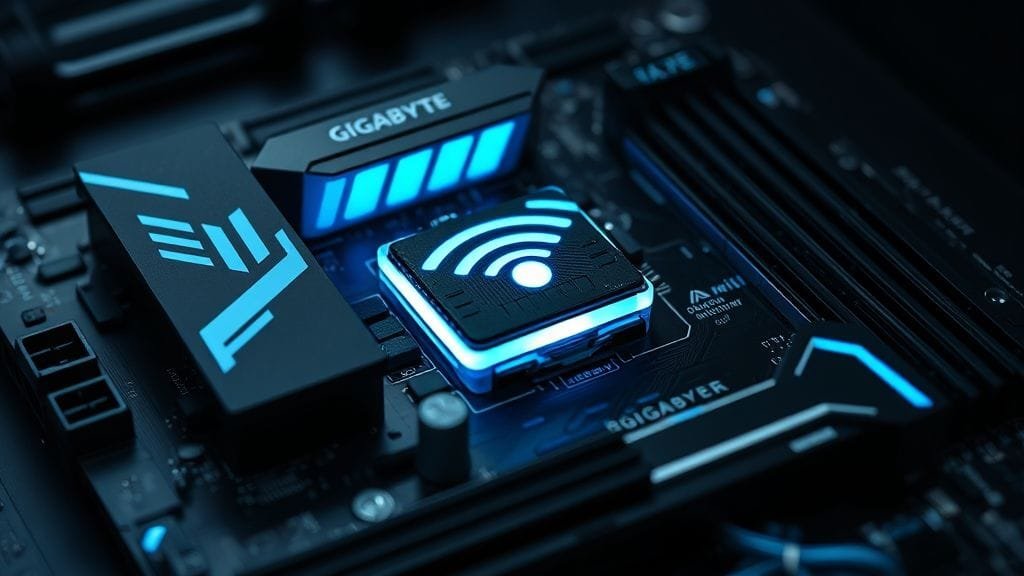
The GIGABYTE DriverBIOS feature resolves this problem by integrating the essential Wi-Fi driver directly into the motherboard’s BIOS. Consequently, from the very first boot of your newly installed Windows, your system will instantly detect and connect to available Wi-Fi networks. Imagine this: no more hunting for a USB stick loaded with drivers. Furthermore, there’s no more searching for an Ethernet cable, and no more frustrating delays. You can get online immediately.
This innovative GIGABYTE DriverBIOS concept is particularly beneficial for first-time builders. They might not be aware of this specific challenge. It can lead to considerable confusion and slow down the setup process significantly. Nevertheless, with GIGABYTE DriverBIOS, GIGABYTE removes a significant obstacle. Users can then proceed directly to personalizing their new PC and enjoying its capabilities. Ultimately, it genuinely streamlines the initial setup phase.

How GIGABYTE DriverBIOS Works: WPBT and UEFI
So, how does GIGABYTE accomplish this seemingly ingenious feat? GIGABYTE DriverBIOS leverages Microsoft’s Windows Platform Binary Table (WPBT) technology. WPBT allows programs, such as drivers, to execute directly from the Unified Extensible Firmware Interface (UEFI) BIOS. Crucially, this isn’t merely a simple file stored on the BIOS chip. Instead, it’s an intelligent system that ensures the necessary driver is initiated at the appropriate moment when Windows boots.
Simply put, when your computer starts and Windows loads, the WPBT feature instructs Windows, “Here’s a required driver, originating directly from the motherboard’s firmware.” This intelligent solution bypasses traditional driver installation methods. Essentially, it embeds the feature deep within the system’s core software. Therefore, it provides a stable and reliable method to gain immediate Wi-Fi access with GIGABYTE DriverBIOS.
Why This Matters to You: Immediate Internet Access
The practical benefits of GIGABYTE DriverBIOS are substantial. Imagine you’ve dedicated hours to building your dream PC. You power it on, install Windows 11, and within minutes, you’re prompted to connect to a Wi-Fi network. Consequently, no additional steps are required, no driver downloads are necessary – just effortless connection. In effect, this translates to saved time and reduced stress during what can often be a challenging phase of the PC building process.
Furthermore, this GIGABYTE DriverBIOS feature isn’t exclusively for first-time builders. Even experienced users will appreciate its ease of use. Specifically, it removes one more item from the pre-installation checklist. As a result, it significantly accelerates upgrades and fresh Windows installations. You can proceed directly to downloading your favorite games, work applications, or creative suites without any internet connectivity issues. Ultimately, it’s more than just a driver; it’s about a streamlined overall user experience.
Introducing the Refreshed AORUS ICE Motherboard Lineup
GIGABYTE isn’t merely introducing GIGABYTE DriverBIOS as a standalone feature. Instead, they’re integrating it into an impressive lineup of refreshed AORUS ICE motherboards. These boards are engineered for exceptional performance and stunning aesthetics. They are designed to stand out in any high-end build. Indeed, this blend of intelligent features and premium design truly sets the AORUS ICE series apart.
A Glimpse at the Great AORUS ICE Look
The AORUS ICE series motherboards are instantly recognizable due to their “eye-catching white aesthetic.” This isn’t merely a superficial coat of paint. Rather, it’s a meticulously crafted design. It encompasses heatsinks, shrouds, and even select PCB elements. The white aesthetic offers a clean, sharp appearance. In fact, it provides a distinctive contrast in a market often dominated by darker components. Therefore, this makes them ideal for builders seeking a clean, visually appealing system.
Many builders place significant emphasis on the visual presentation of their PCs. As a result, they frequently opt for white components, cables, and cases. The AORUS ICE motherboards seamlessly integrate into such builds, creating a cohesive and stylish aesthetic. For example, this design isn’t just about aesthetics; it signifies a high-quality product crafted with meticulous attention to detail. The robust heatsinks and premium-grade materials, for instance, underscore their superior quality.
Under the Hood: X870E, X870, and B850 Chipsets
The refreshed AORUS ICE motherboards incorporate the latest AMD chipsets: the X870E, X870, and B850 series. These chipsets represent the pinnacle of current AMD platform technology. They provide a robust foundation for high-performance computing. Furthermore, they are specifically engineered to synergize effectively with AMD’s X3D processors. These are renowned for exceptional gaming prowess due to their integrated 3D V-Cache technology.
The X870E and X870 chipsets, in particular, offer enhanced connectivity options. These include PCIe Gen5 support for both graphics cards and NVMe SSDs, ensuring sustained performance for the most demanding applications and games. In contrast, the B850 series presents a more cost-effective option. It still delivers robust performance and essential features. This makes high-end computing more accessible. Indeed, these boards are meticulously crafted to handle the most rigorous tasks.
Specific Models: Finding Your Perfect ICE Board
The GIGABYTE DriverBIOS feature will be implemented across several compelling models within the AORUS ICE lineup. Here’s a brief overview of some of the motherboards you can expect to see:
- X870E AORUS Master X3D Ice: This flagship model delivers unparalleled performance, connectivity, and overclocking potential, making it ideal for serious enthusiasts and hardcore gamers.
- X870E AORUS Pro X3D Ice: A tier below the Master, yet still replete with premium features, offering an excellent balance of performance and value for high-end builds.
- X870E AORUS Elite X3D Ice: It delivers robust performance and a comprehensive feature set, catering to a broader enthusiast audience and making high-tier components more accessible.
- X870M AORUS ELITE WIFI7: This micro-ATX option makes no compromises on features, perfect for compact, powerful builds. The inclusion of Wi-Fi 7 ensures cutting-edge wireless networking.
- X870 AORUS STEALTH ICE: This unique model further extends the white aesthetic by incorporating reverse connectors, allowing for incredibly clean cable management and a minimalist interior.
These models cater to diverse needs, from pinnacle performance to compact designs and impeccable aesthetics. Therefore, whatever your preference, an AORUS ICE motherboard is ready to power your next high-performance AMD X3D system.
Engineering Smart Design: Bigger BIOS for GIGABYTE DriverBIOS
Integrating a comprehensive Wi-Fi driver directly into the BIOS presents a significant engineering challenge. Drivers, particularly for complex hardware like Wi-Fi modules, can be substantial in size. Consequently, GIGABYTE’s engineers had to tackle this challenge head-on. This necessitated a significant hardware modification on these new AORUS ICE motherboards. In fact, this decision exemplifies an ingenious approach to motherboard design, especially for GIGABYTE DriverBIOS.
Doubling Down: 64MB BIOS for GIGABYTE DriverBIOS
To accommodate the larger Wi-Fi driver and the complex code required for GIGABYTE DriverBIOS, GIGABYTE has effectively doubled the size of the BIOS chips on these new motherboards. Historically, motherboards often featured 32MB BIOS chips. However, the refreshed AORUS ICE series now comes equipped with robust 64MB BIOS chips. This expanded capacity is crucial for storing the GIGABYTE DriverBIOS program effectively, without compromising other vital BIOS functions.
This might appear to be a minor detail, yet it represents a monumental design decision. Specifically, it ensures the GIGABYTE DriverBIOS feature operates optimally and reliably. Thus, it integrates as a lasting component of the motherboard’s core firmware. Moreover, it demonstrates GIGABYTE’s commitment to enhancing the user experience, even if it necessitates a significant alteration in hardware design. Consequently, it opens new avenues for future innovations at the BIOS level.
Future-Proofing Your Rig: More CPU Support
The larger 64MB BIOS chip offers an additional, perhaps unexpected, benefit: broader support for more CPUs. New CPUs frequently require larger software updates and support files to function optimally with a motherboard. For this reason, as new processors are released, the BIOS requires updates to properly recognize and interact with them. This often necessitates additional storage space.
With a 64MB chip, GIGABYTE’s AORUS ICE motherboards are better positioned to support future AMD AM5 processors. These include upcoming Zen 6 architectures. This means your investment in an AORUS ICE motherboard offers greater longevity. Specifically, it provides extended lifespan and enhanced upgrade options. You won’t have to worry about your motherboard quickly becoming obsolete in terms of CPU support. Therefore, this represents a significant advantage for discerning builders.

Improving Gaming and Productivity with X3D Turbo Mode 2
Beyond the groundbreaking GIGABYTE DriverBIOS, GIGABYTE is also enhancing performance with its second generation of X3D Turbo Mode. This feature is exclusive to X870E AORUS X3D series motherboards. It is designed to extract even greater power from AMD’s already formidable Ryzen X3D CPUs. In addition, it significantly benefits both gamers and content creators. Thus, it’s another intelligent feature embedded deep within your system.
Releasing X3D Power: What X3D Turbo Mode 2 Does
AMD Ryzen X3D processors are renowned for their gaming prowess. This is thanks to the integrated 3D V-Cache, which substantially expands the L3 cache. GIGABYTE’s X3D Turbo Mode 2 takes this a step further. Specifically, it’s an AI-based feature integrated into the BIOS. This means it operates independently of software running within Windows. This allows for granular control over the CPU’s capabilities.
The objective of X3D Turbo Mode 2 is to intelligently optimize these CPUs. It pushes them to their peak performance limits without compromising stability or power efficiency. Indeed, it’s not merely a simple overclock. Instead, it’s an intelligent system that constantly monitors and dynamically adjusts parameters. For example, it analyzes workloads and reacts instantaneously. Thus, it ensures your processor is always delivering its utmost for the task at hand.
The Performance Payoff: Up to 15% Gaming, 35% Multi-threaded Boost
The impact of X3D Turbo Mode 2 is profound. GIGABYTE claims this feature can yield up to a 15% boost in gaming performance. Specifically, for competitive gamers, these percentage points can translate to smoother gameplay and a more responsive feel. In critical gaming scenarios, therefore, every advantage counts.
Moreover, the benefits extend beyond just gaming. For users engaged in content creation, video editing, 3D rendering, or other multi-core intensive tasks, X3D Turbo Mode 2 can enhance benchmarks by up to 35%. This kind of boost significantly reduces processing times. In fact, it empowers professionals and power users to complete work more efficiently and effectively. Best of all, this impressive speed boost is easily accessible with just a single click in the UEFI setup. This makes it exceptionally user-friendly.
Smart Optimization: How it Works
X3D Turbo Mode 2 isn’t a static setting. Instead, it’s an intelligent, adaptive system. Here’s how it operates to optimize your CPU:
- Dynamic Frequency Adjustment: The AI constantly monitors the CPU workload. Then, upon detecting a demanding task, it dynamically adjusts CPU speeds to achieve optimal performance. For instance, this often pushes core clocks higher than standard settings would permit.
- Temperature Monitoring: It continuously monitors CPU temperatures. Essentially, this prevents overheating. It ensures the system remains stable even under heavy load. If temperatures rise too high, the system will intelligently downclock to safeguard components.
- Intelligent Power Delivery: The feature also intelligently manages power delivery to the CPU. It ensures the CPU receives optimal voltage without excessive power consumption or generating unnecessary heat. Therefore, this balance is crucial for both performance and longevity.
By combining these elements, X3D Turbo Mode 2 provides a comprehensive and intelligent approach to performance boosting. In short, it eliminates the guesswork from CPU tuning. It allows you to enjoy peak speeds without requiring extensive overclocking knowledge. Ultimately, this is what truly makes it a “set it and forget it” feature for superior performance.
Beyond the Core: Smart Features Beyond GIGABYTE DriverBIOS
GIGABYTE’s commitment to enhancing the PC building and user experience extends beyond GIGABYTE DriverBIOS and X3D Turbo Mode 2. Instead, the refreshed AORUS ICE motherboards also boast intelligent features. These features simplify installation. They also enhance cooling and contribute to cleaner, more aesthetically pleasing builds. In other words, these innovations truly demonstrate an understanding of what builders need and appreciate.
M.2 EZ-Flex Design: Cooling Your Very Fast Storage
NVMe SSDs are exceptionally fast. However, their compact size and high performance can generate considerable heat. Therefore, effective cooling is crucial to prevent thermal throttling. It also ensures these drives operate at their peak performance. To address this, GIGABYTE offers a solution with its new M.2 EZ-Flex design. This feature simplifies M.2 heatsink installation while significantly enhancing their cooling efficiency.
The EZ-Flex design often utilizes magnets to precisely align the heatsink. This makes it exceptionally easy to snap into place without the hassle of tiny screws. Crucially, the improved design can reduce SSD temperatures by up to 12°C. This represents a substantial improvement. Specifically, it safeguards your high-speed storage and maintains consistent performance. Furthermore, it ensures your valuable data is stored on a cooler, more stable drive.
The Clean Look of Stealth ICE: Reverse Connectors
For builders who desire a clean, cable-free aesthetic, the “STEALTH ICE” collection within the AORUS ICE series offers a truly unique solution: reverse connectors. Rather than conventional front-facing connectors for power, USB headers, and SATA ports, these motherboards relocate all connections to the rear of the PCB. This design facilitates exceptionally clean PC builds. Consequently, it conceals unsightly cables behind the motherboard tray.
Achieving such a pristine look typically demands meticulous cable management. However, with Stealth ICE, cables are inherently concealed from the moment they are plugged in. This not only enhances visual appeal but can also improve airflow within the case. Indeed, this is due to the absence of obstructive cabling. Furthermore, GIGABYTE is collaborating closely with over ten case manufacturers. This ensures widespread case compatibility with this innovative design. This enables more users to achieve a truly “stealth” build. Ultimately, this intelligent design choice fosters a much more enjoyable building process.

A Complete Approach to PC Building with GIGABYTE DriverBIOS
When considering all these features collectively – GIGABYTE DriverBIOS for effortless internet access, X3D Turbo Mode 2 for raw power, M.2 EZ-Flex for optimized cooling, and Stealth ICE for refined aesthetics – it’s evident that GIGABYTE is adopting a comprehensive approach to PC building. They are not merely creating motherboards; instead, they are crafting an entire experience. This focus on user ease and performance truly distinguishes the AORUS ICE series.
These motherboards present compelling options for gamers, creators, and AI professionals. They streamline setup, enhance performance, and incorporate intelligent design choices. In essence, these improvements elevate both functionality and appearance. This comprehensive suite of features aims to address virtually every challenge a builder might encounter. Therefore, it delivers a superior experience from start to finish.
The GIGABYTE Advantage: GIGABYTE DriverBIOS and a New Era
GIGABYTE’s unveiling of GIGABYTE DriverBIOS and its refreshed AORUS ICE motherboards at Computex 2025 marks a pivotal moment for PC builders. Indeed, it signals a clear vision for the future of PC building. This vision prioritizes user convenience without compromising top-tier performance. Furthermore, this isn’t merely about incremental improvements. Instead, it’s about resolving fundamental challenges in the building process.
Seamless Setup: The Greatest Ease of GIGABYTE DriverBIOS
The primary impetus behind GIGABYTE DriverBIOS is its capacity to deliver enhanced user convenience. It offers a more straightforward, accelerated PC building experience. This is particularly beneficial for first-time builders. They might find the conventional driver installation process daunting. In contrast, by integrating the Wi-Fi driver directly into the BIOS, GIGABYTE has eliminated a common setup hurdle. This facilitates instant internet access following a fresh Windows installation. Ultimately, this means you can get online and begin enjoying your new PC immediately.
Consider the time saved and the reduction in frustration. Instead of searching for drivers on another device, transferring them via a USB stick, or troubleshooting connectivity issues, you simply install Windows and connect. This streamlined setup significantly lowers the barrier to PC building. Moreover, it renders the process more accessible and enjoyable for everyone. Ultimately, it’s about empowering users with a true plug-and-play experience for essential internet connectivity, thanks to GIGABYTE DriverBIOS.
Performance Without Compromise: Power for Gamers and Creators
While convenience is a significant appeal, GIGABYTE has ensured these AORUS ICE motherboards make no compromises on performance. The X3D Turbo Mode 2 exemplifies this commitment. It provides tangible speed boosts for AMD X3D CPUs, consequently making these boards ideal for gamers demanding the highest frame rates and creators requiring rapid rendering times. Moreover, the BIOS-based design ensures optimal tuning and stability.
The robust X870E and X870 chipsets, coupled with premium power delivery components and enhanced cooling solutions, mean these motherboards can handle the most demanding hardware and tasks. As a result, whether you are pushing limits in the newest AAA games, running complex simulations, or producing high-resolution videos, the AORUS ICE series provides a stable and powerful platform. You get both unparalleled ease of use and high-end features.

Looking Ahead: The Impact of GIGABYTE DriverBIOS Innovation
The introduction of GIGABYTE DriverBIOS is more than merely a feature. It represents a novel advancement in a previously challenging domain. For instance, while some vendors previously integrated LAN drivers into the BIOS, however, adding a larger, more complex Wi-Fi driver directly into the BIOS is a significantly greater technological achievement. This necessitates a larger BIOS chip and intelligent design. Indeed, this innovation could, therefore, establish a new industry standard.
Other manufacturers may soon follow suit, as the user benefits are undeniably clear. GIGABYTE is positioning its AORUS ICE motherboards as a comprehensive solution for power users. Specifically, these users demand both ease of use and top-tier performance for various computing tasks. This intelligent approach simplifies a common setup problem. What’s more, it significantly elevates the overall PC building experience for everyone involved. Indeed, it demonstrates a commitment to exceeding user expectations.
What GIGABYTE DriverBIOS Means for Your Next Build
GIGABYTE’s DriverBIOS and the refreshed AORUS ICE motherboards present a compelling choice for anyone planning a new PC build. This is particularly true for those utilizing AMD’s powerful X3D processors. Ultimately, you’re not merely acquiring a motherboard. Instead, you’re gaining a streamlined building experience, enhanced performance, and sophisticated design. In fact, the days of arduous Wi-Fi driver searches during a fresh Windows installation could soon be a thing of the past thanks to GIGABYTE DriverBIOS.
Consider the tangible benefits of GIGABYTE DriverBIOS: instant internet access. In addition, you gain substantial speed boosts with X3D Turbo Mode 2, effortless M.2 SSD cooling, and the refined aesthetics of the white theme. This includes the option for reverse connectors with Stealth ICE. These features combine to offer a truly premium and user-friendly experience from the moment you unbox your components. Evidently, GIGABYTE is attuned to the needs of PC builders. They are responding with innovative, practical solutions.
Are these new features, especially GIGABYTE DriverBIOS, enough to influence your choice for your next motherboard purchase? What aspect of the AORUS ICE series excites you the most, and how do you think these new ideas will change the future of PC building?