Choosing a processor is complex. Indeed, it means navigating many technical specifications. Furthermore, you also face marketing jargon. Consequently, when you compare Intel 13th vs 14th Gen processors, the distinction isn’t always clear-cut. Is the newer generation a genuine leap forward, or simply a refined version of what came before? Ultimately, you’re not alone in asking these questions.
The 14th generation, often referred to as “Raptor Lake Refresh,” arrived with expectations of significant upgrades. However, a closer look reveals a more nuanced picture. Certainly, there are improvements. Moreover, some models show particular gains. Yet, the shift is more refinement than revolution. Therefore, this guide dissects core differences. Specifically, we evaluate performance gains. Also, we discuss value propositions. Ultimately, this helps you find the right Intel processor for your needs.

Understanding the “Raptor Lake Refresh”: Architectural Foundations
To truly grasp the distinctions between Intel 13th vs 14th Gen, it’s crucial to understand their shared lineage. Indeed, both generations use the “Raptor Lake” architecture. Thus, it continues Intel’s hybrid design. This combines powerful P-cores with efficient E-cores. Furthermore, this architecture was a big step forward. Specifically, it arrived with the 13th gen. Consequently, it delivered impressive multi-threaded capabilities.
Intel’s 14th generation doesn’t introduce a new process node or a redesigned core architecture. Instead, it leverages the same “Intel 7” manufacturing process and the familiar hybrid core design. Essentially, think of it as an optimized version of an already excellent foundation. Consequently, many fundamental characteristics remain consistent. For example, this includes power consumption profiles. Motherboard compatibility also stays similar.
The Shared Core: Raptor Lake Architecture and LGA 1700
Both the 13th and 14th generation Intel processors utilize the LGA 1700 socket. Crucially, this is important. Therefore, you can often use the same Z690 or Z790 motherboards. Indeed, this applies to either generation. Moreover, this compatibility offers flexibility. Specifically, it helps if you upgrade from an older Intel system. It also future-proofs your current setup slightly.
Remember a critical point. Specifically, installing a 14th-gen CPU often needs a BIOS update. Indeed, this applies to older Z690 or early Z790 motherboards. In fact, this is common. Therefore, check your motherboard manufacturer’s website. Then, find the latest compatible BIOS version. Crucially, do this before making the switch. Otherwise, failing to do so could lead to compatibility issues or the system not booting. Overall, this shared platform shows the 14th gen’s focus. Essentially, it optimizes existing technology. Clock speeds are pushed. Core counts are boosted as well. All stay within the established framework. For more details on processor architectures, consult reputable sources like [Wikipedia’s article on Intel Core i9](https://en.wikipedia.org/wiki/IntelCorei9).
Performance Breakdown: Where Do the Generations Differ?
When evaluating Intel 13th vs 14th Gen processors, performance is naturally at the forefront of your mind. However, the core architecture remains the same. Instead, Intel’s “refresh” uses two key tactics. Namely, they boost clock speeds. Also, for specific models, they increase core counts. Ultimately, these changes translate into varying performance uplifts across different processor tiers.
For many users, the performance gains are modest. Consequently, most applications and games won’t see a dramatic shift. Indeed, this incremental improvement is typical of a refresh cycle, where optimization takes precedence over groundbreaking innovation. Therefore, discerning users must look closely. Specifically, examine specific workloads. Also, check individual processor models. Ultimately, this shows where the 14th generation truly shines.
Core i9 and Core i5: Incremental Bumps
Core i9 and Core i5 series are popular. However, the performance difference between Intel 13th vs 14th Gen is marginal. Specifically, you’ll see 1-5% gains in productivity apps. Meanwhile, gaming benchmarks show a lower 2-3% improvement. These modest enhancements stem predominantly from higher boost clock speeds.
The Core i9-14900K is impressive. For instance, it boosts up to 6.0 GHz. In comparison, the i9-13900K reaches 5.8 GHz. Thus, this is a slight edge. However, these figures sound significant. Nevertheless, in real-world use, the impact might be imperceptible. So, using a 13th-gen Core i9 or i5? Then, upgrading for performance alone is unlikely. It won’t offer a transformative experience. Ultimately, these chips are powerful. Newer models offer refinement. They are not about raw power acceleration.
The Standout Star: Intel Core i7-14700K
Amidst the subtle enhancements, the Core i7-14700K emerges as the undisputed highlight of the 14th generation. Indeed, when comparing Intel 13th vs 14th Gen, this chip stands out. Specifically, it received a substantial upgrade: four additional E-cores. Consequently, its total core count is now 20 (8 P-cores + 12 E-cores). Clearly, this is a big bump. In contrast, the i7-13700K had 16 cores (8 P-cores + 8 E-cores).
This increased core count directly translates into a more substantial multi-threaded performance uplift. Indeed, initial tests show the i7-14700K performs better. Specifically, multi-threaded performance increases by 10%. Furthermore, some workloads see gains up to 18%. This is compared to its 13th-gen predecessor. For instance, professionals do video editing or 3D rendering. Also, they perform complex data analysis. Since these tasks use many cores, the i7-14700K offers a compelling advantage for them. Therefore, it’s the closest the 14th generation comes to a true “generational leap” within its own lineup.
Gaming Performance: A Narrow Gap
For many users, gaming performance is the ultimate metric. However, here, the distinction between Intel 13th vs 14th Gen becomes even finer. Indeed, gaming performance gains are low. This includes boosted Core i9 and i5 models. Typically, gains are in the low single digits. For example, in popular titles, frame rates rise by 2-3%. Sometimes, the difference is negligible. It falls within benchmark error margins.
This isn’t surprising, as modern gaming is often more GPU-bound than CPU-bound, especially at higher resolutions. Nonetheless, a powerful CPU is essential. Certainly, it provides stable frame rates and avoids bottlenecks. However, 14th gen clock speed increases are marginal. Consequently, they don’t change frame rates over potent 13th gen chips. Therefore, if gaming is your primary goal, and you own a 13th-gen processor, a 14th-gen upgrade will offer diminishing returns. So, consider your investment carefully.

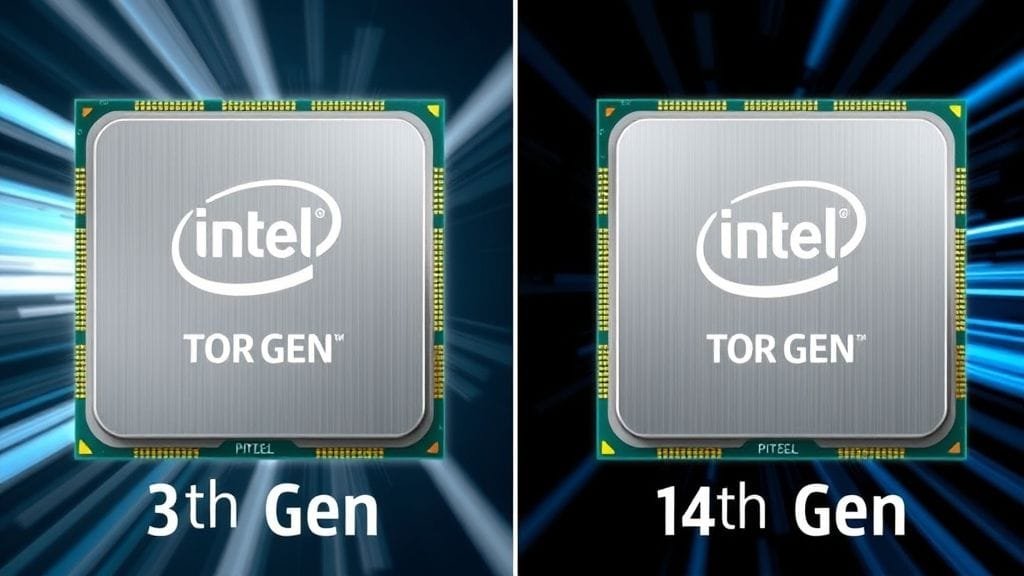
A clean infographic comparing the core counts and clock speeds of Intel Core i9-13900K, i7-13700K, i5-13600K vs. i9-14900K, i7-14700K, i5-14600K. Highlight the core count increase for the i7-14700K.
Power, Thermals, and Cooling: Managing High Performance
One aspect is consistent, yet challenging. Namely, Intel 13th vs 14th Gen processors demand power. Indeed, this is true under heavy load. Thus, these are high-performance chips. Therefore, they need significant wattage. This, in turn, achieves their impressive speeds and core counts. Overall, the 14th generation maintains similar power draw. Although some cases show slightly higher draw, this compares to its 13th-gen counterparts.
This high power consumption directly translates to substantial heat generation. Consequently, robust cooling solutions are not merely a recommendation but an absolute necessity for optimal performance. Therefore, if considering an i9 or i7 chip, invest in high-quality cooling. For instance, an AIO liquid cooler is paramount. A top-tier air cooler also works. Otherwise, without good cooling, processors hit thermal limits. This, in turn, triggers “throttling” mechanisms. Consequently, clock speeds and performance reduce. This prevents overheating. Essentially, it’s like a supercar on cheap tires: you won’t get the full experience.
Price, Value, and the Upgrade Dilemma
When weighing Intel 13th vs 14th Gen, the economic aspect is arguably as important as raw performance. At their initial launch, 14th generation processors were generally priced similarly to their predecessors. However, market dynamics shift rapidly. As newer chips arrive, older generations often become cheaper. Therefore, this creates a compelling value proposition for the 13th gen.
Many users see modest 14th gen gains. Consequently, for Core i9 and i5 models, this doesn’t justify a price premium. Instead, if you find a 13th-gen CPU at a lower price, it often gives better value. Indeed, you get identical performance for less money. Furthermore, this is a common tech pattern. Therefore, value’s sweet spot is often the previous generation, especially for minor refreshes.
New Builds vs. Upgrades: Making the Smart Choice
Your current system plays a massive role in whether the Intel 13th vs 14th Gen decision truly matters.
- For New PC Builders: If you’re starting a new build from scratch, both generations are viable options. Specifically, the i7-14700K has a boosted core count. Thus, it’s strong for multi-threaded workloads. This potentially justifies its slightly higher cost. For other tiers, however, careful price comparison is key. For example, a 13th-gen chip may offer a discount. This, in turn, frees budget for a better GPU or more storage, which provides a more noticeable performance boost.
- For Users Upgrading from Older Generations (e.g., 12th Gen or older): Indeed, jumping from an older platform? Both 13th or 14th gen will provide a huge uplift. In this scenario, the 14th gen might appeal more. Since its price should be competitive, it offers the latest features and marginal performance edges. The i7-14700K, again, stands out here as a particularly strong contender.
- For Users Upgrading from 13th Gen: This is where the upgrade dilemma becomes most pronounced. So, if you already own a 13th-gen CPU, a 14th-gen upgrade is generally not recommended. Indeed, performance improvements are too minor. Consequently, they don’t warrant a new processor’s cost. This applies especially to Core i9 and i5 models. Instead, spend your money on other components. For example, consider a powerful graphics card or more RAM; this gives a more tangible system improvement.
13th Gen: The Value Champion?
Performance differences are minor for most SKUs. The i7-14700K is a notable exception. Thus, the 13th gen often wins on value. Indeed, it’s a “value champion” in the Intel 13th vs 14th Gen debate. As 14th gen chips are more common, retailers reduce 13th-gen prices. Naturally, they want to clear stock. Therefore, you can find great deals. In fact, powerful 13th-gen processors are available. Ultimately, they give identical performance to 14th-gen chips, yet they cost significantly less money.
Budget-conscious builders should watch 13th-gen pricing. Indeed, it’s a smart strategy. Thus, you get the most bang for your buck. Moreover, reinvest savings into other components. This enhances your system’s capabilities. Ultimately, it’s more effective than chasing minor CPU gains.
New Features and Instability Concerns
Beyond raw performance, Intel 13th vs 14th Gen introduces a few new software-centric features. While these additions are intriguing, we must acknowledge initial stability challenges. Indeed, they emerged with higher-end chips of both generations. Therefore, understanding these aspects helps complete the picture of what each generation brings to the table.
Intel refines its offerings. Concurrently, software enhancements push performance limits. They also improve user experience. However, initial pains highlight computing complexities. Specifically, pushing silicon limits causes unforeseen issues, which require iterative solutions.
AI-Assisted Overclocking and Application Optimization
The 14th gen brings software innovations. For instance, this includes AI-assisted overclocking. Specifically, it uses Intel’s XTU AI Assist. This feature simplifies overclocking. Indeed, AI makes it more accessible. Furthermore, it analyzes your CPU and cooling. Then, it suggests optimal, stable parameters. Consequently, for enthusiasts who seek maximum performance, this is a valuable tool as it simplifies a complex process.
Another notable feature is “Application Optimization” (APO). Essentially, APO enhances performance in select games. It achieves this by using real-time resource allocation. Thus, it optimizes CPU resource use. Although this benefits specific applications, its impact is currently limited. Indeed, it affects only a handful of titles. Nonetheless, it shows Intel’s effort to fine-tune performance at the software level. As APO matures, it will support more games. Therefore, it could offer a tangible advantage, specifically for 14th-gen users.
Addressing Instability: Firmware and Warranty Updates
Address a key issue. Specifically, some high-end 13th and 14th gen CPUs had instability. Indeed, users reported crashes and shutdowns. This was particularly prevalent with the i9 models, often under heavy load. Intel has since acknowledged these concerns.
Intel released microcode updates. These, in turn, enhance stability. Subsequently, motherboard makers followed with BIOS updates. They incorporate these fixes. Furthermore, Intel extended warranties for affected boxed CPUs, demonstrating their commitment to addressing these issues. Therefore, if considering a high-end chip, update your motherboard’s BIOS. Crucially, this is to mitigate potential problems. Ultimately, this proactive approach shows the ongoing support for these powerful processors.
Choosing Your Next Processor: A Comparative Overview
To make an informed decision, compare Intel 13th vs 14th Gen processors. Therefore, here’s an overview of key models. Below, we list their characteristics. This table summarizes the core differences and helps highlight where each generation or specific SKU truly excels.
| Feature / Model | Intel Core i9-13900K | Intel Core i9-14900K | Intel Core i7-13700K | Intel Core i7-14700K | Intel Core i5-13600K | Intel Core i5-14600K |
|---|---|---|---|---|---|---|
| Architecture | Raptor Lake | Raptor Lake Refresh | Raptor Lake | Raptor Lake Refresh | Raptor Lake | Raptor Lake Refresh |
| Process Node | Intel 7 | Intel 7 | Intel 7 | Intel 7 | Intel 7 | Intel 7 |
| P-Cores / E-Cores | 8 P / 16 E | 8 P / 16 E | 8 P / 8 E | 8 P / 12 E | 6 P / 8 E | 6 P / 8 E |
| Max Boost Clock | 5.8 GHz | 6.0 GHz | 5.4 GHz | 5.5 GHz | 5.1 GHz | 5.3 GHz |
| Gaming Perf. Incr. | Baseline | ~2-3% | Baseline | ~2-5% | Baseline | ~2-3% |
| Multi-thread Incr. | Baseline | ~1-5% | Baseline | ~10-18% | Baseline | ~1-5% |
| Power Consumption | High | High (similar/slightly higher) | High | High (similar/slightly higher) | Moderate-High | Moderate-High |
| Value Proposition | Good, often better pricing now | Less compelling for minor gains | Good, often better pricing now | Strongest value in 14th Gen | Good, often better pricing now | Less compelling for minor gains |
| Key Differentiator | Raw Power | Marginal speed bump | Excellent all-rounder | Increased E-cores, MT perf. | Strong mid-range performer | Marginal speed bump |
The Core i7-14700K is a primary outlier. Indeed, this is clear in the table. Specifically, its E-core increase is significant. Conversely, other comparisons show less difference. Often, it boils down to slightly higher clock speeds.

Expert Perspectives: Is the 14th Gen Worth It?
The tech industry has a consensus. Specifically, regarding Intel 13th vs 14th Gen, caution is advised for existing 13th-gen users. Indeed, reviewers call the 14th gen a “refresh,” not a groundbreaking new architecture. This, therefore, highlights modest performance gains. Ultimately, the generation refines what came before, and this idea is reinforced.
From an expert standpoint, the 14th generation truly earns its stripes in specific scenarios. For example, if building a new high-end workstation or gaming rig where multi-threaded performance is paramount, the Core i7-14700K is often recommended. Due to its increased core counts, it offers a noticeable uplift in relevant applications. However, for most other uses, save your money, especially if upgrading from a 13th-gen system. Indeed, the advice is clear: the performance difference simply isn’t significant enough to justify the cost and effort of an upgrade. Instead, smart money suggests a well-priced 13th-gen chip, particularly if budget is a concern, or to wait for Intel’s next big architectural leap.
Conclusion
Navigating Intel 13th vs 14th Gen processors reveals incremental progress. Indeed, it’s not revolutionary change. However, while the 14th generation offers improvements, the Core i7-14700K is compelling for multi-threaded tasks. Nevertheless, overall, it is a refinement. Consequently, most users see modest performance gains, which makes the 13th gen attractive. Furthermore, its pricing is often more favorable.
First, consider your specific needs. Are you, for instance, building a new system? Is it for demanding multi-core workloads? Or are you a gamer seeking value? Additionally, your existing hardware also plays a crucial role. For instance, for those coming from much older systems, either generation will offer a substantial upgrade. However, if you already have a 13th-gen chip, hold off for a future generation; a more transformative one might be wiser.
Ultimately, the best processor is the one that best fits your budget, performance requirements, and upgrade path. Thus, consider which factor weighs most heavily for your next CPU upgrade or new build.