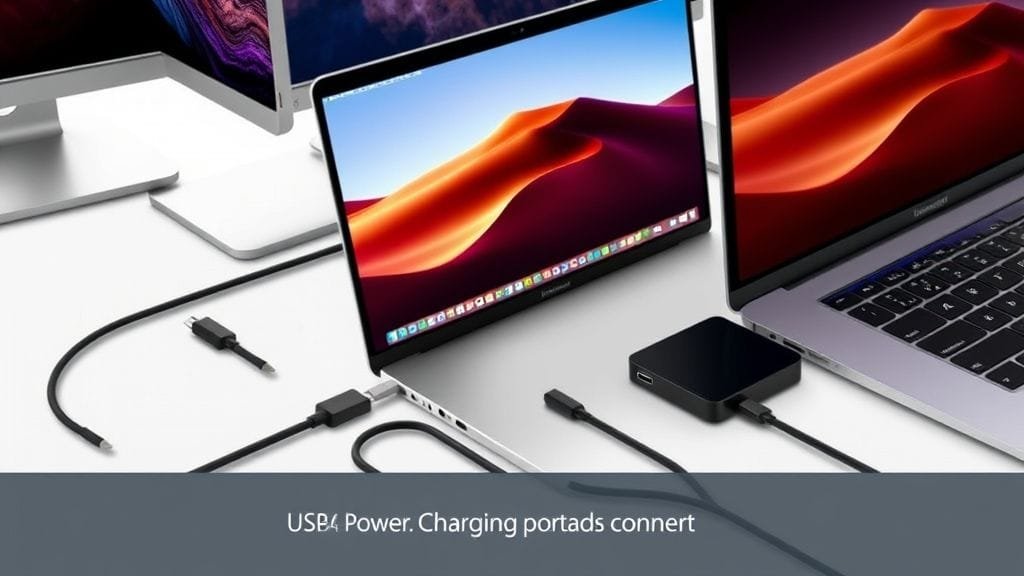
Imagine a single port on your laptop or desktop. Indeed, it handles everything. Specifically, you get blazing-fast data transfers. Furthermore, crystal-clear video output goes to multiple monitors. Also, efficient power delivery charges all your devices. However, for years, this universal port felt like a distant dream. Now, with USB4, that promise is finally being realized. In fact, this isn’t just an incremental update; instead, it’s a significant leap forward. Ultimately, it builds on robust technology, thereby simplifying your digital life and streamlining your workspace.

What is USB4 and Why Does It Matter?
At its heart, USB4 represents a groundbreaking evolution in connectivity standards. Indeed, it aims to deliver a single, universal port. This port, moreover, is capable of high-speed data transfer, video output, and power delivery. But what truly makes this standard so potent? Primarily, its foundation intelligently leverages Intel’s powerful Thunderbolt 3 protocol. Additionally, it also universally adopts the reversible USB-C connector. This combination, therefore, brings unparalleled versatility right to your fingertips, consequently eliminating the need for a tangle of different cables and adapters.
Unprecedented Speed and Bandwidth with USB4
Think of your data like cars on a highway. By contrast, older USB standards offered narrow, slow lanes. Now, however, with USB4, you’re getting a superhighway. Specifically, the initial specification supports an impressive 40 Gigabits per second (Gbps). Indeed, this is incredibly fast, meaning it is capable of handling massive files with ease. Nevertheless, the innovation doesn’t stop there.
The newer USB4 Version 2, furthermore, pushes these limits even further. Specifically, it offers astonishing speeds of 80 Gbps bi-directionally. Moreover, for specific tasks like streaming video, it can achieve a staggering 120 Gbps. However, this uni-directional transfer works over certified cables to an external display. Consequently, this immense bandwidth is critical for professionals. For example, professionals often work with large datasets. In addition, editing high-resolution 4K or 8K video is a key task. Such users, therefore, also need to transfer huge media libraries in seconds. Ultimately, this truly transforms what’s possible with external storage and peripherals.
Visual Brilliance and Power Delivery with USB4
Beyond raw speed, USB4 dramatically enhances your visual experience. Moreover, it also improves power management. Imagine, for example, connecting a single cable to your laptop. This cable then instantly powers your device. Furthermore, it simultaneously drives a stunning 8K display at a smooth 60Hz. Indeed, with Display Stream Compression (DSC) enabled, this is a reality. Alternatively, you can effortlessly power dual 4K displays. This, in turn, is perfect for multitasking or immersive gaming setups.

%20compared%20to%20previous%20USB%20standards%2C%20using%20a%20speedometer%20or%20highway%20metaphor.?width=1280&height=720&seed=10648&nologo=true&referrer=testwebapp.com)
Advancements continue with USB4 Version 2. Notably, it supports an incredible 8K resolution at 120Hz. Furthermore, it can also power four 4K displays running at a blistering 480Hz. Moreover, the standard mandates USB Power Delivery (USB PD). This, consequently, enables up to 100 watts of power delivery. Therefore, you can charge most laptops, tablets, and some powerful gaming devices directly. All this, crucially, the same port handles. In fact, USB4 Version 2 extends this to an astonishing 240 watts. This, in turn, provides more than enough juice for demanding workstations. Ultimately, it consolidates charging solutions and reduces cable clutter.
Intelligent Bandwidth Sharing: Protocol Tunneling
One sophisticated feature of USB4 is its ability to dynamically share bandwidth. Specifically, this works between multiple data and display protocols. Indeed, this is often referred to as “protocol tunneling.” Consequently, USB4 intelligently optimizes resource allocation. In other words, it does not rigidly assign bandwidth. Instead, this applies to various connected devices simultaneously.
Consider this scenario: For example, you are editing video on an external SSD. Furthermore, you are also outputting to a 4K monitor. Perhaps a high-speed Ethernet adapter is also in use. All this, crucially, is through a single port. In such cases, USB4 intelligently prioritizes and allocates bandwidth. This, therefore, ensures smooth, uninterrupted performance for each task. Moreover, this efficient connection means one USB4 port can manage multiple devices. It handles, for instance, external displays, storage, and peripherals concurrently. Ultimately, this ensures everything runs at peak efficiency. Indeed, this adaptability is a game-changer. It suits, therefore, complex workflows and minimalist desk setups alike.
Embracing the Past: Backward Compatibility
In the rapidly evolving world of technology, backward compatibility is a significant concern for consumers. Thankfully, however, USB4 addresses this head-on. Indeed, it boasts strong backward compatibility. This, for instance, includes previous USB versions like USB 2.0 and USB 3.x devices. Consequently, your existing external hard drives, keyboards, and mice will still work. Other peripherals, moreover, will also work seamlessly. You simply plug them into a USB4 port.
Crucially, furthermore, USB4 also offers optional compatibility with Thunderbolt 3 devices. This thoughtful integration, therefore, helps protect your existing hardware investments. In fact, it allows for a smoother transition to the latest standard. As a result, you avoid an immediate, costly overhaul of your tech ecosystem. Ultimately, it’s a testament to the standard’s design philosophy. It moves, therefore, forward without leaving the past behind.
USB4’s Journey to Your Motherboard: Integration and Adoption
The rollout of USB4 began in late 2020. At that time, the first consumer devices emerged. For example, early adopters included Apple’s M1 chip MacBooks. Likewise, various PCs featuring Intel Tiger Lake processors also adopted it. Since those initial launches, therefore, its adoption has steadily gained momentum. Moreover, it spans a wide range of devices. This, in turn, includes sleek laptops, powerful desktop systems, and specialized peripherals.
Early Adopters and Growing Presence
Initially, finding USB4 ports outside premium devices required careful searching. However, its presence is now becoming increasingly common. For instance, consider building or buying a new high-performance PC today. In such a case, you will find modern AMD X870 and X870E motherboards. Leading manufacturers, such as ASUS and GIGABYTE, ship with two 40Gbps USB4 ports. Indeed, this is a standard feature. Consequently, this growing integration into core PC components signifies something important. Specifically, USB4 is no longer a niche technology. Instead, it is rapidly becoming a fundamental aspect of contemporary computing. Ultimately, it’s a clear signal. Manufacturers, therefore, recognize the undeniable value and utility this powerful standard brings.

For PC enthusiasts and professionals, this widespread adoption is good news. Specifically, you can expect to see USB4 become a staple on most new motherboards. Furthermore, it will offer a consistent high-speed, multi-function connectivity option. Consequently, add-in cards or specific chipsets will often not be needed. This ease of access, therefore, simplifies consumer decision-making. Moreover, it also provides developers with a stable platform to innovate.
The Future of USB4 Version 2
The current 40Gbps USB4 standard is already impressive. Still, however, the industry is constantly pushing boundaries. Indeed, the development of USB4 Version 2 controllers and PHYs is well underway. PHYs, specifically, are physical layer components. These advancements, consequently, are laying crucial groundwork. They enable, furthermore, even more advanced device launches. Many of these are anticipated to hit the market in 2025. This next iteration, therefore, promises to unlock greater speeds and capabilities. Moreover, it will further solidify USB4’s position. Thus, it is becoming the premier universal connectivity solution for the foreseeable future. Expect, therefore, to see higher resolutions. Also, look for faster external storage and more efficient power delivery. These newer components, in fact, will soon be available.
Navigating the Nuances: Challenges and Scrutiny of USB4
USB4 offers significant advantages and immense promise. However, its implementation has faced scrutiny. This is primarily due, moreover, to the standard’s optional features. Also, there is potential for user confusion. Consequently, this can sometimes overshadow its capabilities. Thus, understanding these nuances is key. It helps, therefore, you make informed purchasing decisions. Furthermore, it also helps you fully leverage the technology.
The Caveat of Optional Features
Perhaps the biggest source of user confusion stems from USB4’s optional features. The standard can achieve 40 Gbps. However, some implementations may only support a minimum of 20 Gbps. More critically, moreover, some features are entirely optional. These include, for example, dual 4K display support and PCIe tunneling. PCIe tunneling, specifically, allows for external GPU enclosures or high-speed network adapters. This, by contrast, contrasts sharply with Thunderbolt 4. Thunderbolt 4, conversely, mandates higher minimum performance. It also, in fact, requires PCIe tunneling and specific display support.
So, what does this mean for you? Essentially, not all USB4 ports are created equal. As the consumer, therefore, you must scrutinize product specifications carefully. Specifically, you need to understand the exact capabilities of a USB4 port on any given device. Do not, consequently, assume “USB4” guarantees the highest speeds. It also doesn’t promise all advanced features either. Ultimately, this variability can lead to frustrating experiences. This happens, for instance, if clear product labeling does not manage expectations.
The Importance of Certified USB4 Cables
To truly leverage the full potential of USB4, certified cables are essential. This is especially true, moreover, at its higher speeds. It is also, therefore, vital for robust power delivery. Conversely, using older or lower-quality USB-C cables can severely limit performance. Specifically, this reduces data transfer speeds. It also restricts video capabilities. It can even, in fact, fail to deliver sufficient power.

Imagine buying a sports car. If you then only drive it on gravel roads, you won’t, therefore, experience its true performance. Similarly, the same applies here. Thus, invest in a certified USB4 cable. These, for instance, are often labeled with specific speed and power ratings. This, consequently, ensures you get the full benefits the standard offers. Indeed, this small investment can save significant frustration. It also unlocks the performance you paid for in your new devices. Always look, therefore, for cables that explicitly state “USB4.” They should also, crucially, list their speed capabilities. Examples include, of course, 40Gbps or 80Gbps.
Cost Barriers and Port Discrepancies
Another practical challenge, however, arises from implementation cost. Indeed, the underlying controllers required for USB4 are generally more expensive. They cost, in fact, more than those used for previous USB 3.x standards. Consequently, this cost factor can disincentivize manufacturers. They might, therefore, avoid integrating numerous high-speed USB4 ports. This is especially true, moreover, on more budget-oriented motherboards or devices.
As a result, you’ll often encounter a mix of ports. Specifically, older USB 2.0 and USB 3.x ports appear alongside a limited number of USB4 ports. This, moreover, happens on many modern systems. Consequently, consumers must be selective. They must, therefore, choose which devices to connect to which port. This, in turn, potentially undermines the “universal” promise. Indeed, it happens if not enough high-speed ports are available. Ultimately, it’s a balancing act for manufacturers: They must offer cutting-edge technology, but also maintain competitive pricing for various market segments.
Battling Brand Confusion
The USB ecosystem has long been plagued by confusing naming conventions. Unfortunately, however, USB4 doesn’t completely escape this legacy. For instance, subtle differences exist. Examples include, “USB4 Gen 3×2” (40 Gbps) and “USB4 Gen 2×2” (20 Gbps). Furthermore, key features are also optional. This, consequently, makes it challenging for the average user. They often, therefore, struggle to differentiate between various speeds and capabilities.

This lack of clarity can lead to buyer’s remorse. Specifically, a user expects top-tier performance. Instead, however, they receive a more basic implementation. The industry is working towards clearer branding. For now, however, the onus remains on the consumer. They must, consequently, delve into detailed specifications. This applies, moreover, to any device or cable advertised as USB4. Hopefully, therefore, future iterations will adopt simpler naming schemes. This, in turn, will empower consumers with easier choices.
The Future is Fast: Market Outlook for USB4
Despite current challenges, however, the market outlook for USB4 is robust. Moreover, related components are also experiencing significant growth. This widespread industry confidence, therefore, is important. It underscores, consequently, the belief that USB4 is not just a passing trend. Instead, it is the future of high-speed connectivity. Indeed, the demand for faster, more versatile connections is undeniable. This demand, furthermore, spans across various sectors.
Growing Demand for USB4 Repeater ICs
The global USB4 Repeater IC market was estimated at USD 410 million in 2024. Specifically, these chips extend signal integrity. They work, furthermore, over longer distances and complex pathways. Projections, consequently, indicate this market will reach USD 1,189 million by 2033. This, in turn, demonstrates a compound annual growth rate (CAGR) of 14.2%. Ultimately, this growth reflects increasing USB4 integration. It includes, for example, motherboards, docking stations, and active cables.
Surging USB4 Cable Market and Global Adoption
Similarly, the USB4 cable market is booming. Indeed, it was valued at USD 1.42 billion in 2024. It is, furthermore, expected to soar to USD 6.08 billion by 2033. This growth, notably, is at an even higher CAGR of 17.8%. Consequently, this surge in demand is fueled by specific needs. Specifically, high-quality, certified cables are required. They, in turn, unlock USB4’s full potential. Geographically, moreover, the Asia Pacific region currently leads this market. North America, additionally, closely follows. This rapid expansion, therefore, is driven by increasing adoption. High-speed data transmission technologies, for instance, are used across diverse applications. These include, among others, consumer electronics and advanced data centers. Emerging automotive applications, furthermore, also demand robust connections. They need, in fact, high-bandwidth. Ultimately, this growth trajectory clearly signifies something important. USB4, consequently, is rapidly becoming a de facto standard for high-speed connectivity. It offers, therefore, advanced features. It also provides universal compatibility for a wide range of devices and industries.

Making the Most of USB4: Actionable Advice
To ensure you fully benefit from USB4, therefore, follow this advice. It helps, moreover, you avoid potential pitfalls.
Understanding Specifications and Cables
- Read the Fine Print: Never assume all USB4 ports are identical. Instead, always check device specifications. This includes, for instance, laptops, motherboards, and docks. Specifically, confirm specific speeds (20Gbps vs. 40Gbps vs. 80Gbps). Also, check display capabilities (single/dual 4K, 8K). Furthermore, verify power delivery wattage (100W, 240W) supported. Crucially, look for “full-featured USB4” or “Thunderbolt 4 compatibility.” This is critical, moreover, if those are your needs. For deeper dives, you can check resources like Wikipedia for [Thunderbolt 3](https://en.wikipedia.org/wiki/Thunderbolt(interface)#Thunderbolt3). This, in turn, offers historical context.
- Invest in Certified Cables: Indeed, this cannot be overstated. A cheap, uncertified USB-C cable, for example, will likely bottleneck your USB4 performance. Therefore, always purchase cables explicitly labeled “USB4 Certified.” They should also, crucially, have the corresponding speed and power ratings you require. This small investment, consequently, ensures you unlock your devices’ full potential. You can often, furthermore, find reputable information. Manufacturers, such as [Intel](https://www.intel.com/content/www/us/en/products/docs/io/thunderbolt/thunderbolt-4-brief.html), provide details on compliant devices.
Strategic Integration and Future Planning
- Consider Your Ecosystem: Think about how USB4 fits into your overall setup. For instance, are you building a new PC? If so, prioritize motherboards with dedicated USB4 ports. Do not, however, rely solely on add-in cards unless necessary. For mobile users, therefore, a high-quality USB4 docking station can transform your workflow. It works, moreover, with a single cable connection. You might also want to explore our guide. It covers, for example, selecting the right peripherals (e.g., `/blog/choosing-the-right-peripherals/`).
- Stay Informed: The USB standard continues to evolve. Therefore, keep an eye on announcements. Organizations like, for example, the USB Implementers Forum (USB-IF) announce updates. So, too, do major hardware manufacturers. New features and branding clarifications, consequently, may emerge. This, in turn, helps simplify the landscape over time.
Leveraging Existing Investments
- Leverage Backward Compatibility: Do not, therefore, discard your older USB devices. Indeed, USB4 is designed to work with them. This, consequently, allows for a gradual upgrade path. You can, in turn, invest in new USB4-specific peripherals as needed. Your existing gear, meanwhile, remains functional.
https://www.youtube.com/watch?v=F0H9s5DIVCc
Is USB4 the single solution to our connectivity woes? Or will its optional features continue to complicate the landscape for consumers?
The arrival of USB4 undeniably marks a pivotal moment in connectivity. Indeed, an enticing promise is offered by USB4. It envisions, furthermore, a streamlined, high-performance, single-cable future. Crucially, the standard largely delivers on the ambitions set by its predecessors. Its impressive speeds are notable, as are its enhanced video capabilities and dynamic bandwidth sharing. Moreover, its commitment to backward compatibility makes it a compelling standard. It suits, therefore, both professional and everyday users. However, the path to universal adoption and user clarity has bumps. This is primarily due, moreover, to implementation variability. It also, in fact, faces the persistent challenge of clear branding.
As USB4 is becoming more prevalent, appearing on new motherboards and devices, the industry and consumers alike, therefore, will continue to scrutinize its integration. Nevertheless, the market’s robust growth projections signal a strong belief. This belief, in fact, is in its long-term potential. Ultimately, to harness the full power of this transformative technology, it is essential to stay informed. You must also make deliberate choices about devices and cables. Only then, can you harness its full power.
So, what are your thoughts on the promise versus the reality of USB4? Have you adopted it yet? What has your experience been? Share your insights in the comments below!