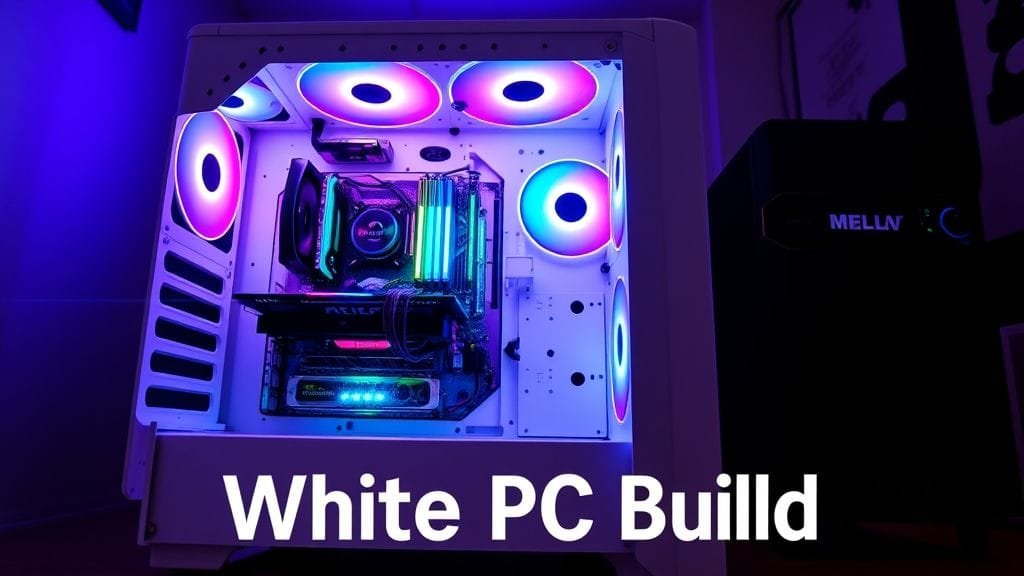

A PC is more than just components; instead, it’s a statement and, furthermore, an extension of your personality. Indeed, for many, it’s meticulously crafted art. In recent years, however, one aesthetic trend has soared. Consequently, the White PC Build has captured the hearts of enthusiasts and casual users alike. As a result, demand for all-white components is increasing. Specifically, this includes cases, motherboards, GPUs, and RAM. Thus, this phenomenon has transformed PC customization, and it is now a sophisticated art form.
But what drives this pristine trend? Is it simply a matter of taste, or are deeper considerations at play? Therefore, this article explores its allure and advantages. Moreover, we also cover challenges and practicalities. Ultimately, embark on your white PC build journey with us to get the insights needed to decide: is this luminous aesthetic right for you?
The Unmatched Aesthetic of a White PC Build
The primary allure of an all-white setup is undeniably its visual impact. To illustrate, imagine a powerful machine that looks elegantly modern and remarkably clean. Indeed, a white PC build exudes a sleek, minimalist vibe. Consequently, it perfectly complements contemporary workspaces and gaming sanctuaries. This aesthetic, furthermore, speaks volumes about sophistication and shows a keen eye for design. Moreover, this pristine look often creates an illusion of spaciousness; even compact setups feel open and airy.

A close-up of a white motherboard with white RAM sticks, emphasizing the clean lines and modern design.
Reflecting Light: The Magic of RGB on White
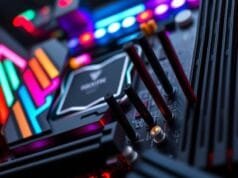
Many enthusiasts gravitate towards a white PC build because its synergy with RGB lighting is unparalleled. Specifically, darker components absorb light; however, white surfaces act as a neutral, reflective canvas. Consequently, your chosen RGB lighting schemes will pop, and subtle pastels or vibrant rainbows will show astonishing brilliance and clarity. Moreover, light scatters more effectively, thus creating a dynamic, immersive visual effect that a black build simply can’t replicate.
Furthermore, this enhanced reflection allows greater customization. In turn, it offers more personalization. For instance, you can experiment with a wider spectrum of colors and effects, since each hue will be showcased vibrantly. As a result, your PC becomes a radiant centerpiece, and it constantly adapts to your mood or game.
Showcasing Your Premium Components
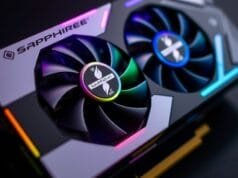
Beyond the lighting, a white interior dramatically enhances visibility. Indeed, your high-quality hardware stands out. For example, you invest in top-tier graphics cards; perhaps you’ve bought custom CPU coolers or intricate RAM. Naturally, you want to show them off. Therefore, white shrouds and backplates on your GPU help, while gleaming white heat spreaders on your RAM stand out as they contrast against the white backdrop. Consequently, intricate details of your build become more apparent.
Thus, this allows you to truly highlight engineering marvels. Because many builders take immense pride in their hardware choices, a white PC build provides the perfect stage. In essence, it transforms components into display-worthy pieces. Ultimately, it’s an opportunity to celebrate your selected technology.
Design Versatility: Beyond Pure White PC Builds
A white case offers incredible versatility, though this may be surprising. While many builders strive for a pure, all-white aesthetic, this clean slate also serves as an excellent backdrop. Specifically, it’s great for contrasting elements. For example, imagine a white case housing a single black GPU; this creates a stark, powerful focal point. Alternatively, perhaps subtle accents of color, like blue or red, can highlight the white canvas.
Ultimately, this flexibility allows precise personalization. Consequently, you can match your individual taste perfectly. For instance, you can create a monochrome masterpiece, or you can build a thoughtfully accented system. In either case, the white foundation ensures a polished look, and the overall design remains intentional.
Manufacturers Embrace the White PC Build Trend
The demand for white PC builds is growing, and major manufacturers have noticed. Consequently, companies like Corsair, ASUS, ROG, Gigabyte, MSI, and NZXT have responded. Indeed, they significantly expanded their product lines, so they now offer an ever-wider range of white components. Therefore, you can find almost every essential PC part in white, which makes cohesive, themed builds easier.
Specifically, this increased availability spans across:
- Cases: White cases are a common starting point; indeed, options range from compact mini-ITX to full-tower behemoths.
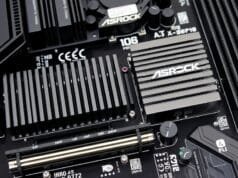
- Motherboards: Many high-end and mid-range motherboards now boast white heatsinks; moreover, they also feature white shrouds.
- GPUs: Graphics cards with white coolers are more common; however, they are often premium.
- RAM: White RAM sticks are popular choices; consequently, they often include white RGB diffusers.
- Coolers: Both AIO liquid coolers and air coolers are available in white, which completes the aesthetic.
Overall, this market response clearly indicates the trend’s staying power. Indeed, it moved from a niche preference, and it is now a mainstream design choice. Consequently, the days of hunting for rare white parts are largely behind us. However, some specialized components can still be elusive.
The Price of Purity: Is Your White PC Build More Expensive?
A white PC build offers undeniable aesthetic appeal; however, it often comes with a significant consideration: cost. Indeed, anecdotal evidence and market analysis suggest a “fashion tax.” For example, white PC parts are often noticeably more expensive, while their functionally identical black counterparts cost less. In fact, prices can range from 1.7% to 34.3% more; this applies to the exact same component, just in a different color. But why is this the case?
Manufacturing Hurdles and Market Dynamics
First, several factors contribute to this price premium. For one, white components still represent a smaller market segment, whereas black parts are ubiquitous. Consequently, lower production volumes can mean higher per-unit manufacturing costs, especially for specialized runs. Additionally, the manufacturing process for white parts is more complex. White plastic and painted metal, for instance, need special care. Furthermore, achieving uniform, pure white requires specialist chemicals like titanium dioxide. Moreover, extremely stringent quality control is essential; even microscopic dust can mar the finish, which increases scrap rates.
Furthermore, color matching is a challenge. Since materials like plastic, metal, and PCB components vary, and because they come from various suppliers, manufacturers invest more time and resources. Specifically, they ensure your white GPU matches your white motherboard. Ultimately, this contributes to the higher cost, and these complexities directly impact the final retail price.
The Willingness to Pay: A “Fashion Tax”
Beyond manufacturing practicalities, a “fashion tax” exists; indeed, this psychological factor is undeniable. Specifically, manufacturers know consumers will pay a premium if they want a specific, desirable aesthetic. Since a white PC build is perceived as high-end, because it looks modern and exclusive, this perception allows companies to price components higher. In other words, they know a segment of the market will pay for the look.
Ultimately, it becomes a balancing act: objective production costs are one side, while subjective value placed on design is the other. Therefore, be prepared for potential upward adjustments, as your white PC build may cost more than a standard black one. However, it’s an investment in both performance and unparalleled style.
Keeping Your White PC Build Pristine: Maintenance Challenges
The dazzling allure of a white PC build can come with challenges. Specifically, maintenance and longevity are key concerns. Indeed, maintaining that pristine, “fresh-out-of-the-box” look requires a diligent approach, since darker systems are less demanding.

The Battle Against Dust and Discoloration
White surfaces naturally show dust; consequently, dirt and fingerprints are more visible. Indeed, every speck of dust becomes glaringly obvious, and every smudged print stands out against the bright backdrop. Therefore, more frequent and meticulous cleaning will be necessary; only then will your system look its best. To illustrate, think of owning a white car: it’s beautiful, but it demands constant care.
Furthermore, discoloration is a more concerning long-term issue. White plastics, in particular, can turn yellowish over time. Specifically, UV exposure, even from ambient room light, plays a role, and sustained high internal temperatures can also accelerate this. Unfortunately, yellowing can be unsightly, and it is very difficult, if not impossible, to reverse. However, strategic placement helps mitigate this: for example, keep your PC away from direct sunlight and ensure excellent internal airflow. Nevertheless, this remains a persistent consideration for any white PC build.
Upgrading Your White PC Build: Navigating Limited Availability
The market for white PC components has expanded; still, limitations remain. In particular, the selection is smaller compared to black or gray parts, which can pose challenges. Moreover, future upgrades are especially tricky, as finding every component in a perfectly matching white shade is still a treasure hunt.

PC hardware evolves quickly, as new generations of components are released regularly. However, there’s no guarantee for a matching white finish. For instance, your favorite GPU’s next iteration might not be available, or a newer, more powerful CPU cooler might lack a white option. Consequently, this could limit your upgrade choices; worse, it could compromise your crafted aesthetic. Therefore, planning for upgradability requires foresight, and you also need a willingness to adapt.
Resale Value: Do White PC Builds Really Sell Faster?
Resale value is always relevant, especially for frequent upgraders or PC flippers. Indeed, some builders believe white PCs sell faster. They, consequently, credit their premium aesthetic and perceived desirability, as the striking visual appeal makes them stand out. Ultimately, buyers who value design are attracted; this is the idea.
However, anecdotal evidence suggests otherwise; in fact, small-scale experiments show similar sales speeds. While the perception of higher desirability is real, the actual difference might but be marginal. Instead, other factors often play a more significant role, including competitive pricing and system performance. Overall, component quality and effective marketing matter more than color alone. Yet, white components are perceived as premium; therefore, this can contribute to higher perceived resale value. Specifically, you might command a slightly higher price point, especially if the build is pristine and well-documented.
Crafting Your Ideal White PC Build: Practical Advice
Building a white PC is an exciting endeavor; indeed, it blends technical skill with aesthetic vision. Consequently, here’s some actionable advice to guide you and ensure stunning looks and optimal performance.
Component Matching: Achieving a Cohesive White Look
Cohesion is key to a truly stunning white PC. Therefore, don’t just pick white parts; instead, ensure they complement each other.
- Research thoroughly: Check reviews and images before purchasing to verify the actual shade of white. Indeed, some “white” components might lean off-white or cream, which can clash if not matched carefully. However, brands like NZXT, Corsair, and ASUS ROG often maintain consistent white tones, so they are good starting points.
- Prioritize key visible components: Focus your white efforts. Specifically, the case, motherboard, GPU, RAM, and CPU cooler are most visible, and these elements define the aesthetic.
- Don’t forget the cables: Custom white braided cables elevate your build; they, moreover, hide unsightly black power cables and add a professional, finished touch. For instance, companies like CableMod offer excellent custom options.
Budgeting for Your White PC Build
As discussed, expect a premium. However, smart budgeting can mitigate this.
- Allocate wisely: Some components, like a white GPU, carry a heavier premium; therefore, understand this. Decide, consequently, where to spend more for aesthetics and where you can compromise. For example, use a less visible black component to save cost.
- Shop sales and compare: Keep an eye out for sales; indeed, holiday seasons are good times. Since prices for white components can fluctuate, patience can save you money.
- Consider “white adjacent” parts: Silver or light gray components can blend seamlessly; thus, they offer an alternative to pure white. This, in turn, helps if pure white is too expensive or unavailable.
Long-Term Care for Your White System
Preventative maintenance is crucial, as it preserves the beauty of your white PC build.
- Regular dusting: Invest in a good can of compressed air; alternatively, an electric duster also works well. Regular, light dusting will prevent significant build-up, so dusting at least once a month is ideal.
- Gentle cleaning: Use a microfiber cloth for smudges and fingerprints. If needed, dampen it with a small amount of isopropyl alcohol for plastics, or use a specialized electronics cleaner. However, avoid harsh chemicals, as they can damage finishes or promote discoloration.
- UV protection: If your PC may be near a window, consider a UV-blocking film on the glass. Alternatively, adjust its placement to minimize direct sunlight; this, in turn, helps prevent plastic yellowing.
- Monitor temperatures: Ensure your PC has excellent airflow and cooling. Keep in mind that high internal temperatures accelerate plastic breakdown, which contributes to discoloration.

The Enduring Appeal of the White PC Build
The “White PC Build” phenomenon is more than a fleeting trend; rather, it represents a mature evolution in PC customization. Indeed, aesthetics proudly stand alongside performance, speaking to a desire for captivating systems. These systems, moreover, not only crunch numbers, but they also transform a powerful machine into a personal masterpiece. Of course, the journey to a pristine, all-white setup has unique considerations; for instance, the “fashion tax” and meticulous maintenance are factors. However, the visual reward often makes it worthwhile.

Furthermore, major manufacturers offer increasing availability, which solidifies the white PC build’s market position. Consequently, it makes it an accessible dream for many. Ultimately, choosing a white build is a statement; it is, in fact, a testament to your personal style and shows a commitment to a clean, modern aesthetic.
Have you built a white PC, or are you considering one? What challenges or triumphs did you experience in achieving your ideal white aesthetic? Please share your thoughts and experiences in the comments below!