Modern life often demands that our devices keep up with our fast-paced schedules. Consequently, for laptop users, nothing is more frustrating than a battery that drains too quickly, tethering them to a power outlet. The quest for exceptional laptop battery life has become a central focus for technology companies, thereby driving a wave of innovation across hardware, software, and even user habits. Indeed, today, achieving “all-day battery and beyond” is not just a dream but a tangible reality, thanks to a multi-faceted approach to power efficiency.
Therefore, this article delves into the groundbreaking advancements making these extended battery durations possible. We will also explore how processors are becoming smarter, battery chemistries are evolving, and software is intelligently managing resources to keep your laptop running longer than ever before. Understanding these innovations thus reveals a future where power anxiety becomes a distant memory.
The Core of Endurance: Processor Innovations
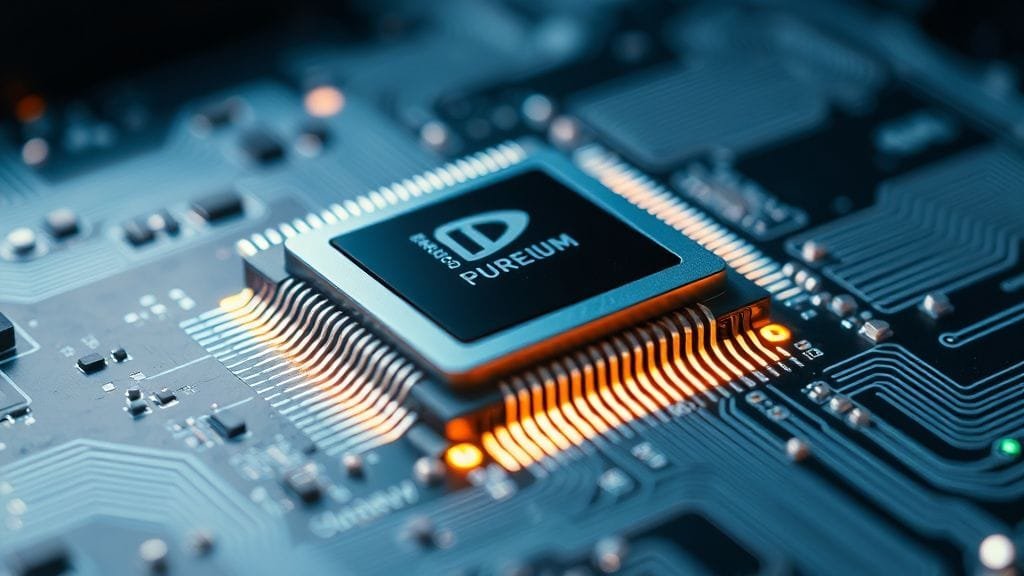
At the heart of extended laptop battery life lies the relentless pursuit of processor efficiency. Modern CPUs are designed not just for raw power but also for intelligent power management, drastically reducing energy consumption without compromising performance. Ultimately, this dual focus is reshaping what we expect from our portable devices.
ARM-Based Efficiency Redefines Laptop Battery Life
A significant shift in processor architecture has come from ARM-based chips. Companies like Apple, with its M-series, and Qualcomm, with its Snapdragon X Elite, for example, lead this charge. These processors are specifically engineered for exceptional power efficiency, consequently allowing devices to achieve astonishing runtimes. For instance, the MacBook Air M3 can offer up to 20 hours on a single charge. Similarly, new Windows laptops like the HP OmniBook X 14, powered by Snapdragon, deliver 16-18 hours of typical mixed use. This efficiency is, therefore, a game-changer for laptop battery life.
Intel’s x86 Advancements for Extended Power
Intel, a long-standing leader in x86 architecture, has also made remarkable progress. Their Lunar Lake Core Ultra 200V-series processors, specifically, represent a new frontier in x86 power efficiency. These chips boast a significant 50% reduction in package power consumption compared to their predecessors. Moreover, they can achieve up to an impressive 20.1 hours of battery life, directly competing with ARM-based designs. Such advancements therefore ensure that users have access to high-performance, power-efficient options across different platforms.

AI and Hybrid Architectures Driving Power Savings
Modern processors increasingly integrate dedicated Neural Processing Units (NPUs). These specialized units, in turn, efficiently handle background tasks, offloading work from the main CPU and significantly reducing idle power drain. Furthermore, hybrid-core architectures, which combine high-performance (P-cores) and energy-efficient (E-cores) cores, are now standard.
AI-driven resource management plays a crucial role here. These intelligent systems specifically predict task allocation, ensuring that the most energy-efficient cores handle lighter workloads, thereby conserving energy. This sophisticated approach to task management is, consequently, a cornerstone of improved laptop battery life.
Beyond the Basics: Battery Technology Innovations
While processor efficiency is vital, the battery itself remains the ultimate reservoir of power. Continuous research and development are, consequently, pushing the boundaries of what traditional Lithium-ion (Li-ion) batteries can achieve, while also exploring next-generation technologies. These advancements, moreover, focus on increasing energy density, improving charging speeds, and extending overall longevity.
Enhancing Lithium-ion for Better Battery Life
Lithium-ion batteries still dominate the market, but their performance is constantly evolving. Innovations involve exploring advanced cathode materials like lithium iron phosphate (LiFePO4) and nickel-cobalt-aluminum (NCA). Additionally, silicon anodes show immense potential. They can, in fact, store up to ten times more energy than traditional graphite anodes, thus promising a dramatic increase in capacity.
These material science breakthroughs incrementally boost energy density, thereby allowing more power to be packed into the same physical space. This directly translates to longer laptop battery life without increasing the device’s bulk.
The Promise of Future Battery Technologies
The future holds even more exciting prospects beyond Li-ion. Solid-state batteries, for example, promise significantly higher energy densities and improved safety by eliminating liquid electrolytes. Their commercialization could, therefore, revolutionize portable electronics. Another area of active research includes sodium-sulfur composites. These materials could, furthermore, offer cost reductions and extended battery length, making advanced energy storage more accessible.
While these technologies are still emerging, they point towards a future with vastly improved laptop battery life capabilities.
Fast Charging and Longevity Improvements
Beyond raw capacity, how quickly a battery can charge and how long it lasts over many cycles are equally important. Fast-charging technologies have, indeed, become commonplace, with many modern devices reaching an 80% charge in under an hour. This convenience consequently means less downtime for users.
Furthermore, research into charging methods is also yielding benefits. A new “pulse current” charging method for Li-ion batteries has, for example, shown the potential to double their lifespan. This method thus helps batteries hold up better over hundreds of charging cycles, improving overall device longevity.

Smart Power Management: Software and OS Optimizations
Hardware innovations alone are not enough; intelligent software is also crucial for maximizing every watt of power. Operating systems and dedicated applications are becoming smarter, in fact, using AI to adapt power consumption to real-time user needs. This symbiotic relationship between hardware and software is, therefore, key to achieving optimal laptop battery life.
AI-Powered Adaptive Systems
Many leading laptop manufacturers integrate AI-powered adaptive power optimization systems. For example, HP’s Smart Sense and Microsoft’s Adaptive Energy Saver for Windows 11 continuously analyze user patterns. These systems dynamically adjust critical parameters like CPU speeds, GPU allocation, and fan speeds. They also intelligently manage background applications, ensuring power is conserved even when the battery charge is high. This proactive management, consequently, significantly contributes to extending laptop battery life.
Operating System Tuning
Operating systems like macOS are meticulously tuned to work seamlessly with custom silicon. This deep integration consequently allows for intelligent resource allocation and power management at a fundamental level. Beyond these sophisticated systems, moreover, built-in power-saving modes are essential tools for users.
- Windows “battery saver” mode: Reduces background activity and dims the screen.
- macOS “energy saver” settings: Offers options to optimize various power-consuming features.
These features, combined with simple actions like dimming screen brightness and managing resource-intensive background applications, are ultimately fundamental software-driven strategies for extending laptop battery life.
Hardware Component Efficiency Beyond the CPU
While the CPU is a major power consumer, other hardware components also play a significant role in overall energy drain. Manufacturers are increasingly optimizing these components, and users can furthermore take steps to manage them for better laptop battery life.
Display Technologies and Power Consumption
The display and CPU are consistently identified as the main power consumers in a laptop. To combat this, therefore, innovations in display technology are crucial. Variable refresh rate (VRR) displays dynamically adjust their refresh rate based on content, thereby reducing power when a high refresh rate isn’t needed. Adaptive brightness features further refine this, automatically adjusting screen brightness to ambient light conditions, thus conserving power. These display optimizations are, consequently, vital for prolonging laptop battery life.

Managing Peripherals for Optimal Battery Life
Beyond the core components, peripheral hardware can also draw considerable power. Users can further conserve power by disabling unnecessary hardware when not in use.
- Wi-Fi and Bluetooth: Turn off when not connected.
- Webcams and Microphones: Disable when not in video calls.
- Dedicated Graphics Cards: Switch to integrated graphics for non-intensive tasks.
These simple adjustments to hardware usage can, indeed, make a noticeable difference in extending laptop battery life during daily operations.
Sustainable Power Solutions and the Future
The conversation around laptop power isn’t just about extending runtime; it’s also evolving to include sustainability and alternative charging methods. From repurposing old batteries to integrating renewable energy, the future of laptop battery life is looking greener.
Repurposed Batteries and Off-Grid Options
A fascinating aspect of the circular economy is the potential for repurposing old laptop batteries. An ambitious DIY project, for instance, showcased powering an entire home with over 1000 repurposed laptop batteries. This highlights the significant energy storage potential still available in what would otherwise be electronic waste.
Moreover, for those on the go, portable power stations and solar charging compatibility provide excellent off-grid charging options for laptops. These solutions, therefore, offer freedom from traditional outlets, enabling users to maintain their laptop battery life even in remote locations.
Challenges in Battery Development
Despite the advancements, the development of new battery technologies faces significant challenges. The high cost of experimentation is a major hurdle for manufacturers, especially those operating on thin profit margins. Consequently, improvements often come through “evolution, not revolution” in existing Li-ion technology. This means primarily enhancing energy density through better packaging and optimized cell design, rather than entirely new chemistries.
Integrating solar auxiliary power directly into laptops is still in its early stages. Hybrid energy systems, combining solar with traditional Li-ion, therefore, currently represent a more realistic and immediate path forward for incorporating renewable power directly into devices.
Maximizing Your Laptop’s Battery Life: User Practices
While technological innovations are crucial, user habits significantly impact the practical laptop battery life experience. By adopting smart practices, however, individuals can further extend their device’s runtime and maintain battery health over time. These simple steps, when combined with advanced hardware and software, ultimately create a truly optimized power environment.
Optimizing Settings and Usage
To get the most out of your laptop’s charge, consider these actionable steps:
- Adjust Power Settings: Utilize your operating system’s power management options (e.g., Windows “Balanced” or “Power Saver” mode, macOS “Energy Saver” settings) to suit your activity.
- Manage Screen Brightness: The display is a major power hog. Keep screen brightness at a comfortable minimum, especially when indoors.
- Close Unused Applications and Tabs: Resource-intensive applications and numerous browser tabs consume CPU and RAM, thus leading to increased power drain.
- Enable Airplane Mode: When you’re offline or don’t need network connectivity, activating airplane mode disables Wi-Fi and Bluetooth, consequently significantly conserving power.
- Update Drivers and Firmware: Keeping your device’s drivers and firmware up-to-date often includes power management improvements and bug fixes that can indeed enhance laptop battery life.
For more detailed guidance on power optimization, therefore, consult your operating system’s support pages, such as Microsoft’s tips for [optimizing Windows battery life](https://support.microsoft.com/en-us/windows/tips-to-save-battery-power-on-windows-0359f429-1667-27b9-2dbd-815340dd32f8).
Maintaining Battery Health Over Time
Proper battery care is essential for long-term laptop battery life and performance:
- Avoid Frequent Full Discharges: Try not to let your battery consistently drop to 0%. Deep discharges indeed put more strain on the battery.
- Prevent Overcharging: While modern laptops have overcharge protection, it’s generally good practice to unplug the charger once the battery is full if you’re not planning to use it immediately. Many manufacturers also recommend keeping the charge between 20% and 80% for optimal health.
- Ensure Proper Ventilation: Overheating can degrade battery health. Ensure your laptop’s vents are not blocked and use it on a hard, flat surface to allow for good airflow. This consequently prevents heat-related stress on the battery and other components.
- Store Properly: If storing your laptop for an extended period, charge it to about 50-60% first, then turn it off. Storing a battery at 100% or 0% for long periods can likewise shorten its lifespan.
These simple practices contribute significantly to preserving your battery’s capacity and ensuring consistent laptop battery life throughout its lifespan.
Conclusion
The pursuit of “all-day battery and beyond” in laptops is a testament to relentless innovation across the tech industry. From the groundbreaking efficiency of ARM-based and advanced x86 processors to the subtle yet impactful refinements in battery chemistry and intelligent software optimization, every component plays a role. We’ve seen how dedicated NPUs, hybrid-core architectures, and AI-powered adaptive systems are pushing the boundaries of power efficiency. Furthermore, ongoing developments in battery materials and charging methods promise even greater endurance and longevity.
As technology continues to evolve, the distinction between what’s possible and what’s practical becomes increasingly blurred. Modern laptops routinely offer between 8 and over 20 hours of power, thereby freeing users from the constant search for an outlet. However, it’s also clear that user practices remain a vital ingredient in the equation. By combining cutting-edge technology with smart usage habits, we can thus fully unlock the potential for truly untethered computing. The future of laptop battery life is bright, ultimately promising unprecedented freedom and productivity.
For further reading on the future of energy storage, explore resources like [Wikipedia’s page on battery technology](https://en.wikipedia.org/wiki/Battery_technology).