Imagine you’re building a house. You could start from scratch. This would entail meticulously cutting every piece of wood. You would mix every batch of concrete and design every architectural detail yourself. While this approach offers ultimate control, it would demand immense time and specialized skill. Alternatively, you could use pre-fabricated components. These could include modular walls, pre-built roof trusses, and standardized window frames. Such an approach significantly accelerates the process. This concept, of using pre-built components to speed up complex projects, is similar to how CSS frameworks revolutionize web development.
In the world of web development, CSS frameworks play a similar role. Specifically, they are pre-built libraries of CSS stylesheets. They often integrate scripting languages like JavaScript or Sass. Their core mission is to simplify and accelerate user interface (UI) development. These powerful tools offer many advantages. For one, they provide a rich array of pre-built styles and components. They also offer standardized styling for common elements and include robust grid systems designed for responsive layouts. Consequently, these frameworks drastically reduce the need to write CSS from scratch for every new project. This directly translates into faster prototyping, consistent design across various projects, and out-of-the-box responsive layouts that adapt seamlessly to any screen size. Thus, these CSS frameworks are indispensable for modern web development.
The Core Power of CSS Frameworks
CSS frameworks are not just shortcuts. Instead, they represent a major change in the way developers approach front-end design. These CSS frameworks distill years of web design best practices and common UI patterns, packaging them into reusable, accessible formats. This allows developers to focus less on granular styling details and more on the unique logic and functionality of their applications. They also make design more accessible, empowering even those without a deep design background to create good-looking and highly functional user interfaces.
Streamlining Your Development Workflow
Think about the repetitive tasks involved in styling a website. This includes defining button states, ensuring consistent typography, and setting up a multi-column layout. CSS frameworks automate these tasks. For instance, they come with pre-built components. These include navigation bars, modals, forms, and cards, all styled to work together seamlessly. Consequently, developers no longer need to craft these elements from the ground up. This saves countless hours of development time. Such efficiency is immensely helpful for projects with tight deadlines, enabling you to get a functional prototype running remarkably quickly.
Ensuring Design Consistency and Responsiveness
One of the most valuable aspects of using CSS frameworks is the inherent consistency it brings to your project. When multiple developers work on the same website, maintaining a unified look and feel can be a significant challenge. Modern CSS frameworks therefore enforce a standardized design vocabulary and component library. This ensures that every button, form field, and heading shares a consistent style.
Moreover, in today’s multi-device world, responsiveness is non-negotiable. All CSS frameworks integrate advanced grid systems and utility classes, ensuring your website looks great on desktops, tablets, and smartphones, requiring minimal manual adjustments. Typically, these systems are built with a “mobile-first” philosophy, prioritizing small screens before scaling up to larger ones. Ultimately, the effectiveness of these frameworks ensures broad compatibility.
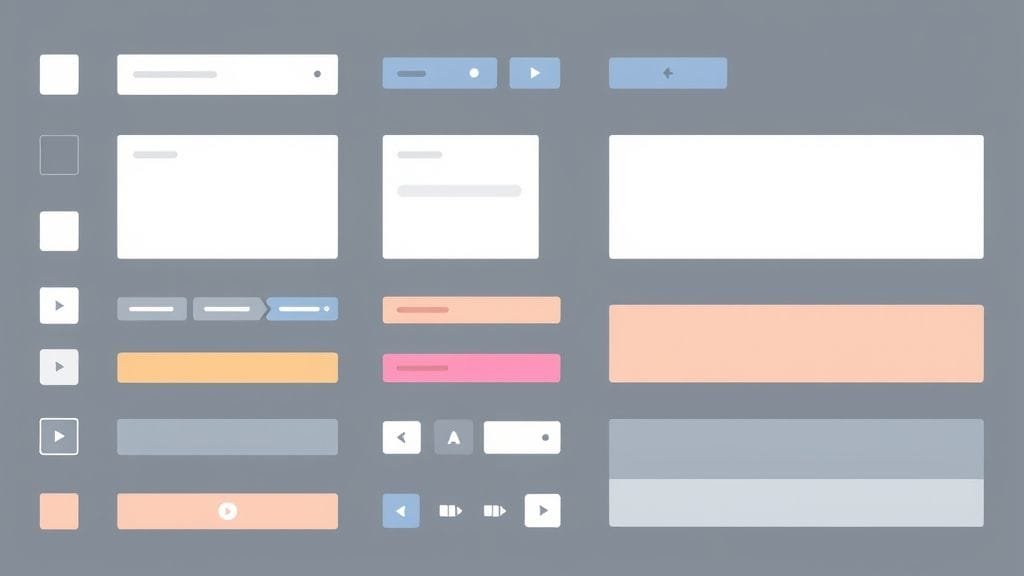
A conceptual image showing various pre-built UI components like buttons, forms, and navigation bars arranged neatly on a digital canvas.
When you talk about CSS frameworks, Bootstrap invariably enters the conversation. Originally developed by Twitter to ensure consistency across their internal tools, it has now become one of the most widely used and influential CSS frameworks globally. Essentially, it is an open-source, component-based system, bundling HTML, CSS, and JavaScript components together. Bootstrap’s core idea is to provide a complete set of pre-styled UI elements and a robust, flexible grid system. This makes it an ideal choice for building complete user interfaces with remarkable speed and minimal manual styling. What’s more, it supports a mobile-first approach, guaranteeing that websites will look and function flawlessly across various screen sizes and devices. Ultimately, like other leading CSS frameworks, Bootstrap aims to deliver comprehensive solutions.
Bootstrap’s Philosophy and Core Offerings
Bootstrap simplifies web development by offering a “kitchen sink” of ready-to-use ingredients. Like other modern CSS frameworks, it streamlines the process. Consequently, instead of constructing buttons, navigation bars, or forms from scratch, developers can simply pull them from Bootstrap’s extensive library. These components are not merely static styles. Many also come with integrated JavaScript functionality, allowing for interactive elements like carousels, modals, and dropdowns. Its 12-column responsive grid system is also well-known, providing an easy way to arrange content and adapt layouts seamlessly to different viewports. This makes Bootstrap particularly appealing for developers who prioritize getting a functional, good-looking, and responsive website online quickly. Ultimately, this versatility highlights Bootstrap’s strength among CSS frameworks.
The Upsides of Building with Bootstrap
Developers often gravitate towards Bootstrap for several compelling reasons, particularly when time and consistency are paramount.
Rapid Development: Bootstrap’s ready-to-use components indeed save considerable time. This aspect, common to many CSS frameworks, significantly speeds up development. Think about how long it takes to design, code, and test a responsive navigation bar. With Bootstrap, you can implement one in minutes, allowing you to focus on your application’s unique features. It is therefore an excellent choice for rapid prototyping and quickly launching marketing sites or internal tools.
Ease of Use: For beginners, Bootstrap offers a gentle learning curve. Its components are easy to understand, and its documentation is thorough and widely available. A vast ecosystem of tutorials and resources also exists. New developers can quickly learn the Bootstrap CSS framework—and indeed, other CSS frameworks—helping them build functional web pages without needing deep CSS knowledge.
Enhanced Consistency and Responsiveness
Consistency: Bootstrap enforces a highly consistent visual language. For example, every element, from typography to button styles, adheres to a predefined set of rules. This consistency is particularly valuable for large teams, ensuring all parts of a website maintain a unified look and feel, regardless of who developed them. Ultimately, such consistent CSS frameworks promote unified design principles across projects.
Responsiveness: The mobile-first grid system in Bootstrap handles complex responsive design automatically. By using predefined classes, you can define how your content behaves on different screen sizes. The framework then manages the underlying CSS. This means your website will look professional and be fully usable on any device. This functionality extends from small smartphones to large desktop monitors. A key strength of modern CSS frameworks is their inherent responsiveness.
Strong Community and Support for Bootstrap
Large Community and Support: As one of the most popular CSS frameworks, Bootstrap boasts a huge and active community. This translates to readily available support through forums, Stack Overflow, and numerous online groups. Many user-made templates, themes, and plugins also exist, further extending the framework’s abilities and providing ready-made solutions for various design challenges.
* For instance, if you need a specific type of date picker, chances are a Bootstrap-compatible plugin already exists, saving you the effort of building it from scratch.
Navigating Bootstrap’s Challenges
While Bootstrap is popular and offers clear advantages, developers should still be aware of its own set of considerations.
Generic Designs: The most common criticism is that websites built with default Bootstrap styles often look very similar. If not heavily customized, projects can therefore lack a unique visual identity, leading to a discernible “Bootstrap look.” Overcoming this requires significant effort, as developers must override default styles and invest time in customization, which can sometimes negate the rapid development advantage. Thus, this common issue with some CSS frameworks highlights the need for custom styling.
Bloated Code: Many CSS frameworks, including Bootstrap, can include a lot of CSS and JavaScript, much of which may go unused in a specific project. This “bloat” can lead to larger file sizes, affecting page load times, SEO performance, and the overall user experience. While custom builds and Sass imports can mitigate this problem, they often add complexity to the build process.
Customization and Class Over-reliance in Bootstrap
Limited Customization: While Bootstrap is customizable using Sass variables, going deeper and overriding styles beyond its predefined components can be challenging. It often requires a deep understanding of Bootstrap’s internal class structure and theming system. This can be time-consuming for developers aiming for highly unique designs. The Bootstrap CSS framework is also opinionated; while this fosters consistency, it can sometimes feel restrictive.
Over-reliance on Classes/JavaScript: Bootstrap relies heavily on predefined classes. In some cases, this can lead to verbose and cluttered HTML. This is especially true when many classes are applied to a single element. In turn, this aspect of the framework can affect HTML readability. Furthermore, its JavaScript plugins, while convenient, can add extra weight to a project, unlike some other CSS frameworks. Consequently, this can also limit flexibility, particularly if you’re already using other JavaScript frameworks or prefer a minimalist approach to interactivity.
* Consider, for example, a project where you only need a few simple components. Pulling in the entire Bootstrap JS bundle might be overkill, introducing unnecessary overhead.
Bootstrap’s Market Presence
Bootstrap’s lasting popularity is evident in its market presence. It holds a significant market share, reportedly at 13.2% worldwide in 2023. This statistic highlights its position as a go-to front-end CSS framework. It is used for a wide range of web projects, from small personal blogs to large corporate sites. Industry reports consistently show it as a dominant force among CSS frameworks, proving its reliability and widespread use over the years.
A line graph showing the steady popularity of Bootstrap over several years, with a notable peak in usage.
Tailwind CSS: The Utility-First Revolution
While Bootstrap uses a component-based philosophy, Tailwind CSS represents a different approach: the utility-first CSS framework. Essentially, it is a system that helps developers build custom user interfaces rapidly and efficiently. It provides a vast collection of single-purpose utility classes, and this is where the power of the framework lies. Think of these classes as direct representations of individual CSS properties. For example, `text-blue-500` for text color, `px-4` for horizontal padding, and `flex` for display flex. Instead of writing custom CSS stylesheets, you apply these classes directly within your HTML markup. This unique approach gives developers granular control over every aspect of styling, fostering truly unique and custom designs, all without ever leaving their HTML files. Furthermore, many modern CSS frameworks are exploring similar utility-first approaches.
Tailwind’s Philosophy and Core Offerings
Tailwind’s core strength lies in its unopinionated nature. Unlike other CSS frameworks that provide pre-styled components, Tailwind gives you the building blocks to create any design you can imagine. Its utility classes are low-level, meaning each class performs one specific task. For example, `text-xl` makes text large, while `font-bold` makes it bold. Developers then combine these classes to achieve complex styles. This approach means effectively writing CSS directly in your HTML, but in a highly organized and efficient way. It also leverages predefined, configurable values. This workflow eliminates the common problem of constantly switching between HTML and separate CSS files, significantly speeding up the styling process. Ultimately, this is a key advantage that makes the Tailwind CSS framework stand out among traditional CSS frameworks.
The Advantages of Embracing Tailwind
Many developers, especially those focused on custom design and performance, find Tailwind CSS to be an incredibly powerful and liberating tool.
Full Control and Customization: Tailwind shines brightest when unique designs are a priority. This innovative CSS framework gives developers complete, granular control over styling, allowing for highly customized looks that make projects stand out. The framework is also highly adaptable; developers can easily configure it via a single `tailwind.config.js` file. Here, they define custom colors, spacing units, fonts, breakpoints, and themes. This capability is crucial for implementing custom design systems, without having to contend with default styles. Ultimately, many developers find Tailwind to be one of the most powerful CSS frameworks for custom design.
Faster Styling Process: One of Tailwind’s most appealing benefits is the speed it offers for styling elements. By applying utility classes directly in HTML, developers can iterate on designs faster. Furthermore, it eliminates the need to name classes, write custom CSS rules, or switch context between different files. This seamless workflow speeds up the entire design and development process. This feels more like direct manipulation of the UI. Therefore, this efficiency makes Tailwind a preferred CSS framework for many.
Performance and Design System Consistency with Tailwind
Optimized CSS Output: Performance is a cornerstone of Tailwind CSS. As a modern CSS framework, it leverages Just-In-Time (JIT) compilation. It also employs smart tools like PurgeCSS (now integrated into the JIT engine). This approach generates only the styles actually used in your project. The outcome is exceptionally small CSS file sizes, dramatically improving page load times and overall performance. Unlike component-based CSS frameworks that might include styles for unused components, Tailwind ensures a lean, optimized output. Thus, optimized CSS output is a major differentiator for advanced CSS frameworks like Tailwind.
Consistent Design System: By defining a project’s design tokens (colors, spacing, typography) in `tailwind.config.js`, developers create a shared design vocabulary. Using these standardized utility classes ensures consistency across the entire application and reduces the risk of conflicting or ad-hoc styles. Ultimately, this capability of the CSS framework fosters strong design systems.
Tailwind CSS for Seamless Responsive Design
Responsive Design: Tailwind CSS features built-in responsive utilities. These allow developers to apply styles based on screen size. For example, `md:text-lg` is for medium screens and up. Its utility classes for CSS Grid also simplify the creation of complex, responsive layouts, requiring minimal effort. As a leading CSS framework for responsiveness, this powerful combination offers both flexibility and precision, allowing developers to tailor experiences across various devices. Ultimately, responsive design is a core offering across all modern CSS frameworks.
* For example, you could easily create a complex layout where a `grid-cols-1` becomes `md:grid-cols-2` and then `lg:grid-cols-4`, all within your HTML, ensuring perfect adaptability.
Understanding Tailwind’s Learning Curve and Quirks
While Tailwind CSS offers significant advantages, it also introduces a new way of thinking about styling that can present initial challenges.
Steeper Learning Curve: Tailwind undeniably has a steeper learning curve, especially for those accustomed to traditional CSS or component-based design CSS frameworks. It requires understanding and remembering numerous utility classes, along with their corresponding CSS properties. This initial mental overhead can feel overwhelming. However, experienced users often report that once this curve is overcome, development speed significantly increases. Ultimately, this learning investment in the CSS framework pays off. The shift in mindset required by utility-first CSS frameworks indeed takes some getting used to.
Verbose HTML: The utility-first approach means applying numerous classes directly to your HTML elements. As a result, HTML markup can become verbose and cluttered. In larger codebases or for complex components, the sheer number of classes can impact readability and make the HTML harder to scan. Some developers find this off-putting.
Addressing Tailwind’s Build Step and Scope
Build Step Required: Newer versions of Tailwind CSS require a build process to generate the final, optimized CSS file. It also adds an extra step to the development workflow, requiring configuration with tools like PostCSS. This build step is crucial for performance optimization. However, it introduces an extra layer of complexity developers need to manage, especially for simpler projects that might not otherwise require a build tool. Thus, this is a key characteristic of the modern framework approach. The advantages of optimized output with these CSS frameworks, however, often outweigh this.
Not an “All-rounder”: While Tailwind CSS is extensive, it may not cover every unusual CSS property or advanced feature. Occasionally, developers might still need to write custom CSS or resort to inline styles for very specific edge cases. Some critics also argue that relying too much on this framework can prevent developers from fully mastering “pure” CSS, as they interact with abstractions rather than raw properties.
* However, many developers counter this by saying Tailwind reinforces CSS knowledge because you are directly applying CSS concepts, just through a different syntax.
Tailwind’s Growing Influence
Tailwind CSS has seen a rapid rise in popularity, especially among experienced developers and those working with modern JavaScript frameworks like React, Vue, and Angular. Its position as a top CSS framework is clear. For example, it was reported as the most used CSS framework in 2024. This demonstrates its strong appeal and high adoption rate. Its growth is further evidenced by its impressive user retention rate. The sheer size of its community, with over 14 million npm downloads as of 2025, further proves this. Consequently, these figures solidify its position as a leading framework choice for modern web development. Therefore, Tailwind CSS is quickly becoming one of the most influential CSS frameworks in the industry.
A bar chart illustrating the rapid increase in Tailwind CSS adoption and npm downloads over recent years.
Bootstrap vs. Tailwind CSS: A Strategic Showdown
The decision between Bootstrap and Tailwind CSS frameworks isn’t merely about choosing the “best” CSS framework. Instead, it’s about finding the best fit. This requires considering a project’s specific context, objectives, and available resources. Both are powerful tools, yet they embody very different philosophies in their approach to styling. Understanding these differences is key to making an informed choice that will serve your project well in the long run. Indeed, no single CSS framework is inherently “better” than the other. Instead, they offer distinct advantages for different situations. Ultimately, understanding the nuances of different CSS frameworks is crucial for project success.
Think of it like choosing between a pre-assembled modular kitchen and a bespoke, custom-built kitchen; both achieve the goal, but the journey and the final product’s characteristics will be quite different.
Feature Comparison: Bootstrap vs. Tailwind
To help clarify these distinctions, let’s examine a direct comparison of their key features and philosophical underpinnings:
Feature/Aspect
Bootstrap
Tailwind CSS
Design Philosophy
Component-first; it provides pre-designed UI components (e.g., navigation bars, cards).
Utility-first; it provides low-level utility classes to build custom designs directly in HTML.
Customization
Offers customization via Sass variables and overriding styles, but components are more structured and opinionated, leading to less unique designs by default.
Highly customizable via a configuration file, allowing for granular control over design elements and unique aesthetics.
Development Speed
Excellent for rapid prototyping and quickly getting a functional, responsive site up and running.
Faster for tailored designs in the long run, once the learning curve is overcome.
Learning Curve
Generally easier for beginners to pick up due to pre-styled components and extensive documentation.
Steeper learning curve, as it requires understanding and applying many utility classes.
File Size/Performance
Can lead to bloated CSS with unused styles if not carefully managed; requires external JS for interactive components.
Generally results in smaller, more optimized CSS bundles due to JIT compilation and purging unused styles; CSS-only for core functionality.
HTML Verbosity
Uses semantic classes (e.g., `btn btn-primary`), leading to cleaner HTML in some cases.
Can make HTML verbose and cluttered with numerous utility classes.
Opinionated
More opinionated, often resulting in a “Bootstrap look” out of the box.
Less opinionated, offering tools to build any design.
https://www.youtube.com/watch?v=pKrPeUQiDu4
Which Framework is Right for Your Project? Practical Scenarios
Deciding between Bootstrap and Tailwind CSS frameworks isn’t merely about choosing the “best” CSS framework. Instead, it’s about finding the best fit. This requires considering your project’s specific context, objectives, and available resources. Both are powerful tools, but they excel in different environments and suit different developer preferences. Therefore, consider your project’s unique requirements before committing to a particular CSS framework. Ultimately, choosing the right one from available CSS frameworks is a critical decision.
When Bootstrap Shines Brightest
Bootstrap remains a strong CSS framework contender, especially for projects that prioritize speed, consistency, and a well-established ecosystem, making it an enduringly popular CSS framework.
Quick Prototypes or Fast Turnaround: For instance, if there’s a need to launch a functional, responsive website or an MVP (Minimum Viable Product) rapidly, Bootstrap is often the top choice. Its pre-built components allow for quick page assembly without extensive custom design work. Therefore, for many developers, Bootstrap and similar CSS frameworks offer unparalleled speed.
Internal Tools & Admin Panels: Bootstrap’s consistent, professional look is also ideal for internal management systems or admin panels, where unique branding isn’t essential.
Teams Needing Strict Design Consistency: For projects where multiple developers need to maintain a uniform look, Bootstrap provides a robust solution. It helps avoid lengthy design discussions by naturally enforcing consistency. This consistency is a hallmark of the Bootstrap CSS framework, reducing the need for constant communication about styling specifics, as the styles are largely predefined.
Beginner-Friendly Development: This CSS framework is also ideal for beginner front-end developers or those with limited CSS experience. Its component-based approach makes it simple to get started, and its comprehensive documentation aids quick learning, allowing developers to quickly create professional-looking results.
* For example, if you’re building a personal blog or a simple portfolio site and don’t want to spend too much time on custom CSS, this CSS framework can provide a polished look with minimal effort.
When Tailwind CSS Leads the Way
Leveraging a utility-first philosophy, Tailwind CSS is a well-suited framework for projects requiring high customization. It is also beneficial for performance and a developer-focused approach to design systems.
Unique Branding & Custom UIs: For instance, if a project requires a unique brand or a custom user interface that isn’t generic, Tailwind CSS provides the granular control to create the exact design desired. It empowers designers and developers to translate very specific design mockups into code without contending with the framework’s inherent styles. Ultimately, Tailwind is among the most highly regarded CSS frameworks for this level of control.
Granular Control and Building Design Systems: For larger applications or companies developing their own comprehensive design system, this framework provides the perfect foundation. Developers can configure exact spacing scales, color palettes, and typography rules in `tailwind.config.js`, effectively creating a custom framework tailored to their brand.
Tailwind’s Appeal for Experienced Developers and Performance
Experienced Developers Comfortable with CSS: Developers who possess a strong understanding of CSS often prefer this framework. They also appreciate its fine-grained control. It leverages existing CSS knowledge in a new, efficient way. This makes it popular in modern development stacks and is especially popular with component-based JavaScript frameworks like React, Vue, or Angular. Consequently, Tailwind is a popular choice for many experienced developers. Many experienced developers are also moving to utility-first CSS frameworks for their performance benefits.
Focus on Performance and Minimal CSS Output: Projects where every kilobyte matters and load times are critical benefit immensely. Tailwind’s optimized CSS output significantly aids these projects. Its JIT engine ensures only the necessary styles are bundled, leading to lean stylesheets and faster performance. Imagine building a high-traffic e-commerce site where milliseconds of load time can impact conversion rates. Ultimately, the performance optimizations of this framework are a significant advantage in such situations. Therefore, choosing this framework can be a strategic decision for performance-critical applications.
Considering a Hybrid Approach
Interestingly, the choice doesn’t always have to be one or the other. Some advanced development strategies advocate for a hybrid approach, leveraging the unique strengths of both CSS frameworks. For instance, one might use Bootstrap’s ready-made JavaScript components, such as modals or dropdowns, for their ready-to-use functionality, and then utilize the Tailwind CSS framework for all custom styling. Consequently, this flexible approach showcases the adaptability of modern CSS frameworks. While a hybrid approach can combine the strengths of different CSS frameworks, this method requires careful integration and an understanding of how to isolate each framework’s CSS to prevent conflicts. However, it allows for combining the best of both worlds, proving useful for complex projects.
A split image or Venn diagram illustrating the different use cases where Bootstrap and Tailwind CSS are most effective, with an overlap in the middle for hybrid approaches.
Beyond the Hype: Long-Term Considerations
While initial development speed and ease of use are crucial, smart developers also look further ahead, considering how their chosen frontend CSS framework impacts a project’s long-term maintainability, scalability, and the overall developer experience. These elements can greatly influence a project’s success and the team’s efficiency over its lifespan. Therefore, careful selection of CSS frameworks is crucial for long-term project success.
Consider, for instance, the implications for future updates: will it be easy to upgrade the CSS framework without breaking existing styles? Considering the lifecycle of a CSS framework is also vital. How quickly can a new team member get up to speed? Ultimately, these are questions of “hard-won wisdom” that seasoned developers ask themselves.
Developer Experience, Maintainability, and Scalability
The developer experience (DX) is a critical factor. The Tailwind CSS framework, for example, often provides a more fluid DX for highly customized projects once the initial learning curve is overcome. Developers rarely leave their HTML. Consequently, this can lead to a more focused and productive workflow.
Maintainability also differs. With Bootstrap, while updates to components might be handled by the core CSS framework itself, overriding those components can become a maintenance burden. Tailwind, conversely, centralizes a design system in `tailwind.config.js`. This makes global style changes straightforward. However, individual component changes can mean modifying numerous utility classes directly in HTML.
Scalability is another key area. Both frameworks can scale, but their methods diverge. The Bootstrap CSS framework scales by adding more components and theme customizations. In contrast, the Tailwind CSS framework scales by expanding its utility class usage and extending its configuration. Therefore, for large applications with evolving designs, Tailwind’s configurability and lean output often provide a more robust and flexible base for growth. Ultimately, the choice of CSS framework here is critical for long-term project health. Scalability is a key consideration when evaluating various CSS frameworks. This also reduces the risk of accumulating unused CSS over time.
Impact on Team Collaboration and Onboarding New Members
The choice of a CSS framework greatly affects team dynamics. For example, Bootstrap’s structured components and extensive documentation often make onboarding new developers easier, especially for those with less front-end experience. They can quickly grasp the available components and contribute effectively. However, for teams prioritizing unique design and needing precise control, Tailwind can foster better collaboration between designers and developers. Different CSS frameworks indeed have varying impacts on team workflows. This aspect of the framework facilitates design-developer synergy.
Conversely, a team new to Tailwind might experience a slowdown during the initial learning phase. It requires more time for training and adaptation. Therefore, the key is to assess your team’s current skill level and comfort with CSS. Ultimately, a team proficient in CSS and eager for granular control will likely thrive with Tailwind; in contrast, a team needing speed and out-of-the-box consistency might find Bootstrap more immediately beneficial.
The Continuous Evolution of CSS and Frameworks
The web development landscape is never static; CSS itself is constantly evolving. New features like container queries and `:has()` are being adopted. CSS frameworks, in turn, must adapt and innovate based on developer needs. Both Bootstrap and Tailwind CSS frameworks regularly release updates, introducing new features, improving performance, and refining their APIs. Therefore, staying informed about the evolution of these CSS frameworks is important for any developer. This ensures the chosen framework remains a relevant and powerful tool for future projects. Your decision today should therefore account for these ongoing developments, not solely based on current features.
Charting Your Course in Web Development
The journey of building compelling web experiences is a continuous learning process. Leading CSS frameworks like Bootstrap and Tailwind are powerful allies in this journey. Each offers a distinct pathway to efficient and effective UI development. These essential CSS frameworks help streamline development. Specifically, the Bootstrap CSS framework, with its component-first methodology, provides a robust, opinionated, and beginner-friendly route to rapid prototyping and consistent design. The Tailwind CSS framework, on the other hand, embraces a utility-first philosophy that empowers experienced developers with exceptional customization. Additionally, it offers optimized performance and flexibility to create unique design systems. Therefore, the “best” choice among CSS frameworks depends on specific project needs.
There isn’t a universally “best” CSS framework. Instead, the best choice aligns most effectively with a project’s specific requirements, a team’s expertise, and design aspirations. For instance, for projects demanding quick turnarounds and a standard aesthetic, the Bootstrap CSS framework is an excellent choice. Conversely, for those who prioritize custom designs, granular control, and performance, the Tailwind CSS framework offers a compelling alternative. Moreover, a strategic hybrid approach might even be discovered, that leverages the strengths of both CSS frameworks, unlocking new possibilities for ambitious projects. Ultimately, the landscape of CSS frameworks offers diverse options.
Therefore, as you develop for the web, we encourage experimentation and continuous learning. Ultimately, and most importantly, choose the tools that empower you to build the most valuable and delightful experiences for your users.
Which CSS framework resonates most with your development philosophy, and why?