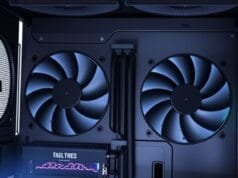
Building a gaming PC feels like an exclusive club, often associated with eye-watering price tags and high-end components. But what if you could unlock a truly immersive gaming experience without emptying your bank account? What if you could forge a machine that punches far above its weight? Indeed, it could deliver exceptional performance. For instance, titles like Cyberpunk 2077, Fortnite, and Call of Duty would run well. Moreover, all this would be within a smart financial framework. This isn’t just a pipe dream; it’s the core promise of a well-executed budget gaming PC build.
Therefore, this guide is your roadmap. Specifically, it helps craft an “ultimate” budget gaming PC build in 2025. Indeed, smart choices are key. Furthermore, a little elbow grease helps too. Ultimately, keen insight into component value leads to gaming glory. Forget sticker shock; prepare for smart savings and maximum frames per dollar. First, we’ll dive deep into component selection. Next, performance expectations will be covered. Strategic compromises will also be discussed. Ultimately, these deliver incredible value.
Why Embark on a Budget Gaming PC Build?
Building your own computer is appealing. Indeed, a gaming PC offers more than just assembly satisfaction. Therefore, opting for a budget gaming PC build is a strategic investment. Specifically, it offers tangible benefits over most pre-built systems. It’s about more than saving money. Instead, you gain control. Also, value is maximized. Ultimately, this sets you up for future success.
Unmatched Value for Your Dollar
Consider the landscape of technology in 2025. Indeed, today’s budget components boast power that rivaled high-end parts just a few years ago. Consequently, this rapid evolution means your dollar stretches further than ever before. Pre-built PCs often have a “builder’s premium.” Furthermore, you rarely get full transparency. Moreover, control over individual components is limited. However, building your own lets you select each part. Thus, every dollar spent directly contributes to your desired performance. This DIY approach fundamentally optimizes the value you receive.
Future-Proofing Through Smart Design
One of the often-overlooked advantages of a budget gaming PC build is its inherent upgradeability. Unlike many closed-ecosystem pre-builts, a self-assembled system is designed with future enhancements in mind. For example, you can easily swap out a GPU. Or, alternatively, add more RAM. Furthermore, upgrade your CPU later. Consequently, you won’t need to replace the entire machine. Moreover, this intelligent design protects your initial investment. Thus, your PC can evolve. Also, it adapts to technological advancements. It also meets changing gaming needs. It’s a foundational approach to long-term value.
What Performance Can You Expect from Your Budget Gaming PC?
The term “budget” is fluid, encompassing a range of price points each offering distinct performance capabilities. Therefore, understanding these tiers is crucial. Also, it sets realistic expectations. It also helps tailor your budget gaming PC build to your needs. Let’s break down what you can achieve at different price levels in 2025.

Under $500: Entry-Level Excellence
For those with extremely tight budgets, the sub-$500 category provides an impressive entry point into PC gaming. Indeed, these builds are generally capable of playing most modern games at 1080p resolution with low-to-medium settings. For example, expect 30-60+ FPS in popular titles. These include Cyberpunk 2077, Fortnite, GTA V, PUBG, and Call of Duty. Furthermore, some tight builds use powerful integrated graphics (APUs). Thus, they handle esports titles and lighter games effectively. Overall, this level offers significant bang for your buck for new PC gamers.
$500 – $700: The Sweet Spot for 1080p
Stepping into the $500-$700 range opens up considerably more possibilities. Indeed, builds here aim for solid 1080p gaming at medium-to-higher settings. Moreover, many builds achieve 60+ FPS on max settings. Specifically, this applies to demanding titles. Conversely, less strenuous games can hit 100+ FPS. Therefore, this tier suits competitive gamers well. Also, they prioritize high refresh rates. Thus, it delivers a smooth, responsive experience. Indeed, fast-paced action benefits greatly. It’s where 1080p gaming truly shines without a premium price tag.
$700 – $850+: Mid-Budget Mastery for 1440p
Welcome to the sweet spot for maximizing performance without breaking the bank. Specifically, these “mid-budget” builds range from $700 to $850+. Moreover, they target smooth 1080p gaming at high settings. Occasional 1440p gaming is also possible. Indeed, they offer excellent 1080p performance and can even handle some basic streaming tasks. Furthermore, the upper end ($800-$900) provides robust 1080p performance. Thus, you can boot up most titles. Consequently, no significant worry about settings adjustments is needed. This is where your budget gaming PC build starts challenging much more expensive machines.
Prioritizing Your Components: Where to Invest for Your Budget Gaming PC Build
When you’re building on a budget, every dollar counts. Therefore, this makes strategic component prioritization absolutely critical. Indeed, knowing where to spend and where to save can dramatically impact your gaming experience. For instance, think like a seasoned chef. Specifically, they allocate ingredients. However, some are non-negotiable. Conversely, others can be swapped. Thus, this won’t compromise the meal’s essence.

A simple pie chart showing the typical percentage allocation of budget for different PC components in a budget build (e.g., GPU 40%, CPU 20%, RAM 10%, Storage 10%, PSU/Case/Motherboard 20%).
The Graphics Card: Your Gaming Powerhouse
The undisputed champion of gaming performance is the Graphics Card (GPU). Indeed, this component renders every frame you see, directly influencing resolution, frame rate, and graphical settings. Therefore, for any budget gaming PC build, the GPU should command the largest portion of your budget. Consequently, compromising too much here will immediately bottleneck your system’s gaming potential. Instead, pair a powerful GPU with a capable CPU. However, the CPU doesn’t need to be top-tier. Ultimately, this is the golden rule for budget gaming.
The CPU: The Brain of Your Budget Gaming PC
However, the GPU handles visual heavy lifting. Instead, the Central Processing Unit (CPU) is the brain. Specifically, it coordinates all operations. Therefore, for a budget gaming PC build, consider an Intel Core i5 or AMD Ryzen 5. Indeed, at least four cores are generally sufficient. Moreover, this applies to most modern games. Specifically, these processors offer a fantastic balance. Consequently, they have good core count, clock speed, and value. Thus, your GPU won’t wait for instructions. Therefore, focus on models known for their strong single-core performance, which is often crucial for gaming.
RAM and Storage: The Speed and Space Essentials
Even the best CPU and GPU can be bogged down by insufficient or slow memory and storage.
- RAM (Random Access Memory): For RAM, aim for 16GB of DDR4, ideally clocked at 3200MHz or higher.
- Indeed, this provides ample headroom for gaming and multitasking.
- Moreover, DDR5 is increasingly common and price-competitive.
- Still, DDR4 offers excellent value for many budget builds.
- Storage: Regarding storage, a 1TB NVMe SSD is highly recommended as a minimum.
- Specifically, NVMe drives offer dramatically faster load times.
- Also, this beats traditional SATA SSDs or HDDs.
- Consequently, your entire system will feel snappier.
- Furthermore, if your budget allows, get a 2TB NVMe SSD.
- Thus, it provides more room for your game library and files.
Power Supply and Case: Unsung Heroes
However, these components might not boost FPS directly. However, they are vital for system stability. Moreover, they ensure longevity and future upgrades.
- Power Supply Unit (PSU): For the Power Supply Unit (PSU), do not skimp entirely.
- Indeed, a reliable unit ensures clean, stable power delivery to your expensive components.
- Ideally, an 80+ Gold rated PSU is ideal.
- Alternatively, an 80+ Bronze certified unit is a smart compromise.
- Specifically, it offers good efficiency.
- Thus, you avoid premium prices of higher ratings.
- Case: Regarding the case, prioritize airflow and functionality over flashy aesthetics.
- Indeed, a case with good ventilation ensures your components stay cool, preventing thermal throttling and extending their lifespan.
- Therefore, look for cases that offer decent cable management options and support for your chosen components.
Navigating the Component Landscape: AMD, Intel, & NVIDIA in Budget Builds
AMD, Intel, and NVIDIA compete fiercely. Indeed, this is fantastic news for budget builders. Specifically, each company offers compelling options. Moreover, they provide excellent performance per dollar. Consequently, you have diverse choices for your budget gaming PC build. Therefore, understanding their strengths can help you make informed decisions.
CPUs: Ryzen vs. Core for Your Budget Build
Both AMD and Intel bring strong contenders to the budget CPU arena.
- AMD CPUs: For AMD CPUs, AMD processors are often recommended.
- Specifically, these include the Ryzen 5 5500, 5600, and newer 7600.
- Moreover, they offer strong performance per dollar and efficiency.
- Indeed, the Ryzen 5 5600 stands out.
- Specifically, it’s AMD’s best budget gaming CPU for AM4.
- Thus, it offers a superb balance of cores and clock speed.
- Intel CPUs: Conversely, for Intel CPUs, Intel’s Core i3-14100F, i5-12400F, and i5-13400F are equally strong options.
- Indeed, they offer great gaming performance for their price, along with decent multithreaded capabilities for other tasks.
- However, Intel’s “F” series chips lack integrated graphics.
- Thus, they are cost-effective choices.
- Therefore, use them if pairing with a dedicated GPU.
GPUs: Radeon, GeForce, and Intel Arc – Value Champions
The graphics card market is a battleground of value.
AMD GPUs: For AMD GPUs, AMD Radeon GPUs offer great value. Specifically, models like RX 6600, RX 6500 XT, RX 7600, and new RX 9060 XT are highlighted. Indeed, they excel in 1080p and 1440p gaming. Moreover, the RX 9060 XT 16GB is notable. Specifically, it offers excellent 1440p gaming. Also, it can even handle competent 4K gaming. Thus, this applies to budget systems. Furthermore, the RX 6750 XT is another strong recommendation, often delivering exceptional horsepower per dollar.
NVIDIA GPUs: Conversely, for NVIDIA GPUs, NVIDIA GPUs still hold their ground. Specifically, options include GTX 1660 Super (for older titles), RTX 3050, RTX 4060, and RTX 5060. Indeed, the RTX 5060 8GB excels at 1080p or light 1440p gaming. Moreover, the RTX 4060 handles most games at 1440p. This is thanks to NVIDIA’s DLSS and frame generation.
Intel Arc GPUs: Finally, for Intel Arc GPUs, Intel Arc A750, B570, and B580 are emerging as surprisingly competitive budget options. Indeed, they offer solid 1080p performance. They also give excellent value. Specifically, the Arc B580 stands out. Thus, its 1080p performance offers great bang for the buck. Moreover, Intel’s continuous driver improvements make these cards increasingly viable.
The DDR5 Advantage: Investing in the Future
16GB of DDR4 RAM (3200MHz) is a solid recommendation. Specifically, this applies to many budget builds. However, DDR5 RAM is becoming more price-competitive. Moreover, DDR4 production is phasing out. Therefore, investing in DDR5 for your budget gaming PC build is a better long-term strategy. Indeed, it offers higher bandwidth and future-proofing. Consequently, if your chosen CPU and motherboard support DDR5, it’s worth considering the slight extra investment. Want an in-depth look at current RAM pricing? Check out [PCPartPicker’s RAM comparison tool](https://pcpartpicker.com/products/memory/).
Strategic Compromises: Maximizing Savings for Your Budget Gaming PC Build
Building a budget gaming PC build inherently involves making smart compromises. Instead, these aren’t performance-crippling sacrifices. Specifically, they are calculated choices to trim costs. Thus, your core gaming experience won’t be severely impacted. Ultimately, it’s about finding the sweet spot where diminishing returns meet your financial limits.
Smart Choices for PSU and Case
You don’t need the most expensive power supply or the flashiest case.
- Power Supply: For the Power Supply, opt for an 80+ Bronze rated PSU.
- Specifically, avoid more expensive Gold or Platinum options.
- Indeed, this saves a significant chunk of change.
- Moreover, non-modular power supplies are cheaper.
- However, cable management is slightly harder. However, they perform identically to modular ones.
- Case: Regarding the case, focus on one that prioritizes airflow and component compatibility.
- Conversely, high-end aesthetic features like tempered glass on multiple sides or extensive RGB lighting often add unnecessary cost.
- Ultimately, a functional case with good ventilation and decent cable management is all you truly need.
Embracing Last-Gen or Used Parts
One clever way to save money exists. Specifically, look at components from the previous generation. Also, reputable used parts are an option.
- Last-Generation Components: For last-generation components, last-gen CPUs or GPUs often perform nearly identically.
- Indeed, they are much cheaper than current-gen counterparts.
- Specifically, this is especially true after new models launch.
- However, the performance gap might be minimal, but the price difference can be substantial.
- Used Parts: Regarding used parts, websites like eBay are goldmines.
- Also, dedicated hardware swap forums are too.
- Therefore, look for used GPUs, CPUs, or RAM there.
- However, always buy from reputable sellers, check their feedback, and ensure components are tested if possible.
- Consequently, a well-vetted used part can offer incredible value for your budget gaming PC build.
- You can learn more about buying used PC parts from [this comprehensive guide on Wikipedia](https://en.wikipedia.org/wiki/Usedcomputerhardware).
DIY vs. Pre-Built: The Budget Gamer’s Dilemma
The DIY vs. pre-built PC debate is perpetual. Indeed, this is especially true in the budget segment. Moreover, building your own PC is more cost-effective. It is also more rewarding. Therefore, you get unparalleled control over your budget gaming PC build. However, pre-built options are also viable. Specifically, they suit those intimidated by assembly. For instance, systems like the HP Victus 15L, HP Omen 25L, or CLX Set can sometimes offer decent value. However, they may involve compromises. Specifically, these include cheaper motherboards or proprietary parts. Also, less efficient cooling is possible. Consequently, comparable performance might be slightly more expensive. Hesitant to try DIY? If so, thorough research into pre-built configurations is paramount. Specifically, ensure you get genuine value. Ultimately, always compare component lists rigorously.
Real-World Budget Builds for 2025: Examples of Your Ultimate Gaming PC
Let’s illustrate the power of a budget gaming PC build. Specifically, we will look at hypothetical yet realistic configurations for 2025. Moreover, these cover different price points. Indeed, these examples embody the strategic choices we’ve discussed, aiming for maximum performance per dollar.
The Sub-$500 “Starter” Budget Gaming PC
This build gets you into 1080p gaming. Indeed, it offers respectable performance. Specifically, integrated graphics or entry-level dedicated cards are often used.
- CPU: AMD Ryzen 5 5500 (or Ryzen 5 5600G for integrated graphics) / Intel Core i3-14100F
- GPU: AMD RX 6500 XT / NVIDIA GTX 1650 4GB / RTX 3050 (or Radeon RX Vega 7 integrated with 5600G)
- RAM: 16GB DDR4 (2x8GB) 3200MHz
- Storage: 500GB NVMe SSD
- Performance Example: For a performance example, with an RX 6500 XT, expect 30.6 FPS at 1080p Ultra settings. However, it jumps to 65.8 FPS at Medium settings. Ultimately, this is perfect for most esports and popular titles.

A detailed infographic showing the components and estimated performance of the Sub-$500 “Starter” Budget Gaming PC build example.
The $700-$800 “Sweet Spot” Budget Gaming PC
This configuration aims for solid 1080p gaming at high settings, delivering excellent frame rates for a fluid experience.
- CPU: AMD Ryzen 5 5600 / Intel Core i5 13400F
- GPU: AMD Radeon RX 7600 / RX 9060 XT / Intel Arc B570 / NVIDIA RTX 5060
- RAM: 16GB DDR4 3600MHz or 16GB DDR5 5600MHz
- Storage: 1TB NVMe SSD
- Performance Example: For a performance example, an AMD Radeon RX 7600 averages approximately 84.9 FPS at 1080p Ultra settings. Similarly, an RTX 5060 8GB can achieve over 100 FPS in many demanding titles at 1080p. Ultimately, this build handles most games with ease.
The $900-$1000 “High-Value” Budget Gaming PC
This build pushes “budget” upper limits. Indeed, it offers exceptional 1080p performance. It also handles capable 1440p. Moreover, basic VR gaming is even possible. Therefore, this is where your budget gaming PC build truly shines.
- CPU: AMD Ryzen 5 7600X / Intel Core i5-13400F / AMD Ryzen 7 5800X3D (if on AM4)
- GPU: AMD Radeon RX 9060 XT 16GB / NVIDIA RTX 4060 Ti / RTX 5060 Ti
- RAM: 16GB DDR5 6000MHz or 32GB DDR4/DDR5
- Storage: 1TB NVMe Gen4 SSD
- Performance Example: For a performance example, the RX 9060 XT 16GB provides excellent 1440p gaming. Also, it handles competent 4K gaming in many scenarios. Consequently, this makes it a true high-performer for its price. Ultimately, this system easily handles high refresh rate monitors and demanding games.
Building Your Ultimate Budget Gaming PC: A Rewarding Journey
The journey to an ultimate budget gaming PC build in 2025 is more accessible and rewarding than ever before. Indeed, it’s a testament to rapid technological advancements and the strategic choices available to astute builders. First, prioritize your GPU. Next, select a balanced CPU. Then, optimize RAM and storage. Finally, make smart compromises. Thus, you can assemble a powerful gaming machine. Moreover, it will deliver an outstanding experience. Furthermore, all this is without a premium price tag. Whether you aim for entry-level 1080p gaming or push into 1440p boundaries, the market provides excellent price-to-performance ratios. Specifically, these come from AMD, Intel, and NVIDIA. Moreover, your self-built system offers superior value. It also provides immense satisfaction. Therefore, you crafted your gaming destiny. So, are you ready to embark on your own budget PC building adventure? What component will you prioritize for your ultimate budget gaming PC build?