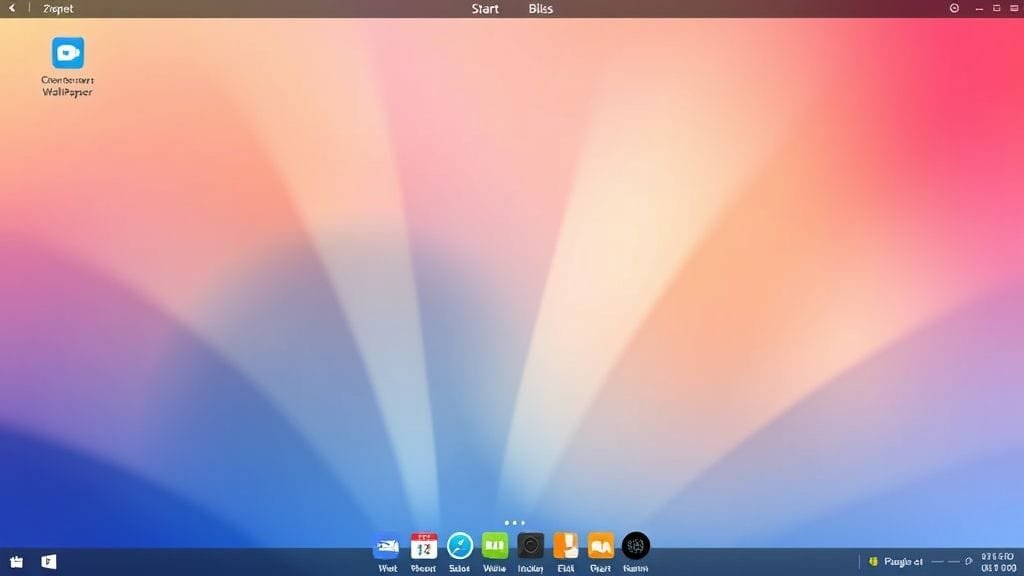
Windows XP is often remembered for its famous “Bliss” wallpaper). Its release on October 25, 2001, significantly changed the computing landscape. Millions began engaging with their computers in novel ways. Indeed, it shaped personal computing for an entire era. It also showcased key new technologies. However, it later grappled with persistent security vulnerabilities. Windows XP became a major cultural touchstone, thus paving the way for a generation of computing. This article explores its triumphs, challenges, prolonged lifespan, and innovative features. Additionally, it covers the crucial lessons it imparted regarding software development and security.
The Dawn of a New Millennium: Introducing Windows XP
The launch of Windows XP marked a pivotal moment for Microsoft. Prior to its advent, the company had maintained two distinct lines of operating systems. One served home users (e.g., Windows 95, 98, and Millennium Edition (Me)), which were notoriously prone to crashes. The other was robust and designed for businesses (e.g., Windows NT and 2000). Crucially, Windows XP was the first to unify these two distinct lines. Consequently, this amalgamation resulted in a robust new operating system for all users. This blend offered home users the stability and power previously exclusive to business systems. Specifically, it represented a significant improvement over the often-unstable Windows Me.
Bridging the Divide: NT Kernel for Everyone
Windows XP’s success stemmed largely from its adoption of the Windows NT kernel. This kernel, after all, was renowned for its stability and performance. Building a consumer-focused OS on this kernel drastically reduced system crashes. Users also experienced faster operation and enhanced multitasking capabilities. While largely unseen, this technical shift made the system far more dependable. Ultimately, this fostered a greater sense of security among users.
A Fresh Face: The Iconic Luna Interface
Beyond its technical underpinnings, Windows XP introduced the “Luna” interface). This was a vivid, fresh design, quite unlike previous Windows iterations. It featured brighter hues, soft edges, dynamic effects, and a redesigned Start menu. These updates, in essence, aimed to make the operating system more welcoming and intuitive. For instance, it incorporated alpha blending and soft shadows. Moreover, ClearType technology enhanced text readability on LCD screens.

Connectivity and Collaboration: Networking Innovations
The early 2000s saw rapid growth in internet usage and online connectivity. Fortunately, Windows XP was well-equipped to handle this surge. It offered enhanced support for Wi-Fi (802.11x) and USB 2.0. Consequently, this facilitated faster data transfer speeds. Key networking features were also natively integrated. These included the Internet Connection Firewall (ICF) for straightforward security. It also enabled Internet Connection Sharing for multiple computers. Furthermore, Remote Assistance and Remote Desktop provided remote support and access capabilities. These tools, therefore, significantly improved how users connected and collaborated.
Entertainment and Personalization: Multimedia and User Features
Windows XP was designed for both productivity and entertainment. Specifically, it boasted robust built-in multimedia capabilities. Users could easily play music, videos, and view pictures. The Windows XP Media Center Edition even transformed a PC into a comprehensive home entertainment system. In addition, a key feature was fast user switching. Multiple users could log into the same computer without closing applications. This, in turn, made shared computers more convenient and private.
Unprecedented Popularity and Enduring Legacy
Windows XP swiftly achieved widespread popularity. Users lauded its speed, stability, and intuitive design. Its “warm and welcoming energy” attracted a broad spectrum of users, including tech enthusiasts and everyday home users. Indeed, it garnered immense favor among the populace. Consequently, it became immensely popular and remained in widespread use for an unexpectedly long duration. It remained the dominant OS for years, even after its successor, Windows Vista, was released.
The User Experience: Stability Meets Simplicity
A primary driver of XP’s success was its exceptional stability. This, after all, vastly surpassed the frequent crashes experienced with older Windows systems. The NT kernel provided a robust foundation for system operation. Thus, users could concentrate on their tasks rather than troubleshooting problems. Its user interface, featuring a redesigned Start menu and taskbar, felt both current and easy to grasp. Consequently, this made navigation intuitive for all. This blend of dependability and ease of use, therefore, fostered a powerful and positive user experience.

The “Bliss” Effect: Cultural Impact and Nostalgia
The iconic default wallpaper, “Bliss,” depicted rolling green hills beneath a vibrant blue sky. This renowned image became one of the most widely viewed photographs in history. Indeed, it perfectly encapsulated XP’s inviting aesthetic. For many, it evokes vivid memories of a simpler era of computing. Indeed, Windows XP served as the backdrop for countless hours of productivity, gaming, and early internet exploration. Ultimately, it became an integral part of daily life and a source of fond recollections.
Why Users Stayed: The Vista Factor
Windows XP’s successor, Windows Vista (released in 2007), encountered significant public resistance. Many users and businesses perceived it as resource-intensive and slow-performing. Moreover, it exhibited poor compatibility with older hardware and software. Consequently, this led to widespread user frustration. This prompted many to adhere to their reliable Windows XP systems. Ironically, this inadvertently prolonged XP’s popularity. Users were often more content with XP than eager to embrace the latest technological advancements.
Navigating the Digital Storm: Windows XP’s Security Challenges
Despite its widespread acclaim and robust features, Windows XP harbored serious security vulnerabilities. While modern for its time, its design relied on older security concepts. As a result, it became an easy target for exploitation as internet connectivity rapidly expanded in the early 2000s. Numerous viruses, worms, and Trojan horses evolved into significant threats. This, therefore, underscored an early and urgent need for robust security updates.
Early Vulnerabilities: A Target for Malware
From its inception, Windows XP was a prime target for malicious software. It contained architectural flaws such as buffer overflows. Viruses such as Blaster and Sasser, for instance, exploited these vulnerabilities. This resulted in widespread infections on unpatched systems. Furthermore, XP’s vast user base made it an attractive target for cybercriminals. This, consequently, necessitated a continuous battle by security experts against those exploiting system flaws for nefarious purposes.
A Crucial Turning Point: Service Pack 2
Recognizing these escalating threats, Microsoft released Windows XP Service Pack 2 (SP2) in August 2004. This monumental update fundamentally transformed XP’s security posture. SP2 activated the Windows Firewall by default. It also introduced Data Execution Prevention (DEP). This, in turn, helped mitigate certain classes of attacks. Furthermore, it enhanced WPA encryption for wireless networks. It also provided a centralized Security Center. SP2 represented a pivotal shift. Ultimately, it significantly bolstered XP’s resilience against threats.

The Peril of Unsupported Systems: End of Life and Beyond
Windows XP’s core architectural design became increasingly antiquated over time. Microsoft formally concluded mainstream support on April 14, 2009, and extended support on April 8, 2014. After these dates, consequently, Microsoft ceased providing security patches, bug fixes, or technical assistance. This rendered unsupported systems highly vulnerable to harm. For instance, the infamous WannaCry ransomware attack in 2017 vividly demonstrated this risk. It exploited unpatched vulnerabilities present on numerous XP systems. Therefore, operating an unsupported OS, particularly online, became extremely perilous and strongly advised against.
The Lingering Presence: Reasons for Windows XP’s Prolonged Use
Even years after its official end-of-life, Windows XP continued to operate on a surprising number of computers. This prolonged usage stemmed from clear practical considerations and financial implications. Indeed, it represented more than mere resistance to change. For instance, numerous organizations and individuals encountered significant obstacles when attempting to upgrade. These hurdles included financial outlays, software compatibility issues, and a preference for familiarity.
The Upgrade Dilemma: Cost and Compatibility
Upgrading from Windows XP proved to be a substantial financial undertaking. Newer OS versions often necessitated more powerful hardware. Consequently, the acquisition of new computers became unavoidable. This represented a considerable expense for both individual users and large enterprises. Furthermore, many proprietary legacy business applications often lacked compatibility with newer operating systems. This would, in turn, necessitate costly updates or outright replacements. All these associated costs and potential complications, therefore, made upgrading a formidable challenge for many.
Critical Infrastructure: Legacy Software and Hardware Dependencies
Windows XP’s presence in critical infrastructure, such as power grids, was a primary contributor to its ongoing use. Sectors such as healthcare, manufacturing, and industrial control systems relied on highly specialized software and hardware. These were often bespoke solutions, developed decades ago, and frequently optimized solely for Windows XP. Rewriting applications or replacing expensive, custom hardware for a new OS proved prohibitively costly and complex. Thus, in many cases, the uninterrupted operation of legacy systems superseded security concerns. This often led to the implementation of air-gapped networks and other mitigation strategies.

Comfort and Familiarity: The User’s Perspective
Beyond financial and technical considerations, comfort and familiarity also contributed to XP’s prolonged usage. Many users had spent years acclimating to the XP interface. They knew precisely where everything was located and how to efficiently accomplish their tasks. Transitioning to a new OS, with unfamiliar menus and workflows, can be daunting. Consequently, this inherent resistance to change meant many adhered to the adage, “if it works, don’t fix it.” This remained true, even as security risks escalated.
Windows XP by the Numbers: A Statistical Overview
Statistics reveal the widespread adoption of Windows XP. They also illustrate its significant market share and gradual decline. These figures, therefore, underscore its profound impact. They also point to the challenges Microsoft faced in transitioning users to newer operating systems.
Key Milestones: Release and Support Dates
| Event | Date | Description |
|---|---|---|
| Release to Manufacturing | August 24, 2001 | OS finalized and sent to hardware manufacturers. |
| Retail Launch | October 25, 2001 | Windows XP became available for purchase. |
| Mainstream Support End | April 14, 2009 | Microsoft stopped free support, non-security updates, and warranty. |
| Extended Support End | April 8, 2014 | All support, including security updates, officially ceased. |
These dates collectively represent nearly 13 years of active support. Moreover, they delineate the critical juncture when users were strongly advised to upgrade for security reasons.
Market Dominance: Peak Usage and Gradual Decline
At its peak, Windows XP powered approximately 80% of all desktop PCs globally. This, consequently, established an unspoken standard for software and hardware compatibility. Even as its end-of-life approached, its market share remained remarkably high. In March 2014, just prior to the cessation of full support, XP still commanded nearly 29.5% of the global market share. This, indeed, unequivocally demonstrated a significant user inertia.
The Enduring Footprint: XP’s Current Global Presence
Even in 2025, a tiny fraction of Windows PCs continues to operate on Windows XP. This amounts to approximately 0.4% of all Windows PCs globally. Specifically, around 0.1% of all devices worldwide still utilize it. These are primarily found in specialized, air-gapped legacy systems. While very small, nevertheless, it indicates that Windows XP remains in use for certain specific applications. This persistence, however, comes with significant security risks.
The Lasting Impact: Lessons from the Windows XP Era
The Windows XP era offers numerous lessons for technology companies and users alike, encompassing innovation, triumphs, and challenges. Specifically, insights into software development, user adoption patterns, and cybersecurity remain highly relevant today.
The Importance of Sustained Security
The foremost lesson from Windows XP is the paramount importance of sustained security support. While XP introduced early security tools, the landscape of online threats rapidly outpaced its inherent design. Consequently, the cessation of formal support left millions vulnerable to threats. The WannaCry ransomware attack vividly demonstrated this vulnerability. This, in turn, underscored that an OS is only as secure as its consistent updates. Therefore, users must diligently maintain current operating systems. Developers must also embed security into the core design. Moreover, they must commit to patching vulnerabilities for an extended duration.
Balancing Innovation with User Acceptance
Windows XP deftly balanced innovation with user acceptance. It introduced fresh features and a revitalized aesthetic without alienating its user base. Its successor, Windows Vista, in contrast, struggled precisely because it failed to strike this delicate balance. This was attributed to an overwhelming number of changes, demanding hardware requirements, and compatibility issues with legacy technology. This teaches that innovation requires careful handling. Specifically, new features should enhance user productivity without introducing undue complexity. They should also thoughtfully consider the impact of new developments on existing users.

The Weight of Legacy: Managing Obsolescence
Windows XP’s prolonged presence in legacy systems, particularly critical ones, led to significant challenges as these systems aged. While initially beneficial for cost-efficiency or system interoperability, security risks eventually outweighed these advantages. The XP era imparted a crucial lesson: the immense difficulty of transitioning from highly antiquated, critical systems. Therefore, organizations and governments must proactively plan for system obsolescence from the outset. They should establish clear upgrade paths and prepare for future technological transitions. This prevents the emergence of costly and perilous security vulnerabilities.
The Windows XP Era in Retrospect: A Digital Time Capsule
The Windows XP era stands as a unique chapter in computing history. It is renowned for an operating system that achieved unparalleled popularity. Its stability, intuitive interface, and robust Windows NT kernel brought powerful computing to the masses. In essence, it democratized powerful computing for a vast audience. The “Bliss” wallpaper and Luna interface, furthermore, became synonymous with a pleasant and dependable digital experience.
Yet, the XP era also serves as a poignant reminder that technology evolves and presents inherent challenges. Its lifespan extended far beyond its official support period. This, consequently, highlighted the critical need for continuous security patching. This is particularly true in our increasingly interconnected world, replete with evolving cyber threats. The struggles with malware and the inherent dangers of an unsupported OS, indeed, imparted invaluable lessons. These lessons continue to inform contemporary cybersecurity practices.
XP’s lasting impact endures through fond memories. It also persists through lessons concerning software craftsmanship, user adoption, and the delicate balance between innovation and security. For those who experienced it, Windows XP remains a digital time capsule. Ultimately, it marks a significant chapter in their personal computing narratives. While it prepared the ground for subsequent Windows versions, it stands unique in its indelible legacy.