Indeed, the world of PC hardware never stands still. Moreover, it constantly evolves at a breakneck pace, pushing boundaries and redefining what’s possible. Consequently, the latest frontier in this relentless march of progress is PCIe 5.0, the newest iteration of the Peripheral Component Interconnect Express standard. It promises to double the bandwidth of its predecessor, PCIe 4.0, but the question on every discerning PC enthusiast’s mind remains: is a PCIe 5.0 upgrade truly worth the investment right now? This article, therefore, dives deep into the technology, its benefits, costs, and who stands to gain the most from this bleeding-edge advancement.

The Raw Power of PCIe 5.0: Bandwidth & Performance Explained
For instance, imagine your computer’s internal data pathways as a multi-lane superhighway. PCIe is that highway, and each new generation, consequently, adds more lanes, allowing more data to travel faster. Specifically, PCIe 5.0 boasts a staggering 32 Gigatransfers per second (GT/s) per lane. Thus, this effectively doubles the bandwidth to a colossal 64 GB/s in a 16-lane configuration (x16) compared to PCIe 4.0’s 32 GB/s. This incredible surge in bandwidth, however, primarily benefits specific components, but not all equally.
The Speed Revolution for SSDs
Firstly, when we talk about components that truly drink from the firehose of PCIe 5.0’s bandwidth, Solid State Drives (SSDs) are at the top of the list. Indeed, next-generation NVMe SSDs designed for PCIe 5.0 can achieve sustained sequential read/write speeds of up to 14-15 GB/s. In contrast, that’s nearly twice the speed of even the most elite PCIe 4.0 SSDs, which typically max out around 7 GB/s. To elaborate, what does this mean for you? Specifically, think faster loading times for massive applications, like professional video editing suites or 3D rendering software. Furthermore, expect quicker file transfers for enormous datasets, crucial for data scientists, AI developers, or anyone working with large media libraries. Such speed, indeed, significantly enhances performance in data-intensive workloads, including high-performance computing (HPC), machine learning training, and complex simulations. For professionals, therefore, the value of a PCIe 5.0 upgrade here is undeniable.

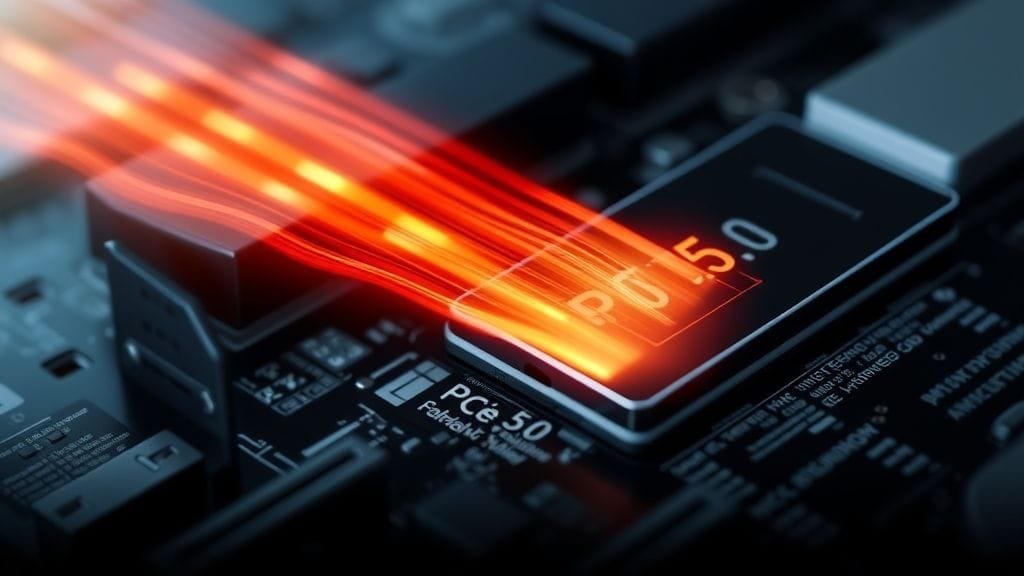
A close-up shot of a high-performance PCIe 5.0 NVMe SSD, possibly with an integrated heatsink, installed in a motherboard slot.
GPUs: A Different Story
While PCIe 5.0 x16 offers an immense 64 GB/s of bidirectional bandwidth, the story for Graphics Processing Units (GPUs) is currently quite different. Interestingly, even the most powerful current and upcoming high-end graphics cards, such as [NVIDIA’s](https://www.nvidia.com/en-us/geforce/graphics-cards/40-series/) RTX 40 series and initial RTX 50 series, do not fully saturate the bandwidth provided by PCIe 4.0 x16. Consequently, if your main interest is gaming, the performance uplift from a PCIe 5.0 GPU over a PCIe 4.0 GPU is presently minimal. Indeed, we’re talking fractions of a percent in most gaming scenarios. For the average gamer, therefore, a PCIe 5.0 upgrade for the GPU alone might not offer compelling immediate returns. However, certain demanding professional workloads can benefit. For example, these include systems running multiple GPUs for complex AI processing, high-resolution ray tracing at maximum settings, or intensive scientific visualizations. Ultimately, in these niche, high-demand areas, the increased bandwidth can become quite impactful.
Understanding the Bandwidth Gap
First, it’s important to differentiate between theoretical maximums and real-world utilization. For instance, think of it like a sports car designed for 200 mph. However, on a regular city street, it performs much like any other car. Nevertheless, only on a racetrack can it truly stretch its legs. Similarly, while PCIe 5.0 offers incredible potential, current consumer applications simply don’t have enough “traffic” to fill those extra lanes. Consequently, this bandwidth gap is a key reason why many users find PCIe 4.0 still perfectly adequate. As applications evolve and become more data-hungry, however, this gap will inevitably shrink.
Future-Proofing Your Rig: Long-Term Value of PCIe 5.0
Indeed, one of the most potent arguments for making a PCIe 5.0 upgrade is future-proofing. Essentially, adopting a PCIe 5.0 compatible motherboard and CPU today is like planting a seed for tomorrow’s harvests. Thus, it ensures your system is ready for the next wave of high-performance components.
Preparing for Tomorrow’s Demands
For example, consider future generations of GPUs and SSDs. Certainly, these will undoubtedly be designed to leverage the full potential of the [PCI Express 5.0 standard](https://en.wikipedia.org/wiki/PCIExpress5.0). Therefore, as games become more immersive and application datasets grow larger, the demand for faster data transfer will only intensify. Consequently, investing in PCIe 5.0 now means you won’t be left behind when these next-gen components finally demand that extra bandwidth. In essence, it provides longevity, ensuring your system remains relevant and performant for years to come. Furthermore, the ability to achieve the same data throughput with fewer lanes on PCIe 5.0 offers interesting flexibility in motherboard design and component allocation. Ultimately, this could lead to more compact or feature-rich designs in the future, thereby enhancing overall system capabilities.

The Cost of Cutting-Edge: Examining the PCIe 5.0 Upgrade Investment
First, before diving headfirst into a PCIe 5.0 upgrade, it’s crucial to consider the financial implications. Indeed, the cutting-edge often comes with a premium price tag, and PCIe 5.0 is no exception.
Motherboards, CPUs, and Beyond
Specifically, to fully unlock PCIe 5.0’s capabilities, you need a compatible motherboard and CPU. For instance, this often means investing in the latest generation processors from [Intel’s](https://www.intel.com/content/www/us/en/products/processors/core/desktop-processors.html) Core series (e.g., specific 12th, 13th, or 14th gen CPUs) or [AMD’s](https://www.amd.com/en-us/processors/ryzen-7000-series) Ryzen 7000 series and newer. Additionally, you’ll also need a new motherboard equipped with PCIe 5.0 slots. Typically, such motherboards are generally more expensive than their PCIe 4.0 counterparts. Moreover, in some cases, depending on your current setup, you might even need new memory (DDR5 RAM, for example) to accompany these newer platforms. Ultimately, all of this can quickly add up to a substantial overall investment. Crucially, while PCIe 5.0 offers backward compatibility with PCIe 4.0 and 3.0 devices, components will always operate at the lowest generation supported by both the slot and the device. For instance, a blazing-fast PCIe 4.0 SSD, when installed in a PCIe 5.0 slot, will continue to operate at PCIe 4.0 speeds. Therefore, this means you need a full PCIe 5.0 ecosystem (motherboard, CPU, and component) to see the true benefits. Understandably, for many users, the holistic upgrade cost makes them pause. Furthermore, if you’re considering a new SSD, you might also want to read our guide on [choosing the right SSD](/blog/choosing-the-right-ssd/).
Cooling Considerations for PCIe 5.0 SSDs
Another practical consideration for PCIe 5.0 SSDs is their thermal management. Consequently, due to their extreme speeds and higher power consumption, these drives tend to run hotter than their predecessors. Thus, adequate cooling is essential to prevent thermal throttling, which could negate their performance advantages. Indeed, many PCIe 5.0 SSDs now come with substantial heatsinks, and some motherboards even integrate robust M.2 heatsinks to manage this. Moreover, adding effective cooling can introduce complexity to your system build, requiring careful consideration of airflow and case design.
Who Benefits Most from a PCIe 5.0 Upgrade?
Ultimately, the decision to embark on a PCIe 5.0 upgrade really boils down to your individual computing habits and professional demands. Indeed, the technology offers distinct advantages, but not for everyone.
For the Everyday User and Gamer
Generally, if you’re an average PC user, primarily browsing the web, streaming content, or playing mainstream games, PCIe 4.0 remains “absolutely fine.” For example, the real-world difference in daily tasks, boot times, or most gaming scenarios with a PCIe 5.0 SSD or GPU is often negligible. Because many current games are optimized for PCIe 3.0 or 4.0, they simply don’t generate the kind of data throughput that would stress a PCIe 5.0 interface. Therefore, committing to a full PCIe 5.0 platform solely for these uses might be an unnecessary expenditure. Instead, you could likely invest that budget elsewhere for a more noticeable performance boost, perhaps in a higher-tier GPU within a PCIe 4.0 system, or more RAM. Furthermore, you can find more tips on [optimizing your gaming PC](/blog/optimizing-gaming-pc-performance/) for current hardware.
For Professionals and Power Users
Conversely, this is where the PCIe 5.0 upgrade truly shines. Specifically, high-end users, content creators, and professionals in fields like AI/ML, scientific research, or advanced video production will find clear advantages. For instance, imagine rendering a 4K video project with multiple complex effects. In such cases, a PCIe 5.0 NVMe SSD can dramatically cut down save and load times, accelerating your workflow. Similarly, researchers training large AI models or running complex simulations benefit immensely from the rapid data transfer rates, reducing processing bottlenecks. Indeed, for these demanding scenarios, the ability to rapidly move massive files and access data with minimal latency translates directly into increased productivity and reduced wait times. Consequently, building a new system with longevity and maximum data throughput in mind makes a PCIe 5.0 platform a sound strategic choice.
Market Trends and Adoption: Where Does PCIe 5.0 Stand?
Initially, the adoption curve for PCIe 5.0 has been a nuanced journey. Initially, some industry experts predicted that PCIe 4.0 SSDs would continue to dominate the market for an extended period, largely due to their excellent performance-to-cost ratio and the slower uptake of PCIe 5.0 platforms. This prediction, largely, has held true for the mainstream market. However, the broader market for PCIe technology is projected to experience significant growth. Indeed, this growth is predominantly fueled by an escalating demand for faster data transfers in specialized, data-intensive domains. For example, these include AI-driven computing, where massive datasets are constantly being processed, and enterprise cloud data centers, which require unparalleled speed and efficiency. Moreover, advanced storage solutions, particularly in the professional and server sectors, are also driving this demand. Interestingly, initial adoption of PCIe 5.0 SSDs has been observed in high-performance PCs specifically geared towards eSports professionals and content creation workstations, where every millisecond and every GB/s counts. These trends, therefore, suggest a dual-speed market, where PCIe 5.0 finds its initial footing in niche, high-performance segments before a potential broader rollout.

Making Your Decision: Is the PCIe 5.0 Upgrade Right for You?
Ultimately, the question of whether a PCIe 5.0 upgrade is “worth it” lacks a universal answer. In essence, it’s a nuanced decision, deeply personal to your computing habits, budget, and future aspirations.
Consider these scenarios:
- Firstly, if you’re building a brand-new, high-end system: If you’re starting from scratch and your budget allows, opting for a PCIe 5.0 compatible platform (CPU and motherboard) makes strategic sense. Moreover, you gain immediate access to the fastest SSDs available and ensure compatibility with future high-performance components. Consequently, this approach maximizes your system’s lifespan and future upgrade potential. Additionally, for more on CPUs, see our article on [understanding CPU generations](/blog/understanding-cpu-generations/).
- Conversely, if you’re upgrading an existing system: For users with existing systems running PCIe 3.0 or 4.0, a full platform swap for PCIe 5.0 might be overkill, unless they’re experiencing significant bottlenecks in daily tasks or gaming. Instead, a targeted upgrade, like a faster PCIe 4.0 SSD or a more powerful GPU, might offer better immediate value for money.
- Furthermore, if you’re a professional dealing with massive files: For video editors, 3D artists, data scientists, or developers, the productivity gains from a PCIe 5.0 NVMe SSD could easily justify the investment. After all, time is money, and cutting minutes off transfer and load times adds up.
- Finally, if you’re an average gamer or general user: Unless you’re chasing every single frame or need the absolute fastest loading times for competitive eSports, PCIe 4.0 is likely still more than sufficient. Indeed, the money saved could be allocated to a better monitor, peripherals, or even more games!
Conclusion: Weighing the Factors for Your PCIe 5.0 Upgrade
To summarize, in 2025, for most everyday users and gamers, a dedicated PCIe 5.0 upgrade may not be “worth it” solely for immediate, tangible performance gains, especially concerning current-generation GPUs. PCIe 4.0, meanwhile, continues to deliver excellent performance across the vast majority of applications and remains the sweet spot for many. However, for those embarking on a new high-end system build, engaging in professional data-intensive workloads, or simply seeking to maximize their system’s lifespan and compatibility with future hardware, investing in PCIe 5.0 components offers significant advantages. Specifically, these include unparalleled raw speed for storage, potentially reduced latency in demanding scenarios, and crucial long-term relevance. Ultimately, the current price premium and limited immediate real-world benefits for casual use suggest that, for a considerable portion of the market, PCIe 4.0 still strikes the best balance of performance and cost-effectiveness. Ultimately, the decision is yours to make, guided by your specific needs and budget.
What are your thoughts on PCIe 5.0? Are you planning an upgrade, or do you think PCIe 4.0 will be sufficient for your needs for the foreseeable future? Share your perspective in the comments below!