In today’s data-driven world, extracting valuable insights from large datasets is a crucial skill. Whether you are an experienced data scientist, a budding analyst, or a curious programmer, Python offers an excellent environment for this work. Crucially, at the heart of this ecosystem lie two indispensable libraries: Pandas and NumPy. They are often discussed in the same breath, and for good reason. Together, Pandas and NumPy form a robust foundation. Together, they enable you to handle everything from simple data transformations to complex scientific computations.
Understanding what each library excels at, and more importantly, how seamlessly they integrate, is vital for serious data analysis. This article will highlight their main features. It will also explore their individual strengths and explain how they work together, making Pandas and NumPy truly powerful. By the end, you’ll have a clear roadmap to effectively utilize these tools. Ultimately, you’ll transform raw data into compelling narratives and actionable insights. Get ready to elevate your data analysis journey with Pandas and NumPy.
NumPy: The Foundation of Data Science for Pandas and NumPy Users
NumPy, short for Numerical Python, is more than just a library; it is the fundamental basis for numerical computing in Python. Think of it as the highly efficient engine that powers many other scientific and machine learning libraries. Its efficiency and speed are paramount, especially when dealing with large volumes of numerical data. If you aim to perform complex mathematical operations or scientific computations, NumPy is your primary tool. Thus, for Pandas and NumPy users, a solid understanding of NumPy is foundational.
Specifically, NumPy solves a basic problem in Python: standard Python lists are not efficient for numerical operations. While lists are versatile, they are not optimized for mathematical tasks. NumPy steps in with specialized data structures and functions that perform these tasks at C-like speeds. This offers a significant advantage in demanding data analysis situations. Therefore, understanding its core principles is indispensable for any serious data practitioner working with Pandas and NumPy.
Arrays at the Core: Understanding `ndarray`
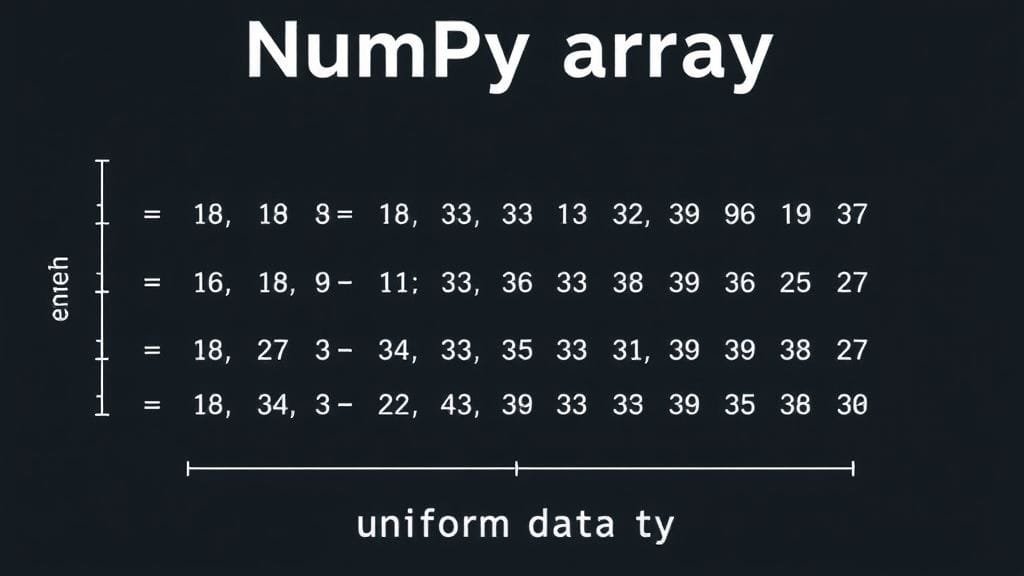
The central feature of NumPy is its `ndarray` (N-dimensional array) object. Essentially, imagine a highly organized grid or table designed for efficient numerical data storage. Unlike standard Python lists, a NumPy `ndarray` stores uniform data. This means all elements within it must be of the same type, such as integers, floats, or booleans. This uniformity is precisely what enables NumPy to perform operations with exceptional speed. Therefore, it is also a primary reason for its seamless integration with Pandas and NumPy.
These arrays can possess any number of dimensions, from a simple one-dimensional vector) to complex multi-dimensional matrices). This flexibility makes them ideal for representing various forms of data, including images, audio signals, or tabular numerical data. Furthermore, storing data in contiguous memory blocks significantly enhances their performance. As a result, this substantially reduces their memory footprint.
`

`
Lightning Speed: Vectorization and Performance
One of NumPy’s most compelling features is its strong emphasis on vectorized operations. Instead of writing `for` loops in Python to process each array element, NumPy allows you to apply functions directly to entire arrays simultaneously. Crucially, this vectorized code executes as highly optimized C code in the background, making it significantly faster than standard Python loops.
For example, to add two arrays, you simply use the `+` operator, and NumPy performs the element-by-element addition with remarkable speed. This is not only user-friendly but also provides a vital boost to performance. By leveraging vectorized operations, you can write cleaner, more concise code that also runs much faster, especially with large datasets. This speed makes NumPy indispensable for computationally intensive tasks within the Pandas and NumPy ecosystem. Therefore, its role in high-performance computing is undeniable.
Mathematical Powerhouse: Universal Functions and Broadcasting
NumPy boasts a wide range of mathematical functions, often referred to as “universal functions” (ufuncs). These encompass basic arithmetic operations, trigonometric functions, exponential and logarithmic functions, and advanced linear algebra tools. In addition, applying these functions to NumPy arrays is straightforward and highly efficient, allowing for complex calculations with minimal code. For instance, `np.sin(array)` will compute the sine of every element in the array simultaneously.
Another powerful concept is broadcasting. This feature enables NumPy to perform operations on arrays with different shapes or sizes, without explicit reshaping. When two arrays have compatible shapes, NumPy automatically “broadcasts” the smaller array across the larger one. This aligns their shapes for element-wise operations. Consequently, this intelligent mechanism greatly simplifies your code. Furthermore, it mitigates many common errors stemming from mismatched dimensions, contributing to efficient and readable solutions when using Pandas and NumPy.
NumPy: The Backbone of the Pandas and NumPy Ecosystem
It’s important to recognize that NumPy is not merely a separate library; it serves as a foundational building block for many other significant Python libraries. For example, Pandas is built directly on top of NumPy, leveraging its efficient array operations for its own data structures. Similarly, SciPy, for advanced scientific computing, heavily relies on NumPy. Furthermore, powerful machine learning tools like scikit-learn and deep learning systems like TensorFlow and PyTorch utilize NumPy arrays as their primary means to represent data for computations.
Therefore, understanding NumPy provides insight into the inner workings of many other data science tools. This core knowledge enables you to write more efficient code. Moreover, it empowers you to troubleshoot effectively and make informed choices about data structures and algorithms. It is truly the unseen hero powering much of the Python data science world, particularly for those working with Pandas and NumPy.
Pandas: Your Command Center for Data Wrangling with Pandas and NumPy
While NumPy provides the raw power for numerical computations, Pandas steps in to bring order to the often messy nature of real-world data. Pandas, which stands for “Python Data Analysis Library,” is a high-level library specifically engineered for data manipulation and analysis. It offers an intuitive interface and robust data structures, making it a primary tool for cleaning, transforming, and exploring structured data within the Pandas and NumPy ecosystem.
If you’ve ever worked with spreadsheets, SQL tables, or CSV files, you’ll find Pandas remarkably familiar. It excels at handling heterogeneous data – data where columns can possess different types, such as numbers, text, or dates. Indeed, this flexibility is precisely why Pandas is indispensable for everyday data analysis. Datasets seldom arrive in perfectly uniform numerical formats. In essence, it’s truly a powerhouse for bringing order to chaos when leveraging Pandas and NumPy.
DataFrames and Series: The Structures of Tabular Data
The fundamental data structures in Pandas are the `DataFrame` and the `Series`. A `Series` is a one-dimensional labeled array, similar to a single column in a spreadsheet or a SQL table. Specifically, it can accommodate any data type, and each element possesses an associated label, or index, which can be numerical or descriptive. This labeling makes data access highly intuitive.
Meanwhile, the `DataFrame` serves as Pandas’ principal structure. It represents a two-dimensional, tabular data structure, much like a spreadsheet or a SQL table. It consists of an ordered collection of columns, each capable of holding a different data type. Importantly, DataFrames feature both labeled rows (an index) and labeled columns. This provides a flexible and robust mechanism to organize and access your data. Ultimately, this dual labeling system profoundly transforms how data analysts utilize Pandas and NumPy.
`

An illustration of a Pandas DataFrame showing labeled columns and rows with mixed data types, like names, ages, and cities.
`
Taming Messy Data: Cleaning and Preprocessing Power
Real-world data is rarely pristine. It often comes riddled with missing values, incorrect entries, inconsistent formats, and duplicate records. This is where Pandas truly excels as a data steward. It provides a comprehensive suite of built-in functions specifically tailored for data cleaning and preparation. For instance, you can easily fill missing values using methods like `fillna()`, remove rows or columns with `dropna()`, or detect and remove duplicates.
Moreover, Pandas allows you to filter rows based on conditions, sort data by specific columns, and reshape your data from ‘long’ to ‘wide’ formats and vice versa. Grouping data (e.g., computing means or sums for specific groups) is also facilitated by its robust `groupby()` function. Therefore, these features render Pandas an indispensable tool for preparing your data for analysis or machine learning models. In effect, this saves countless hours of manual effort, particularly when leveraging Pandas and NumPy.
Intuitive Interaction: Labeled Data and Indexing
One of the most intuitive aspects of Pandas is its labeled axes and straightforward indexing. While NumPy arrays primarily rely on numerical indexing, Pandas DataFrames and Series enable access to data using descriptive names. You can select columns by their names (e.g., `df[‘Column Name’]`) and rows by their custom labels or numerical positions. This makes your code significantly more readable and comprehensible, especially when dealing with complex datasets.
In addition, Pandas provides powerful methods like `loc` for label-based indexing and `iloc` for integer-location-based indexing. This dual approach offers immense flexibility, allowing you to slice, sort, and select subsets of your data precisely as needed. Referring to data by meaningful names instead of abstract numerical positions makes your data analysis scripts substantially clearer and easier to maintain. Consequently, this enhances the efficiency of your work with Pandas and NumPy.
Beyond Numbers: Handling Diverse Data Types and Time Series
NumPy arrays mandate that all data be of the same type. In contrast, Pandas DataFrames can readily accommodate columns with diverse data types. This is immensely useful in practice, where datasets often comprise a mix of numbers, text, dates, and categorical variables. Hence, this flexibility obviates the need to coerce your data into a single numerical format before incorporating it into a DataFrame. Therefore, this streamlines the initial steps of data loading and exploration for Pandas and NumPy users.
Furthermore, Pandas offers robust support for time series data. It can parse dates and times, handle time zones, resample data to different frequencies (e.g., from daily to monthly), and perform various time-based calculations. If you work with financial data, sensor data, or any dataset where time is a critical factor, Pandas’ time series features are invaluable. Indeed, this specialized feature elevates it far beyond a general data structure library within the Pandas and NumPy ecosystem.
The Synergy Unleashed: How Pandas and NumPy Work Together
While NumPy and Pandas are distinct libraries, their true power in data analysis emerges when they are employed in conjunction. They are not rivals; instead, they are synergistic partners, each augmenting the other’s strengths. In fact, Pandas is intrinsically built on top of NumPy, cleverly leveraging NumPy’s efficient numerical operations for its own tasks. This meticulous integration fosters a seamless workflow. Consequently, it boosts both productivity and performance when utilizing Pandas and NumPy.
Imagine a well-orchestrated machine: Pandas handles the high-level management and organization of your data, akin to a skilled manager. Meanwhile, NumPy undertakes the specialized, computationally intensive tasks, acting as a powerful, efficient worker. Thus, this collaboration enables you to perform complex data analysis efficiently. You avoid getting bogged down in low-level numerical details or the overhead of managing complex data structures. As a result, the combined utilization of Pandas and NumPy renders data analysis more streamlined.
Under the Hood: Pandas’ Reliance on NumPy in the Pandas and NumPy Duo
Many people mistakenly believe Pandas fully supersedes NumPy. In reality, Pandas internally leverages NumPy arrays to store and manipulate numerical data within its DataFrames and Series. When you create a DataFrame with numerical columns, Pandas typically stores these as underlying NumPy `ndarray` objects. This fundamental design choice means Pandas directly benefits from NumPy’s efficient C code for numerical operations.
Thus, when you sum a numerical column in a Pandas DataFrame, you are essentially invoking highly efficient NumPy code. This deep integration ensures you get the best of both worlds: the intuitive, label-based handling of Pandas, combined with NumPy’s lightning-fast numerical processing. In essence, it makes data science tasks with Pandas and NumPy both robust and accessible.
Seamless Transitions: Switching Between DataFrames and Arrays
A key advantage of their integration is the ease with which you can convert data between Pandas DataFrames/Series and NumPy arrays. If you have a Pandas DataFrame and need to perform a highly efficient numerical operation—one that might be faster directly in NumPy—you can readily access the underlying NumPy array. Methods like `.to_numpy()` or `.values` facilitate this, providing direct access to the raw numerical data. Conversely, after manipulating data with NumPy arrays, you might need to structure and label that data for analysis or visualization.
You can then easily convert your NumPy array into a Pandas DataFrame or Series. Therefore, this fluid transition between libraries is vital for flexible data manipulation. Indeed, it empowers you to select the optimal tool for each stage of your analysis using Pandas and NumPy, thus truly facilitating a seamless pipeline.
Maximizing Performance: Leveraging NumPy’s Strengths within Pandas and NumPy
While Pandas excels at general data handling, in certain scenarios, converting data to NumPy arrays and utilizing NumPy’s vectorized functions can significantly enhance performance. This is particularly true for computationally intensive tasks that do not heavily depend on Pandas’ labeled indexing or heterogeneous data types. For example, if you need to apply a complex custom mathematical function to a purely numerical column, converting that column to a NumPy array first might be faster.
This is a best practice for optimizing performance: always prioritize vectorized operations over manual loops. Consequently, if a task involves substantial numerical computation on homogeneous data, consider whether a direct NumPy operation could be more efficient. Pandas provides the convenience, but NumPy offers the raw speed for numerical heavy lifting. Therefore, learning to identify these opportunities is indicative of a truly skilled data analyst working with Pandas and NumPy.
`
`
Navigating the Nuances: Choosing the Right Tool Between Pandas and NumPy
Deciding whether to employ Pandas, NumPy, or both often hinges on your specific task, as well as your data and your primary priorities (e.g., raw speed versus ease of development). They complement each other effectively. Still, understanding their individual strengths and limitations empowers you to make informed choices to optimize your workflow and results. It’s not about one being “superior” to the other, but rather about discerning their optimal use cases.
Ultimately, just as a carpenter selects between a hammer and a screwdriver, a data analyst learns to choose the most appropriate tool for the job. In fact, the most effective approach often involves employing both, seamlessly transitioning between Pandas and NumPy to leverage their specific benefits. This nuanced understanding comes with practice. However, grasping the fundamental differences is the initial step toward mastering this powerful data analysis system.
Performance vs. Usability: A Pandas and NumPy Balancing Act
NumPy arrays are generally more performant than Pandas DataFrames for pure numerical computations, particularly on very large datasets. This speed comes from NumPy’s simpler, uniform data structure and its lower memory usage. Specifically, by shedding the overhead of labels, heterogeneous column data types, and robust missing data handling, NumPy can operate on raw numbers with unmatched efficiency.
However, Pandas prioritizes usability, flexibility, and expressiveness for structured data analysis. It renders complex tasks like joining datasets, handling time series, or grouping data remarkably simple to implement. While Pandas can be marginally slower than raw NumPy for certain operations, its ease of use and the time saved typically render it more valuable for most data analysis tasks. Therefore, it’s a trade-off many are willing to make for cleaner, more readable code.
`

A comparison infographic showing performance differences between Pandas and NumPy for numerical operations on varying dataset sizes.
`
Memory Footprint: Large Datasets and Efficiency
Another critical consideration, particularly with very large datasets, is their memory footprint. Pandas DataFrames possess a more complex internal structure. This includes managing labels, indexes, and potentially heterogeneous data types. Consequently, they can consume more memory than NumPy arrays for the same numerical data. This difference can become significant with datasets that push the limits of your system’s RAM.
For memory-intensive applications, or when data barely fits, converting to NumPy arrays for specific computational steps can be a judicious choice. By temporarily shedding the “overhead” of Pandas’ richer data structures, you can sometimes achieve enhanced performance and manage larger volumes of data. However, for most routine datasets, the memory difference is often negligible. Ultimately, the convenience of Pandas and NumPy’s synergistic operation, with Pandas often being the primary interface, typically outweighs this consideration.
Homogeneous vs. Heterogeneous Data: A Clear Distinction
A fundamental distinction in how these libraries handle data types is a pivotal consideration for Pandas and NumPy. NumPy’s `ndarray` strictly requires all data to be the same type. This design choice is critical for its performance benefits. Indeed, if a column conceptually holds numerical data but also contains textual entries or missing values represented as non-numeric, NumPy would struggle without explicit type casting.
Pandas DataFrames, on the other hand, are designed to handle heterogeneous data types effectively. Each column can possess its own data type, making DataFrames exceptionally suitable for real-world, often messy datasets. In these, you might have columns for names (strings), ages (integers), salaries (floats), and dates (datetime objects) all in one structure. For structured data that encompasses diverse types of information, Pandas is clearly the superior choice. Ultimately, it manages complexity with ease within the Pandas and NumPy ecosystem.
Practical Applications: Bringing Data to Life with Pandas and NumPy
While understanding the fundamentals of Pandas and NumPy is vital, their true value is best demonstrated in practical application. These libraries are not merely theoretical tools; instead, they are indispensable workhorses for professionals across numerous industries. From finance to scientific research, business analytics to machine learning, Pandas and NumPy provide a robust foundation. They facilitate the transformation of raw data into actionable insights.
Let’s explore how these tools are employed in various real-world scenarios. We’ll also uncover best practices to enhance your data analysis with Pandas and NumPy. Mastering the application of these methods is what truly unlocks their power. In fact, it empowers you to tackle complex problems with confidence and precision. Therefore, this section will bridge the gap between theory and practical, actionable expertise for Pandas and NumPy users.
Real-World Scenarios for Pandas and NumPy: From Finance to Scientific Research
In finance, analysts use Pandas for time series analysis of stock prices, portfolio management, and risk assessment. Its robust date and time features are essential for working with market data. Meanwhile, NumPy might be employed for complex numerical simulations, option pricing models, or advanced statistical computations on financial returns.
In science and engineering, NumPy is often the primary choice for numerical simulations, image processing (where images are represented as multi-dimensional arrays), and signal processing. Pandas might then be utilized to organize experimental results, consolidate different datasets from various sensor readings, and prepare data for statistical analysis or visualization. Thus, the complementary roles of Pandas and NumPy are evident here.
In business intelligence, DataFrames are ideal for aggregating sales figures, customer segments, and marketing data from various sources (CSV, Excel, SQL). Analysts use Pandas for cleaning, aggregating, and summarizing this data to generate reports, identify trends, and support strategic decision-making. NumPy, while less visibly, might power some of the underlying statistical models or optimizations. Therefore, both Pandas and NumPy contribute to robust business insights.
`

An infographic showing different data analysis tasks (cleaning, transforming, modeling) and which library is best suited for each.
Best Practices for Efficient Data Analysis with Pandas and NumPy
- Prefer Vectorized Operations: Always aim to use NumPy’s vectorized functions or Pandas’ built-in methods instead of direct Python loops. This is the best way to greatly improve performance for numerical tasks. For instance, instead of `for x in mylist: result.append(x2)`, use `np.array(mylist) 2`. This principle is crucial when working with Pandas and NumPy.
- Understand Your Data Types: Pay attention to the data types (dtypes) in your Pandas DataFrames. Using appropriate dtypes (e.g., `int16` instead of `int64` if values fit) can significantly reduce memory usage. To illustrate, Pandas provides `df.info()` to inspect dtypes, and you can change them using `astype()`.
- Handle Missing Data Early: Missing values (`NaN`) are common. Therefore, use Pandas’ `dropna()` and `fillna()` methods carefully. Understand the implications of each approach—dropping might lose valuable data, while filling with a mean or median might introduce bias.
- Chain Operations for Readability: Pandas allows for method chaining, which can make your code more concise and readable. For example, instead of multiple separate lines, you can chain operations like `df.dropna().groupby(‘column’).mean()`. 5. Use `.loc` and `.iloc` for Specific Indexing: For precise and explicit data selection, always utilize `.loc` (label-based) and `.iloc` (integer-position-based) instead of direct indexing (e.g., `df[‘column’]`). Indeed, this enhances code clarity and helps prevent unexpected behavior in your Pandas and NumPy projects.
`

A complex data analysis workflow diagram integrating both Pandas and NumPy, showing data ingestion, cleaning, transformation, and analysis phases.
`
Avoiding Common Pitfalls: Tips from the Trenches
A common pitfall is to treat Pandas DataFrames identically to NumPy arrays, particularly when performance is critical. Specifically, when executing a rapid numerical calculation on a subset of a DataFrame, first extract the data into a NumPy array, perform the computation, and then optionally re-integrate the result. This strategic conversion can yield significant processing time savings when utilizing Pandas and NumPy.
Another common pitfall is to overlook the index in Pandas. The index is not merely a row number; rather, it’s a powerful tool for aligning data, performing joins, and optimizing lookups. Leverage its capabilities! Furthermore, neglecting memory usage with large datasets can lead to system crashes or extremely sluggish operations. Always be cognizant of your system’s resources and consider techniques like chunking data or optimizing dtypes when working with exceptionally large files using Pandas and NumPy.
`

A scientist analyzing a complex dataset on a computer, demonstrating advanced data analysis techniques with multiple windows open.
`
`

`
Ultimately, the key lies in developing a mental model of when to utilize each library and how they interact. Do not hesitate to experiment and profile your code (using tools like `timeit`) to understand performance characteristics for your specific use cases. This ongoing process of learning, applying, and refining is the hallmark of an expert data analyst.
Your Journey Continues: Mastering the Data Landscape with Pandas and NumPy
We’ve explored the comprehensive features of Pandas and NumPy, observing how these two prominent players in Python’s data world empower both analysts and scientists. NumPy, we’ve learned, offers raw, lightning-fast numerical processing power. Its `ndarray` lies at its core, optimized for uniform data and vectorized operations. On the other hand, Pandas, built upon NumPy, offers a more intuitive, high-level approach to data manipulation with its flexible DataFrames and robust tools for handling messy, heterogeneous, and structured data.
Thus, true mastery stems not from choosing one over the other, but rather from comprehending their synergistic capabilities. Pandas leverages NumPy for its internal speed, and you, as a data professional, can judiciously switch between them to harness their unique strengths. This entails utilizing Pandas for seamless data loading, cleaning, and high-level analysis. Conversely, you can employ NumPy for critical numerical computations when pure speed is paramount. Ultimately, this integration allows you to tackle virtually any data challenge with confidence and efficiency using Pandas and NumPy.
Embracing Continuous Learning
The world of data analysis is constantly evolving. Therefore, new techniques, libraries, and best practices emerge regularly. Your journey with Pandas and NumPy is an ongoing one, filled with opportunities to deepen your understanding and refine your skills. In particular, continue practicing, explore diverse datasets, and challenge yourself with varied analytical problems. Indeed, the more you work with these libraries, the more intuitive their power and flexibility will become.
What’s the most surprising or valuable insight you’ve gained about the relationship between Pandas and NumPy today, and how do you plan to apply it in your next data analysis project?
`

A dashboard displaying insightful data visualizations, the end result of effective data analysis, with charts and graphs.
`