Building a high-performance PC requires careful choices. Each component plays a vital role, but the motherboard is truly the system’s central hub, connecting everything. This crucial connection ensures stability, speed, and future upgrade potential. If you’re planning a top Intel-based system, especially for the coming years, you’ve likely heard of the Gigabyte Z790 Aorus Master. KitGuru recently confirmed its excellent reputation by naming it “The Best Motherboard of 2025.” This Gigabyte Z790 Aorus Master model truly stands out for many compelling reasons.
This is not just a simple award; it’s a clear sign of Gigabyte’s engineering skill. The board offers an excellent balance of power, modern features, and a user-friendly design. These qualities make it a top choice for many discerning builders. In this article, we will show exactly why this specific motherboard, the Gigabyte Z790 Aorus Master, received such high praise. Specifically, we’ll explore its key features and look closely at what makes it truly special. Ultimately, this examination will help you understand if it’s the right choice for your next powerful PC. So, get ready to discover the key to lasting performance with the Gigabyte Z790 Aorus Master.
Power Delivery that Dominates the Z790 Aorus Master
Think of your motherboard’s power delivery system like a skyscraper’s foundation. If the foundation is weak, the entire building will eventually fall apart, no matter how tall or impressive it is. Modern, high-performance Intel processors (12th, 13th, and 14th Gen chips) push performance limits like never before. For these demanding chips, a strong power delivery system is not just a convenience; it’s a basic necessity. This is where the Gigabyte Z790 Aorus Master truly impresses. This Z790 Aorus Master motherboard is meticulously engineered.
It features what Gigabyte proudly calls a “Direct 20+1+2 Phases Digital VRM Solution.” What does this technical term mean for you? Simply put, it means an abundance of stable, clean power. More precisely, this power goes exactly where your CPU needs it most. Furthermore, each of these 20 power phases has a 105A power stage. This immense capacity is simply very impressive. The Gigabyte Z790 Aorus Master consistently provides steady power to even the most demanding processors, making it a reliable choice for any high-performance setup.
The Heart of Performance: VRM on the Z790 Aorus Master
The Voltage Regulator Module (VRM) is a critical component for your system’s health. Essentially, it takes incoming power from your power supply unit (PSU) and transforms it into the exact voltages your CPU needs. A well-designed VRM ensures your CPU runs smoothly and steadily, even under the heaviest loads. If you plan to make your processor run faster by overclocking, then the VRM’s quality is paramount. The Gigabyte Z790 Aorus Master’s VRM is, without a doubt, excellent.
Imagine trying to run a marathon on a rough, uneven road. You wouldn’t perform your best, and you might even injure yourself. Similarly, a poor VRM can lead to problems like crashes or premature component failure. The Z790 Aorus Master, however, provides your CPU’s power with a smooth, reliable path. This helps it run steadily at higher speeds and keeps your system responsive and reliable, no matter the task. This robust design always makes the Aorus Master a reliable performer.

Overclocking Limits: The Gigabyte Z790 Aorus Master’s Potential
For enthusiasts and power users, overclocking is a primary way to extract top performance from their hardware. This process, nevertheless, places significant demands on the motherboard. Specifically, high heat and fluctuating power needs are common challenges. However, thanks to its powerful VRM, the Z790 Aorus Master manages these well. Reviews often highlight its excellent support for overclocking. For this reason, many experienced builders ultimately choose the Gigabyte Z790 Aorus Master as their top choice.
This capability means you can easily make your Intel Core i9 or i7 processor run at higher clock speeds, knowing the motherboard will easily keep up. Whether you’re making detailed 3D models, writing complex code, or wanting higher frame rates in demanding games, this Aorus Master board consistently provides the power it needs. Ultimately, it prevents components from overheating and throttling, ensuring consistent, top performance when it matters most.
Future-Proofing Your System: Z790 Aorus Master Storage
In today’s fast digital world, speed isn’t just about your CPU or GPU. Instead, it’s also important for how fast and efficiently you can access your data. From quickly loading games to editing large video files, storage speed makes a big difference in your tasks and entertainment. The Gigabyte Z790 Aorus Master excels in this important area, offering many extensive and future-ready storage options. Thus, the Z790 Aorus Master makes fast, modern storage simple to use for everyone.
This impressive motherboard has five M.2 SSD slots. This generous number provides great freedom for expansion. You can easily install many high-speed drives for your operating system, games, main applications, and large project files. As a result, you won’t ever have to sacrifice fast speed or ample space. Furthermore, this ample room gives you significant space to grow your digital storage. Consequently, this flexibility is a major advantage of the Gigabyte Z790 Aorus Master.
Blazing Fast M.2 SSDs: PCIe 5.0 on the Z790 Aorus Master
Among its five M.2 slots, one is special: a PCIe 5.0 x4 connector. While PCIe 4.0 SSDs are already very fast, PCIe 5.0, by contrast, elevates data transfer speeds to a new and much higher level. Specifically, it doubles the bandwidth of the previous version. Indeed, this new technology allows for future SSDs that can reach incredibly fast read/write speeds over 10,000 MB/s.
Even if you don’t own a PCIe 5.0 SSD today, this slot means your system will be ready for when these new drives become more common and, consequently, more affordable. The other four M.2 slots are PCIe 4.0 x4 connectors. These, however, are still very fast and perfect for current high-performance NVMe SSDs. Ultimately, this good combination gives you fast storage now and readiness for the future. Consequently, this ensures your setup stays modern and fast for years to come with the Z790 Aorus Master.

Simplify Your Build: EZ-Latch Plus for M.2 and PCIe
Gigabyte clearly understands that building or upgrading a PC can sometimes be a difficult and annoying task. For this reason, they’ve integrated their easy-to-use EZ-Latch Plus feature directly into the Z790 Aorus Master. This innovative design makes it much easier to install and remove M.2 SSDs. For example, you no longer need to struggle with tiny screws that are notorious for being easy to lose or drop into your case.
Instead, a simple, strong latch holds your M.2 drive firmly in place. Consequently, this small but important detail significantly reduces frustration and makes upgrades much quicker and easier. Moreover, the EZ-Latch Plus system also extends to the main PCIe slot for your graphics card, making GPU installation and removal very easy. These improvements clearly demonstrate a strong focus on user convenience. Furthermore, they undeniably make building much more enjoyable for enthusiasts of all skill levels.
Unleashing Memory Potential: High-Speed DDR5 Support
Memory is, surely, another key component that significantly impacts overall system performance, especially for tasks needing high data throughput. The Gigabyte Z790 Aorus Master fully leverages the latest DDR5 memory standard, ensuring it performs very well. Furthermore, this board supports DDR5 memory speeds up to a very high 8000MHz when expertly overclocked.
This high memory speed means faster data access for your CPU. Specifically, it not only cuts lag but also boosts overall system responsiveness. For gamers, this translates to smoother frame rates and faster load times. Similarly, for content creators and professionals, it clearly means faster rendering, quicker video editing, and easier handling of large files. Therefore, the possible performance gains with high-speed DDR5 RAM on this motherboard are very significant.
Beyond Raw Speed: DDR5 XMP Booster and Auto Booster on the Z790 Aorus Master
Achieving very high memory speeds often requires changing settings in the BIOS. This process, naturally, can be quite challenging for many users. Gigabyte, however, solves this problem with smart features like DDR5 XMP Booster and Auto Booster. XMP (Extreme Memory Profile) lets your RAM run at its advertised high speeds with a single setting. Furthermore, the “Booster” aims to simplify this process, potentially offering even better results for your Z790 Aorus Master system.
The Auto Booster feature takes this an important step further. Essentially, it automatically adjusts memory settings to get the most speed and lowest latency. Moreover, it does this without needing you to do many manual adjustments. In essence, these features make high-performance memory more accessible. The Gigabyte Z790 Aorus Master makes it much easier to use your DDR5 RAM’s full power, meaning you can get the best performance without being a memory overclocking expert.
Seamless Connections: Comprehensive Connectivity for the Gigabyte Z790 Aorus Master
A motherboard is only as good as its ability to connect all your devices. Therefore, the Gigabyte Z790 Aorus Master offers many ways to connect devices. This includes excellent options for both wired and wireless networking, plus many useful USB ports. In other words, this wide range ensures you can easily connect all your devices and access the internet at very fast speeds with your Gigabyte Z790 Aorus Master.
For wired networking, the board clearly has a Marvell AQtion 10 Gigabit Ethernet (10GbE) LAN port. Most notably, this is a big upgrade from standard Gigabit Ethernet (1GbE), offering ten times the bandwidth. Consequently, 10GbE brings great speed and quick response for the Z790 Aorus Master, making it ideal for users who often move big files, stream HD content, or play online games.
Wireless Freedom: Wi-Fi 6E and Beyond
Similarly, wireless connectivity is equally impressive. The Z790 Aorus Master includes Intel Wi-Fi 6E. This provides dedicated access to the 6GHz band, which offers cleaner, clearer signals. Therefore, this leads to faster speeds, less lag, and more reliable wireless connections, especially in busy places. For those considering the “X” version of this board, you even get Wi-Fi 7, which makes wireless even better.
Having modern wireless features means you are not tied down by Ethernet cables. Instead, you can enjoy high-speed internet and network access from almost anywhere in your home or office. Clearly, this flexibility is very useful for modern setups, allowing you to easily stream 4K content, play online games smoothly, or participate in video calls with clear audio and video.

Peripheral Powerhouse: USB Ports on the Z790 Aorus Master
The rear I/O panel of the Z790 Aorus Master truly shows its well-thought-out design. It is packed with many different USB ports. Essentially, these numerous ports make sure you have enough connections for all your devices, both current and future. You’ll find multiple USB 3.2 Gen 2×2 Type-C ports. Specifically, these offer a very fast 20Gbps of bandwidth, making them perfect for very fast external drives or modern devices.
Additionally, there are many USB 3.2 Gen 2 and USB 3.2 Gen 1 ports, both Type-A and Type-C. Consequently, these numerous ports mean you can easily connect your gaming mouse, keyboard, headset, external drives, VR devices, and almost any other devices you might own. Thus, you won’t need a separate USB hub. Therefore, this wide device support ensures your system is very flexible and can handle all your tech needs when using the Gigabyte Z790 Aorus Master.
Staying Cool Under Pressure: Advanced Thermal Design of the Gigabyte Z790 Aorus Master
High-performance components inevitably create heat. Consequently, managing heat effectively is crucial for both system stability and longevity. The Gigabyte Z790 Aorus Master features a modern cooling design that effectively dissipates heat. Indeed, this robust cooling system is yet another strong reason the board handles demanding tasks and overclocking well. It truly exemplifies the Gigabyte Z790 Aorus Master’s design philosophy.
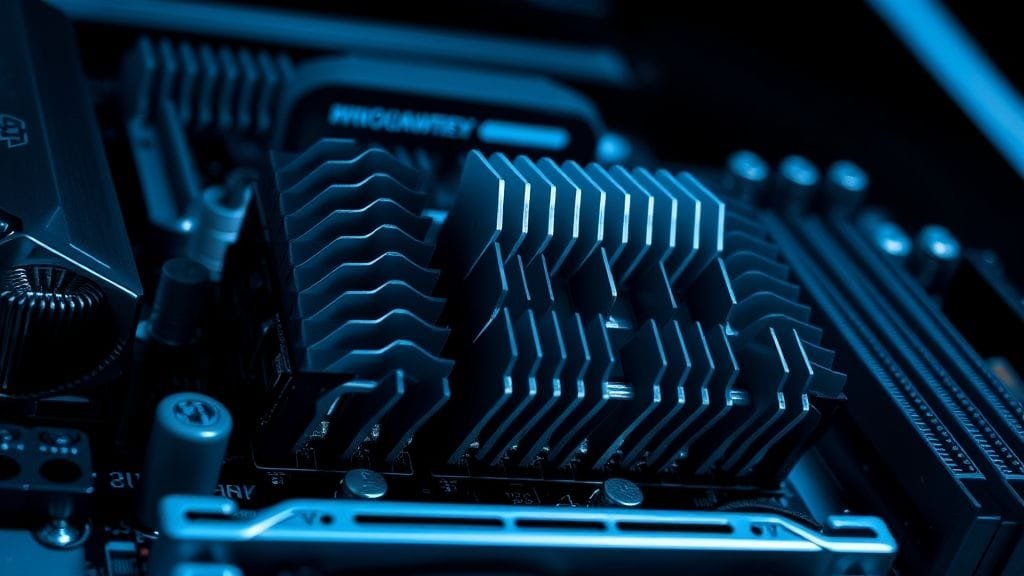
The motherboard clearly has Fins-Array III heatsinks. These are not just simple blocks of metal; instead, they are designed with many fins for increased surface area. As a direct result, more surface area always means better heat transfer with the surrounding air. Ultimately, this smart design effectively moves heat away from key components like the VRM, ensuring the power delivery system stays cool, even when pushing your CPU to its limits.
NanoCarbon Coating and Mega-Heatpipes: Efficiency on the Z790 Aorus Master
To enhance its cooling even further, the Fins-Array III heatsinks have a NanoCarbon coating. This special coating not only improves heat spreading but also allows the heatsinks to dissipate heat much more efficiently. It is paired with an 8mm Mega-Heatpipe. This directly connects key hot spots on the VRM, so heat is quickly moved away. Moreover, it is then spread effectively across the large heatsink surface. Consequently, this comprehensive system is critical for the Gigabyte Z790 Aorus Master.
This smart cooling strategy effectively stops the VRM from getting too hot and throttling, a common problem in other motherboards. Instead, it always ensures your CPU receives consistent, stable power. Furthermore, this robust design significantly helps it perform better for longer. Moreover, it also helps make these important parts last longer, offering more confidence about your system’s long life and steady performance. The Z790 Aorus Master truly performs well on this important front.

Protecting Your Storage: Enlarged M.2 Thermal Guards
It’s not just the VRM that benefits from better cooling. On the contrary, high-speed M.2 NVMe SSDs, especially PCIe 4.0 and 5.0 drives, can get hot when moving a lot of data. If these drives get too hot, they can slow down to protect themselves. Therefore, the Z790 Aorus Master solves this problem well with enlarged M.2 Thermal Guards. This key feature is very important for any user of the Gigabyte Z790 Aorus Master.
These large heatsinks cover your M.2 SSDs. Specifically, they actively spread heat away. Consequently, this stops them from getting too hot. Thus, this innovative solution ensures your fast storage works at its best even during long, demanding workloads. Indeed, it’s another excellent example of Gigabyte’s comprehensive approach to cooling, bringing effective cooling to all important parts of the motherboard.
Designed for Builders: User-Friendly Features & Quality of the Gigabyte Z790 Aorus Master
A truly great motherboard isn’t just about basic specifications. Rather, it’s mainly about the overall user experience. The Gigabyte Z790 Aorus Master is special because of its useful, builder-friendly features. Furthermore, it also boasts a very high quality build. These combined features make building, upgrading, and maintaining your PC a much easier and more enjoyable experience with this Gigabyte Z790 Aorus Master.
As mentioned earlier, the M.2 EZ-Latch Plus and PCIe EZ-Latch Plus systems are significant improvements. For instance, no more struggling with tiny screws or unlatching a graphics card. Consequently, these simple yet effective features make component installation and removal quick and easy. For anyone who has ever built a PC, these features are very welcome additions, saving both valuable time and a lot of frustration.
The Versatile Multi-Key Button: Tailor Your System Control
Another smart and very useful extra is the multi-key button. This programmable button lets you choose what it does. Thus, it gives you quick and easy access to common tasks. For example, you could set it to turn your RGB lighting on or off. You could also instantly boot into the BIOS. Alternatively, you might even turn on a safe mode for troubleshooting. Therefore, this small button offers a lot of help. Ultimately, it makes your daily interactions with your PC much simpler. The Gigabyte Z790 Aorus Master is special for this smart feature.
This high level of choice lets you set up your system controls exactly how you like. In short, it’s a clear sign Gigabyte thinks well beyond basic functions. Indeed, they always focus on what truly makes a user’s life easier. This feature provides real benefits, helping overclockers who need fast BIOS access, as well as users who prefer to easily manage their system’s appearance.
Aesthetic Excellence and Robust Construction: A Premium Feel
Beyond its good features, the Z790 Aorus Master also has a truly high-end look. Moreover, this stylish design undeniably attracts discerning builders. It has a sleek black and gunmetal design. Consequently, this elegant look conveys a powerful feeling of quality and inherent strength. This isn’t just about surface aesthetics. On the contrary, the “full armor” design also covers the back of the board. This additional plating doesn’t just add to its high-end feel; it also makes it much tougher.
The strong build and careful attention to detail ensure this motherboard can handle the demanding needs of a high-performance system. This isn’t a flimsy part; instead, it’s built like a tank. Therefore, it is always ready to provide a strong, steady base for your most powerful hardware. Consequently, the premium look and high-quality build make it feel very strong. Thus, it provides trust in its long life. This is a major reason for the Z790 Aorus Master’s long-lasting popularity.
The Value Proposition: Why the Gigabyte Z790 Aorus Master Offers Masterful Value
When we talk about high-end motherboards, the price tag can often be quite high. However, several reviews often show the Gigabyte Z790 Aorus Master offers great value within its market segment. While it is a premium Z790 board around $500, its strong features, remarkably, often perform better than even more expensive top boards. Specifically, for example, these other boards offer only minor extras. Therefore, this makes the Z790 Aorus Master a great choice.
Imagine buying a luxury car that performs almost the same as a much more expensive model but costs much less. That, in essence, is the core of the Z790 Aorus Master’s value. Indeed, you get great power, modern storage and memory, many connections, and excellent cooling. Moreover, all this comes without an ultra-premium price tag. Consequently, the Gigabyte Z790 Aorus Master truly provides great value.
Performance Without Compromise: A Smart Investment for the Aorus Master
For many enthusiasts and professionals, investing in a high-end motherboard means investing in stability, longevity, and future compatibility. Therefore, the Z790 Aorus Master does well in all these crucial points. Its strong VRM ensures optimal performance, especially with demanding tasks. These are common in content creation, streaming, and demanding gaming. As a direct result, this means your expensive CPU and GPU can perform at their very best, supported by a very solid, steady foundation.
TweakTown, a well-known tech site, praised the “X” variant of this board, calling it “the best motherboard available for the money if you’re building on Intel’s Z790 chipset.” This positive review supports the idea that Gigabyte has found a great balance between features, performance, and cost. Therefore, this makes it a great choice for serious builders. It’s a smart investment, providing high performance today and also offering readiness for future tech with the Gigabyte Z790 Aorus Master.
Considering All Angles: Minor Omissions and Market Context
No product is perfect. Thus, it’s important to note any small things to think about, even for a great motherboard. For example, early reviews of the original Z790 Aorus Master sometimes noted it didn’t have USB4 ports. While USB4 is not yet widely used, including it would have given more readiness for the future for very fast devices on the Gigabyte Z790 Aorus Master.
Another minor point was that, at its first release, the board lacked the newest audio chip available on the market. While the audio quality was still excellent for most users, audiophiles or those wanting every newest feature might, understandably, have noticed this. It is worth noting, however, that the newer “X” variant of the Z790 Aorus Master later addressed some of these early comments. Consequently, this ongoing improvement makes it even better.
Standing Strong Among Giants: The Z790 Aorus Master’s Competitive Edge
The fact that the Gigabyte Z790 Aorus Master is often listed with other high-end Z790 boards shows its quality. These include the ASUS ROG Maximus Z790 Hero and MSI MPG Z790 Carbon WiFi in “best of” lists for 2025. Evidently, this strong presence clearly shows its lasting value and how well it competes. These are undeniably very strong rivals. Furthermore, for the Aorus Master to consistently compete well with them is strong proof of its lasting quality and value.
This competitive environment always pushes manufacturers to innovate. Gigabyte has clearly responded by delivering a product that always meets and often goes beyond what people expect. Therefore, it confirms the Z790 Aorus Master’s position as a top choice for anyone building a high-performance Intel system. Its ability to remain relevant further shows it’s well-designed. This design handles time and new tech needs well. The Gigabyte Z790 Aorus Master is truly excellent in this tough market.
Conclusion: The Z790 Aorus Master’s Enduring Legacy
The Gigabyte Z790 Aorus Master has, surely, earned its place as one of the best motherboards of 2025. Indeed, there’s a very good reason for this strong praise. From its excellent power delivery system, able to easily handle even the most power-hungry Intel processors, this board is clearly built for performance and longevity. It also has advanced storage options with PCIe 5.0 readiness. Its high-speed DDR5 memory support, comprehensive connectivity, and effective cooling design all contribute to a stable, fast, and responsive system.
Beyond the basic specifications, Gigabyte has added helpful features. These include EZ-Latch Plus and a versatile multi-key button. Consequently, this makes the building process easier and more enjoyable for users of all experience levels. The premium build quality and aesthetic further enhance its appeal, offering both good durability and a quality feel. Crucially, the Z790 Aorus Master offers all these great features for a good price. Therefore, this makes it a wise buy for serious builders.
The Gigabyte Z790 Aorus Master should be at the top of your shortlist if you’re building a high-performance Intel system and want excellent features, steady performance, and great value. Ultimately, it provides a strong, future-ready base for a truly powerful PC.
What features do you prioritize most in a high-end motherboard for your dream PC? Share your thoughts in the comments below!