Imagine a world where your wildest ideas instantly materialize as stunning visuals, generated with a simple command. Indeed, this isn’t a distant fantasy; rather, it’s the reality offered by Grok’s powerful API image generation capabilities. Grok, in essence, transforms text into high-quality visuals. Consequently, this opens a universe of applications for developers and innovators. For instance, it helps with rapid prototyping. Moreover, it also generates unique marketing assets. Therefore, this guide teaches Grok API image generation. Specifically, it covers precise steps and strategic insights.

AI is an ever-evolving landscape. However, xAI’s Grok models stand out. Specifically, they have advanced language and reasoning abilities. Nevertheless, what many don’t realize is their sophisticated visual creation prowess. Initially, Grok’s API understands your words. Then, it interprets them, refining your initial prompt. Furthermore, this uses its conversational models. Subsequently, it paints your vision into existence. Indeed, dedicated image generation models handle this. Therefore, get ready to turn your textual dreams into visual realities.
The Power of Grok: Beyond Text to Vision
Grok isn’t just another conversational AI; rather, it’s a versatile powerhouse. Indeed, its image generation is powerful. Moreover, it shows xAI’s ambitious vision. Furthermore, it pushes neural network boundaries. Consequently, developers can leverage this robust capability to create unique visuals directly from textual prompts. Ultimately, this integration allows for unprecedented efficiency and creativity, simplifying complex design processes and accelerating content creation.
Essentially, advanced neural networks power the technology. Specifically, they understand intricate text descriptions. Then, they translate them into pixel-perfect images. As a result, this seamless conversion process ensures that the visual output closely aligns with the user’s initial intent. Furthermore, the API’s design prioritizes ease of use, thus making it accessible to a wide range of developers.
Grok’s Visionary Models: Grok 4, Grok 3, and `grok-2-image`
When you delve into Grok API image generation, however, you’ll encounter a suite of models tailored for distinct purposes. Indeed, each model brings unique strengths to the table, thereby ensuring you have the right tool for every creative endeavor. Consequently, understanding these distinctions is crucial for optimizing your visual output.
- Grok 4: Firstly, this general-purpose model is highlighted for its broad visual processing capabilities. Thus, it’s a versatile choice. Moreover, it handles many tasks beyond image generation. Ultimately, this offers flexibility for developers.
- `grok-2-image`: In contrast, specifically designed for image generation, this model is your go-to for dedicated visual creation. Therefore, it uses specialized neural networks. Indeed, these produce high-quality images from text. Consequently, it delivers focused and efficient results.
- Grok 3 (and Aurora): Grok 3 utilizes the Aurora model, which is particularly noted for its ability to generate photorealistic results. Specifically, Grok 3 with Aurora generates photorealistic visuals. Thus, use it if your project demands this.
Overall, these models cater to diverse styles. Moreover, they meet technical requirements. Therefore, choosing the correct model based on your project’s needs is a fundamental step towards achieving desired outcomes.
Getting Started with Grok API Image Generation
Grok API image generation is straightforward. Furthermore, it’s easier if you know other AI kits. Indeed, the xAI ecosystem is designed for developer-friendliness, thereby streamlining the integration process. Consequently, you’ll primarily interact with a dedicated endpoint, sending your textual prompts to bring your visual ideas to life.
Therefore, connecting to the API and formulating your requests involves a few key steps. Specifically, it all begins with understanding where to send your commands and how to structure them. Moreover, proper setup speeds up your work. Thus, you move from concept to generated image. Ultimately, experience AI creativity firsthand.
Connecting to the Generation Endpoint
To initiate Grok API image generation, developers target a specific endpoint: `https://api.x.ai/v1/images/generations`. Essentially, this URL serves as your gateway to Grok’s visual engine. Significantly, a major advantage for many developers is its compatibility with the OpenAI SDK. Indeed, this compatibility helps proficient OpenAI users. Consequently, the transition is incredibly smooth for them. Thus, minimal adjustments are needed for workflows. Furthermore, existing codebases also require little change.
Therefore, integrating this endpoint into your application is the first practical step. Specifically, it involves configuring your development environment to make secure and authenticated requests to xAI’s servers. Then, once connected, you are ready to send your creative instructions and receive generated images in return.
Crafting Your Perfect Prompt
The heart of successful Grok API image generation lies in the prompt you provide. While traditional chat models need message lists. Specifically, these include system, user, and assistant roles. However, image generation requests are simpler. Instead, you primarily need a concise, clear, and descriptive text string. Indeed, this prompt acts as the blueprint for the AI, thereby guiding it to construct the visual you envision.
Interestingly, the journey of your prompt often begins even before it reaches the image generation model. Specifically, a preliminary step sometimes involves a chat model revising your prompt. Indeed, this refinement optimizes the input. Moreover, it ensures effectiveness for the image engine. Furthermore, it also makes input unambiguous. Consequently, this leads to higher quality and accuracy. Therefore, explore [Prompt Engineering](https://en.wikipedia.org/wiki/Prompt_engineering) for deeper insights.
Essential Parameters for Image Generation
First, understand available parameters. Essentially, this controls your output in Grok API generation. Specifically, these settings specify the model. Moreover, they define your visual concept. Additionally, choose the number of images. Also, you choose their format. Ultimately, mastering these parameters empowers you to precisely articulate your creative vision to the AI.
Now, let’s explore the core parameters that drive the Grok API’s image generation capabilities. Indeed, each parameter shapes the visual content. Furthermore, it gives developers granular control. Specifically, this applies to the AI’s artistic process.
Choosing Your AI Artist: The `model` Parameter
The `model` parameter is fundamental; consequently, it dictates which AI engine will process your request for Grok API image generation. As previously discussed, xAI offers specialized models to meet different needs. Therefore, specifying the correct model ensures that your prompt is interpreted by the most suitable AI for the task.
For instance, for dedicated image generation, `grok-2-image` is explicitly available. However, Grok 4 or Grok 3 are excellent choices. Specifically, use them for generalized visual processing. Moreover, they also offer Aurora’s photorealistic qualities. Ultimately, selecting the appropriate model significantly impacts the style, quality, and characteristics of your generated images. Indeed, this decision is crucial for aligning the AI’s output with your project’s aesthetic and functional requirements.
Defining Your Vision: The `prompt` Parameter
Indeed, without a clear `prompt`, even the most advanced AI can’t generate the image you desire. Instead, the `prompt` parameter is your textual instruction to the Grok API, detailing the image you want to create. Thus, this is where your descriptive abilities truly shine. Essentially, you are commissioning a literal painter. Therefore, every detail you provide matters.
For instance, instead of “a cat,” be specific. Indeed, example: “A fluffy Persian cat with emerald eyes.” Furthermore, add “sitting on a velvet cushion in a sunlit library.” Moreover, also, “18th-century painting style.” Ultimately, be specific, descriptive, and imaginative. Consequently, this increases likelihood of striking results. Then, you will get accurate images from Grok API. In conclusion, effective prompt engineering is an art form in itself, demanding clarity and precision.
Quantity and Format: `n` and `response_format`
Furthermore, beyond defining the image itself, you can control the number of images generated and their output format. Indeed, these parameters offer practical flexibility for various development scenarios.
- `n`: This parameter specifies the number of images the API should generate in response to a single prompt. Typically, it ranges from 1 to 10 images, with 1 being the default. Consequently, generate multiple images to explore variations. Alternatively, select the best option from diverse outputs.
- `response_format`: You have two primary options for how the generated image data is returned:
* `”url”`: `”url”` provides a URL to the image(s). Specifically, this is convenient for web display. Moreover, it also works well for storage.
* `”b64json”`: Alternatively, `”b64json”` returns base64 encoded strings. Therefore, use this for direct image data access. Furthermore, it avoids extra network requests. Ultimately, this is useful for immediate processing or embedding without an extra network request for the image itself.
Ultimately, these parameters control output volume. Moreover, they manage usability of Grok API images. Therefore, tailor the response to your needs.
What’s Not Yet Supported (and What to Expect)
While Grok API image generation offers impressive capabilities, however, it’s also important to understand the current limitations. Indeed, as with any rapidly evolving technology, certain advanced controls may not yet be available. Consequently, this awareness helps in setting realistic expectations and planning your development strategy.
Specifically, explicit parameters are not yet supported. For instance, you cannot control `quality`, `size`, or `style`. Indeed, this applies to xAI API image generation. Consequently, this means you can’t specify “high resolution” or “impressionistic style” as direct API parameters. Instead, the generated images typically default to a standard resolution and are provided in JPG format.
This table summarizes the current state of supported and unsupported parameters for Grok API image generation:
| Parameter Category | Supported (and how) | Not Yet Explicitly Supported | What to Expect |
|---|---|---|---|
| Generation | `model` (e.g., `grok-2-image`), `prompt`, `n`, `responseformat` | `quality` | Images are typically high-quality by default, but not configurable. |
| Output | `responseformat` (`url`, `b64_json`) | `size` | Standard resolution, not customizable. |
| Artistic | (Controlled via `prompt` and model choice) | `style` | Style is inferred from the prompt and model’s capabilities. |
| Format | JPG (implicit) | Other formats | Output is generally JPG. |
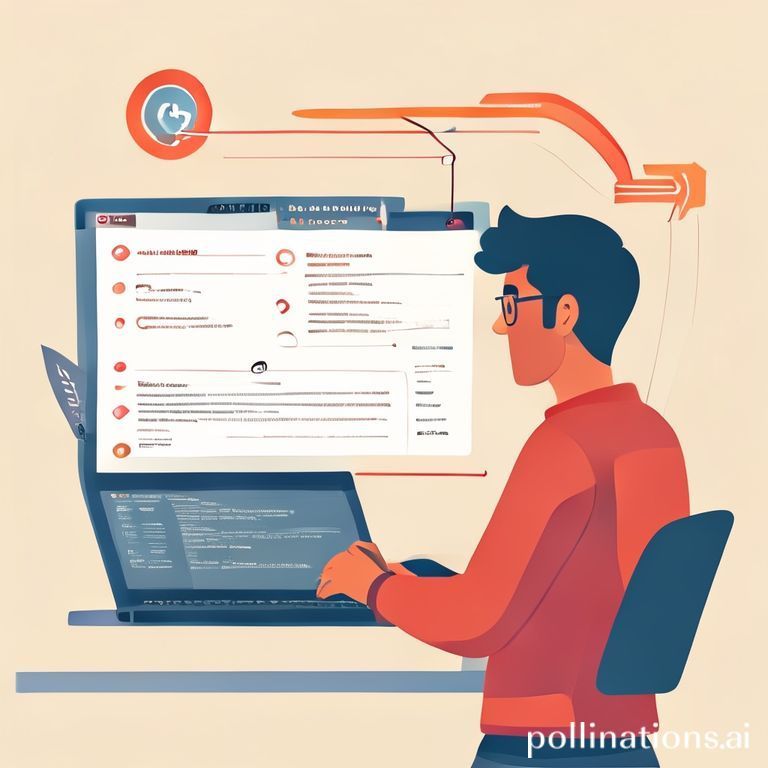
A simple, illustrative infographic showing a developer typing a text prompt into a laptop, with arrows pointing to different Grok models (Grok 4, grok-2-image) and then to a diverse collection of generated images (photo, drawing, abstract).
Nevertheless, prompt engineering is powerful despite limitations. Specifically, it guides AI style and quality. Therefore, use descriptive language for this. Furthermore, the platform is continuously evolving, so we can anticipate more granular control options in future updates. For further insight, see OpenAI’s image generation docs. Indeed, it shares similar architectural principles. Consequently, this shows how developers leverage similar APIs. Finally, find it here: [OpenAI Image Generation Guide](https://platform.openai.com/docs/guides/images).
A Step-by-Step Code Walkthrough
Bringing Grok API image generation to life often involves writing a bit of code. Therefore, this section provides a Python example. Furthermore, it assumes you use `xai_sdk` or OpenAI SDK. Indeed, they have mentioned compatibility. Consequently, this example shows easy integration. Thus, Grok’s visual capabilities are straightforward. Ultimately, integrate them into your applications.
First, you need an API key from xAI. Indeed, this grants authenticated access to their services. Consequently, this key is your credential for interacting with the Grok models and initiating image generation tasks.
Setting Up Your Environment
Indeed, before writing any code for Grok API image generation, you’ll need to set up your Python environment. Specifically, this typically involves installing the necessary SDK and securely storing your API key.
- Install the xAI SDK (or OpenAI SDK):
bash
    pip install xai_sdk # or openai
- Set Your API Key: Store your API key as an environment variable. Indeed, this is best practice. Ultimately, it prevents hardcoding into your script.
python
    import os
    # Replace with your actual Grok API key or set it as an environment variable
    # os.environ["XAIAPIKEY"] = "YOURXAIAPI_KEY"
However, you can load it directly for testing. Nevertheless, this is only if strictly necessary. Furthermore, environment variables are safer for production.
Making Your First Image Request
Then, once your environment is set up, you can make your first request for Grok API image generation. Specifically, this example will generate a single image and print its URL.
python
import os
Assuming xai_sdk is similar to openai SDK, for demonstration purposes.
Replace with actual xai_sdk if available, otherwise adjust for openai.
try:
    from xai_sdk import XAI
except ImportError:
    # Fallback to OpenAI SDK for compatibility if xai_sdk is not distinct or available
    from openai import OpenAI
    # If using OpenAI SDK, assume xAI's API endpoint is configured
    client = OpenAI(
        apikey=os.environ.get("XAIAPI_KEY"),
        base_url="https://api.x.ai/v1" # This is the critical part for xAI compatibility
    )
else:
    client = XAI(apikey=os.environ.get("XAIAPI_KEY"))
Define your creative vision
prompt_text = "A hyperrealistic portrait of a cyborg cat wearing a monocle, in a steampunk style, deep focus, cinematic lighting."try:
print(f”Generating image for prompt: ‘{prompt_text}’…”)
response = client.images.generate(
model=”grok-2-image”, # Use the dedicated image generation model
prompt=prompt_text,
n=1, # Generate one image
response_format=”url” # Request a URL for the image
)
if response.data:
for i, image_data in enumerate(response.data):
print(f”Generated Image {i+1} URL: {image_data.url}”)
else:
print(“No image data received in the response.”)
except Exception as e:
print(f”An error occurred during image generation: {e}”)
In summary, this code shows the fundamental process. First, initialize the client. Then, define your prompt. Next, call `images.generate` with parameters. Consequently, the result will be a URL pointing to your newly created AI-generated image. Ultimately, this forms the bedrock of any application leveraging Grok API image generation.
Best Practices for Stunning Visuals
Harnessing the full potential of Grok API image generation goes beyond just knowing the parameters. Rather, it requires an understanding of how to effectively communicate with the AI. Indeed, just as a human artist benefits from clear instructions and feedback, so too does an AI model. Therefore, adopt best practices in prompt engineering. Moreover, also use iterative refinement. Ultimately, this elevates image quality and relevance.
A thought bubble diagram illustrating “Prompt Engineering Cycle”: Idea -> Draft Prompt -> Generate Image -> Evaluate -> Refine Prompt -> Generate Again. Arrows show iterative process.
Ultimately, these techniques bridge a gap. Specifically, they connect your vision to AI interpretation. Consequently, this leads to predictable, astonishing results. Therefore, focus on these principles. Thus, transform your Grok API projects. Indeed, make them spectacular, not just functional.
Prompt Engineering Mastery
Prompt engineering is both an art and a science, and it is particularly crucial for Grok API image generation. Essentially, it’s about crafting text inputs that precisely guide the AI towards your desired output. Therefore, a good prompt is clear and specific. Moreover, it uses descriptive language. Ultimately, this paints a vivid picture for the model.
Tips for Crafting Effective Prompts
Consider these tips for mastering your prompts:
- Be Specific: Firstly, avoid general terms. Instead, for example, instead of “forest,” use “dense, ancient redwood forest.” Furthermore, add “at dawn, shafts of golden light piercing through mist.”
- Use Adjectives and Adverbs: Detail colors, textures, moods, and actions. For instance, use “Vibrant, shimmering scales” instead of “scales.”
- Specify Style and Medium: Indeed, even without explicit style parameters, you can suggest styles. For example, “Oil painting,” “pencil sketch,” “cyberpunk aesthetic,” or “photorealistic” can often be inferred by the model.
- Include Artistic Elements: Additionally, include artistic elements. For instance, reference artists, like “in the style of Van Gogh.” Furthermore, add lighting: “cinematic lighting” or “soft diffused light.” Also, consider composition: “wide shot” or “close-up.”
- Avoid Ambiguity: Therefore, remove any phrases that could lead to multiple interpretations.
- Iterate and Refine: Initially, your first prompt might not be perfect. Instead, generate, review, and then adjust your prompt based on the output. Ultimately, this iterative process is key to achieving optimal results.
Ultimately, master prompt engineering. Indeed, it is your most impactful skill. Consequently, this leads to superior Grok API image generation.
Iterative Refinement
The journey to a perfect image with Grok API image generation is rarely a one-shot deal. Instead, iterative refinement is powerful. First, generate an image. Then, evaluate it against your vision. Subsequently, adjust your prompt based on feedback. Indeed, think of it as a dialogue with the AI. Ultimately, each iteration brings you closer to your goal.
If, for instance, the first image isn’t quite right, analyze what’s missing or what needs correction. Perhaps, was the color off? Or, was the subject not prominent enough? Alternatively, did the style not match? Therefore, update your prompt with these specific adjustments and generate again. For example: You asked for “a red car.” However, you got bright fire-engine red. Instead, you wanted muted, rusty red. Thus, your next prompt could be “a vintage car, faded rusty red paint.” Furthermore, add “abandoned in a field.” Indeed, this feedback loop is continuous. Moreover, it leverages the AI’s learning capabilities. Ultimately, hone in on your desired aesthetic. Consequently, this commitment to refinement is where true “hard-won wisdom” emerges in AI art.
The Future of Visual AI with Grok
The current capabilities of Grok API image generation are just the beginning. As a result, xAI continues to innovate. Moreover, it refines its models. Therefore, expect more sophisticated features. Specifically, developers will get greater control. Indeed, imagine a future with explicit parameters. For instance, get custom resolutions and artistic styles. Furthermore, edit existing images via text prompts. Ultimately, the potential impact on industries like advertising, game development, education, and creative arts is immense.
Grok pushes AI boundaries. Consequently, developers will gain access to new tools. Indeed, these tools make content creation faster. Moreover, it will be more accessible and creative. Ultimately, this evolution democratizes design. Furthermore, it enables new forms of visual expression. Also, it creates interactive experiences. Therefore, Grok API image generation is a journey. Rather, it involves continuous discovery and innovation. Thus, this promises an exciting future for visual AI.

An artistic representation of a future cityscape, with holographic advertisements and AI-generated art displays integrated seamlessly into the environment, symbolizing the impact of advanced image generation.
Conclusion
In conclusion, mastering Grok API image generation unlocks a powerful new dimension in AI-driven creativity. Firstly, understand models like `grok-2-image` and Grok 4. Secondly, craft prompts meticulously. Thirdly, leverage essential parameters. Consequently, you now know how to transform text. Specifically, create compelling visual realities. Indeed, the process blends technical understanding. Moreover, it also involves creative expression. Thus, this demands precision in your code. Furthermore, it needs clarity in your vision.
Now, start your Grok API projects. However, remember the true magic. Indeed, it lies in iterative refinement. Moreover, it also comes from prompt engineering art. Therefore, articulate your ideas effectively to an AI. Ultimately, this skill will only grow in value. So, consequently, what stunning visual ideas are you eager to bring to life with Grok’s API? Finally, share your thoughts and creative challenges below!